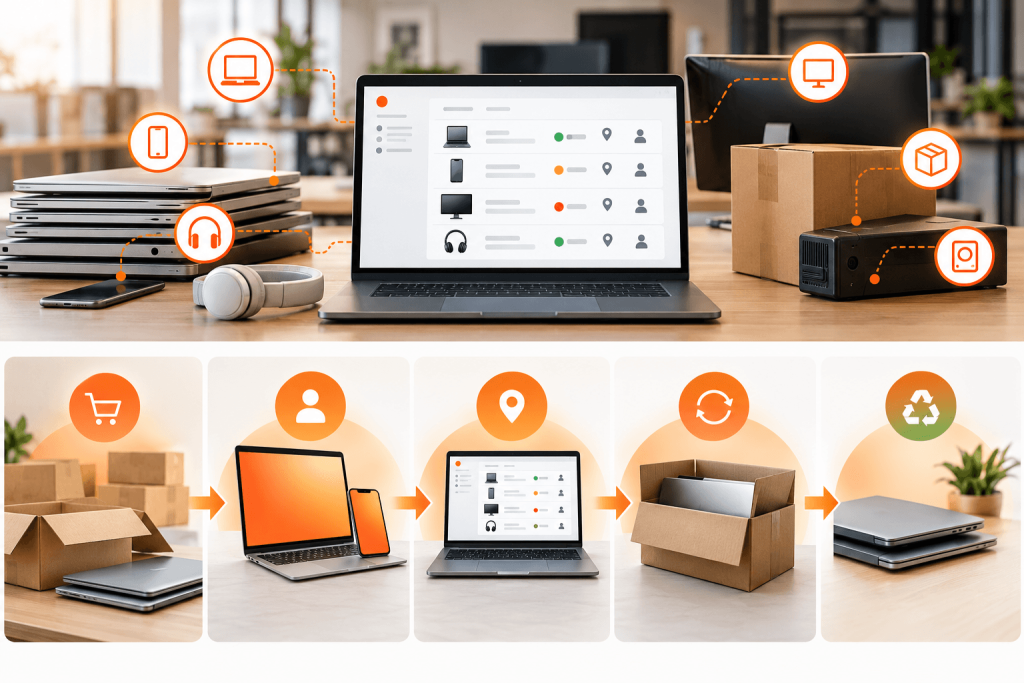
Your MDM shows 212 laptops that haven’t checked in for 30 days. Some need a reboot. Some sit in a drawer at a former employee’s apartment. A few were stolen, and one still has customer data on it.
AI in IT asset management is supposed to sort that list for you. Most AI in ITAM today can flag the problem. Far less of it can act on it, and very little reaches the physical device that has to be shipped, wiped or recovered.
This guide covers where AI actually helps across the asset lifecycle, where it should and shouldn’t act on its own, what it saves, and how to roll it out in 90 days.
TL;DR
- AI in ITAM uses machine learning, generative AI and AI agents to discover, track, optimize and retire IT assets with less manual work.
- The biggest gains come from license reclamation, data cleanup and device recovery, not from dashboards.
- AI assistants answer questions. AI agents take action. Agents need approval tiers and audit trails.
- AI is only as good as your asset data. Clean the data first.
What is AI-enabled ITAM?
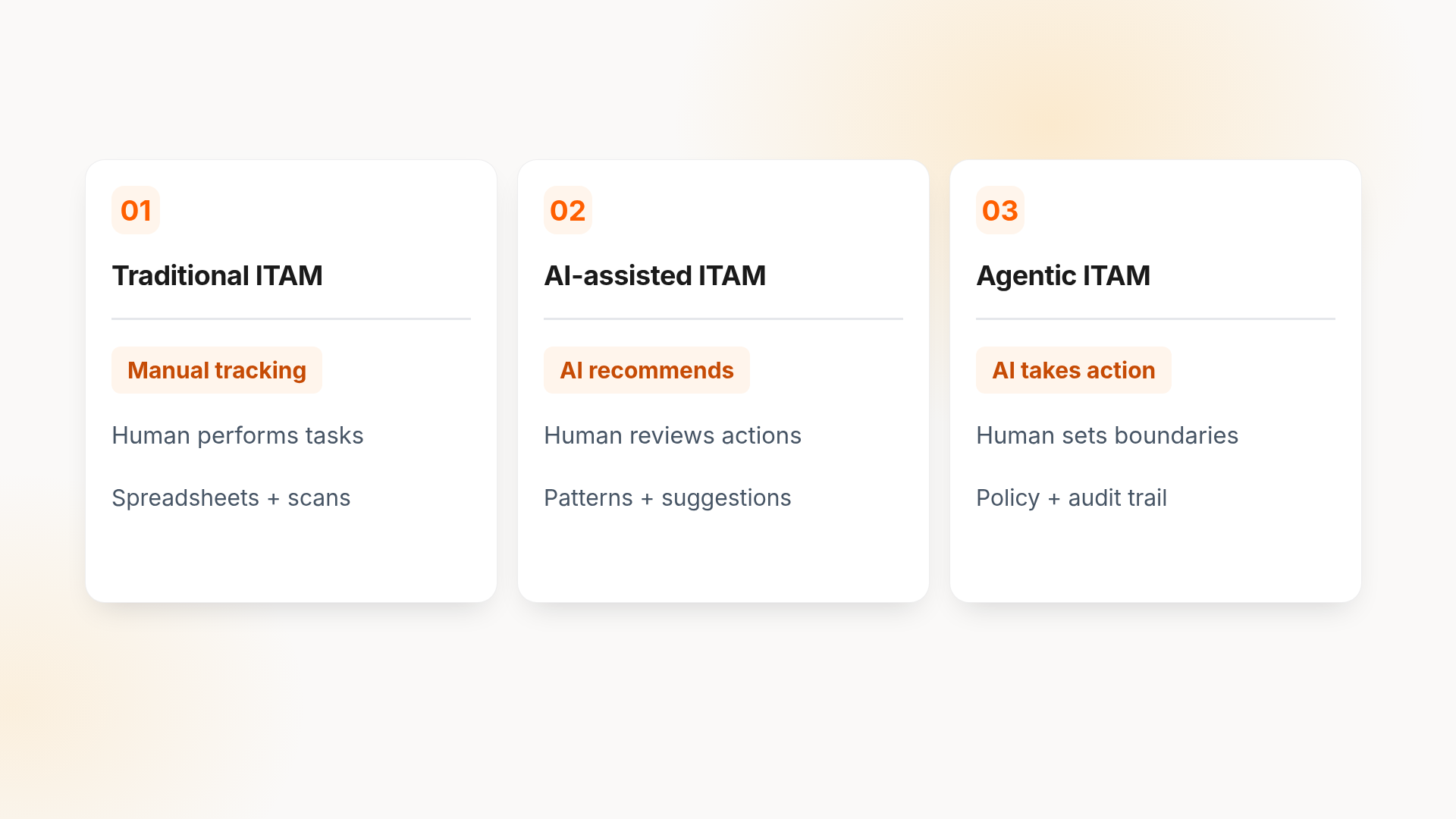
AI-enabled ITAM is IT asset management that uses machine learning, generative AI and AI agents to collect asset data, spot patterns and recommend or take actions across the asset lifecycle. It replaces fixed rules and spreadsheet reconciliation with systems that learn from usage, tickets and HR events.
Not all “AI” in ITAM works the same way. Here’s how the three levels compare:
| Category | Traditional ITAM | AI-assisted ITAM | Agentic ITAM |
|---|---|---|---|
| Data collection | Manual entry, scheduled scans | Automated discovery and normalization | Continuous, event-driven |
| Discovery | Rule-based | Pattern matching, duplicate detection | Self-correcting records |
| Decision-making | Human only | AI recommends, human decides | AI decides within set limits |
| Actions | Human only | Human executes | AI executes, human approves high-risk steps |
| Human role | Does the work | Reviews suggestions | Sets policy and handles exceptions |
| Example | Analyst reconciles MDM export with a spreadsheet | AI flags 40 unused design licenses | AI reclaims the licenses, emails users and logs the change |
Why ITAM teams are turning to AI now
Asset volume isn’t the only problem. Change is. Three pressures are pushing teams toward ITAM automation.
Adoption is still uneven. Deloitte’s 2026 survey found that only 25% of organizations have moved 40% or more of their AI experiments into production. In ITAM, the gap usually traces back to messy data and unclear ownership, not the AI itself.
7 AI use cases across the IT asset lifecycle
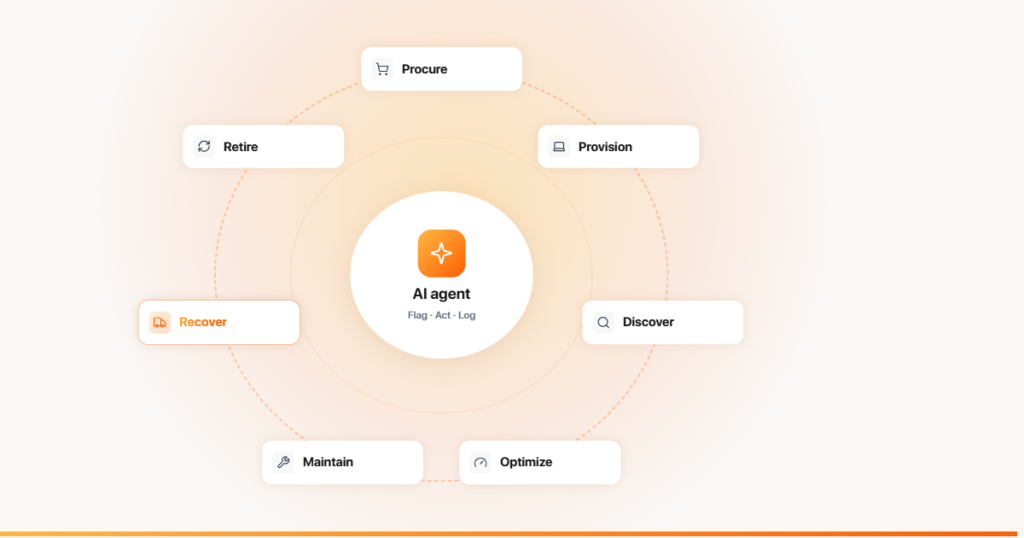
The most useful way to evaluate AI in ITAM is stage by stage. For each use case: what the AI does, the data it needs, and who approves.
1. Procure: demand forecasting
AI predicts how many laptops you’ll need next quarter from hiring plans, refresh dates and failure trends.
- Data: HRIS hiring plans, asset age, warranty dates, ticket history
- Approves: IT procurement and finance
It pairs well with decisions like leasing vs buying laptops and international IT procurement.
2. Provision: role-based assignment
When HR marks a new hire, AI recommends a device, software bundle and access profile based on role, location and similar employees.
- Data: HRIS role and location, past assignments, license pool
- Approves: IT ops (auto-approve standard roles)
3. Discover and track: AI asset discovery and CMDB mapping
AI asset discovery merges records from MDM, network scans and purchase data, removes duplicates and normalizes names (“MBP 14 M3” and “MacBook Pro 14-inch” become one model). An AI CMDB can also suggest relationships between configuration items.
- Data: MDM (Jamf, Iru, Microsoft Intune), network discovery, purchase orders
- Approves: Auto for normalization; human review for new CMDB relationships
If you’re unclear on where each record belongs, see how a CMDB differs from ITAM.
4. Optimize: AI software asset management
AI software asset management compares license entitlements with real usage, flags inactive seats and recommends downgrades or reclamation before renewal.
- Data: SSO logs, app usage, contracts, renewal dates
- Approves: App owner or IT, with user notice
5. Maintain: predictive maintenance and anomaly detection
Predictive IT asset management spots failing batteries, disk errors or repeated crashes and opens a ticket before the user does. Anomaly detection flags odd patterns, like a device that suddenly goes offline after an offboarding.
- Data: Device telemetry, ticket history, warranty status
- Approves: Auto ticket creation; human approval for replacements
6. Recover: offboarding and remote device retrieval
When HR records a departure, AI triggers the return workflow: shipping kit, reminders, tracking and escalation if the device doesn’t move. This is where most AI in ITAM stops short, because it requires physical logistics, not just a status change. A defined employee equipment return process is the foundation.
- Data: HRIS termination date, assigned assets, shipping status
- Approves: Auto for reminders; manager or HR for escalations
7. Retire: ITAD, data wipe evidence and chain of custody
AI can match returned devices to wipe certificates, flag missing evidence and recommend redeploy, refurbish or recycle based on age and condition.
- Data: Device condition, wipe logs, ITAD certificates, resale value
- Approves: Human sign-off on data destruction
AI assistant vs AI agent: what should AI do on its own?
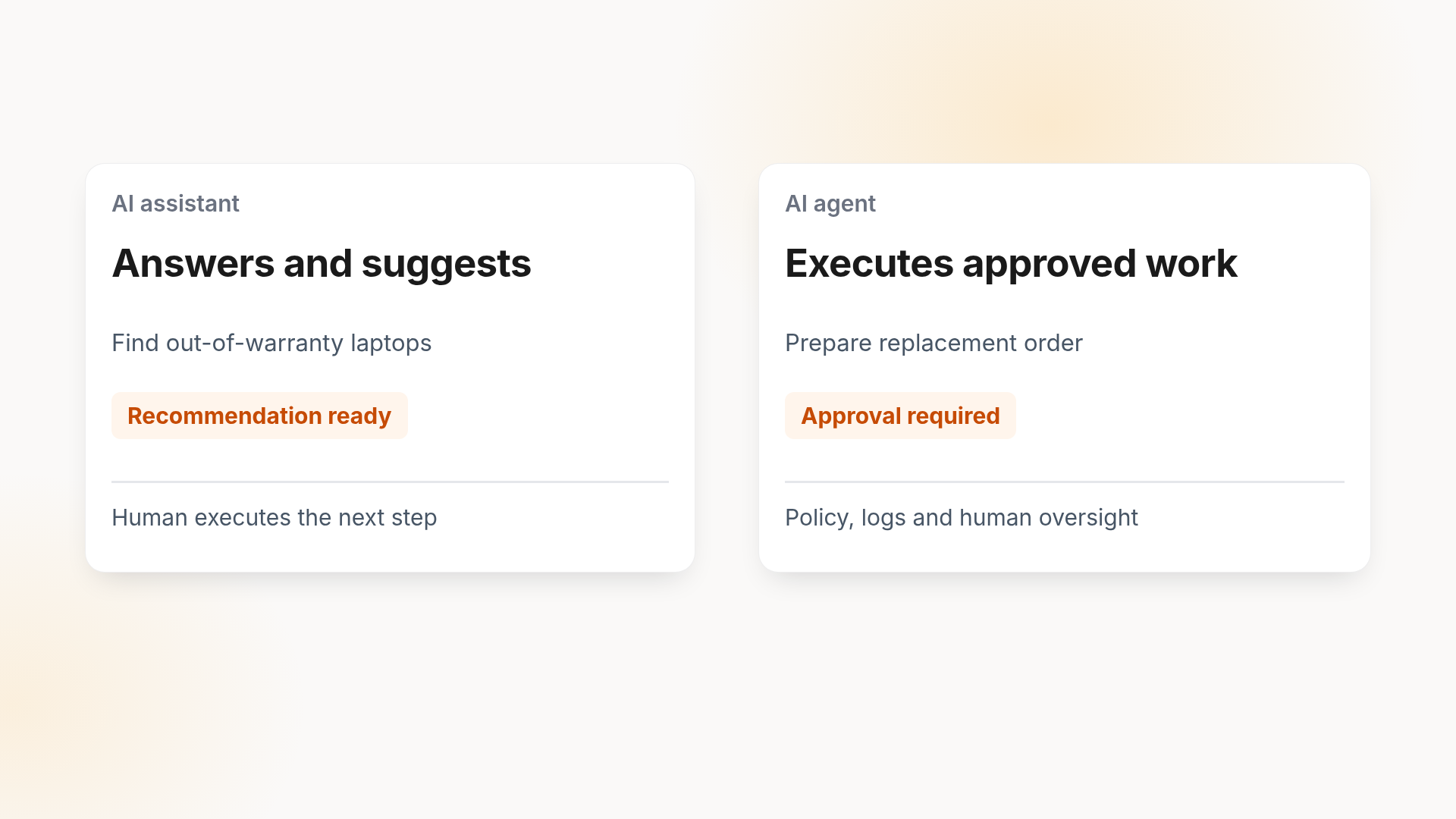
An AI assistant answers questions and suggests actions. An AI agent carries out actions across systems. “Which laptops are out of warranty?” is an assistant task. “Order replacements for out-of-warranty laptops in the sales team” is an agent task.
The label matters because the market is loose with it. Gartner predicts over 40% of agentic AI projects will be canceled by the end of 2027 and warns about “agent washing,” the rebranding of chatbots and assistants as agents.
Before giving any AI agent access to your asset data, decide what it can do alone:
| Tier | What AI can do | Examples |
|---|---|---|
| Auto | Act without approval, log everything | Tagging, normalization, duplicate merges, return reminders |
| Suggest + approve | Prepare the action, wait for sign-off | Purchase orders, license reclamation, device replacements |
| Never automate | Human decision only | Data destruction sign-off, vendor contracts, disciplinary escalations |
Every agent action should have an audit trail, a rollback path and an escalation owner. That’s also what auditors will ask for under your IT compliance strategy.
Risks and limitations of AI in ITAM
AI makes good asset data more useful. It also makes bad asset data more dangerous.
- Bad data in, wrong action out. If HRIS shows the wrong manager, the AI escalates to the wrong person.
- False positives. A device offline for 30 days may belong to someone on parental leave, not a departed employee.
- Invented relationships. Generative AI can suggest CMDB links that look plausible and aren’t real.
- Privacy and employee monitoring. Usage telemetry can drift into productivity tracking. Set clear limits, especially in states with stronger privacy laws such as California under the CCPA.
- Vendor lock-in. Check whether your asset history can be exported if you switch tools.
When AI is the wrong tool
If you manage a few hundred assets in one office with low turnover, a clean spreadsheet and solid MDM may be enough. AI pays off when volume, distribution or change rate outpaces what people can reconcile by hand.
What does AI in IT Asset Management actually save?
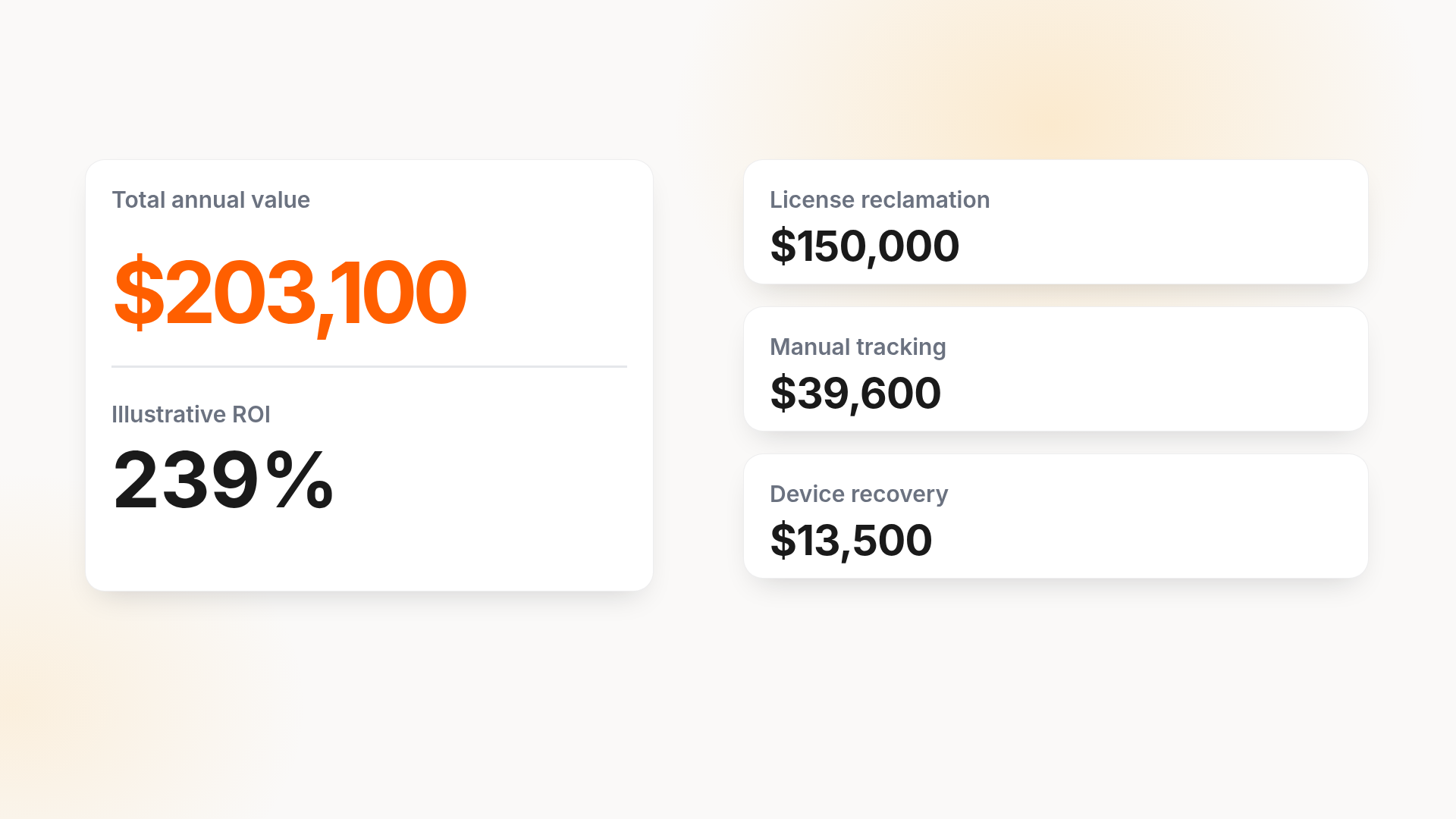
Here’s an illustrative model for a 1,000-employee company with a distributed workforce. Swap in your own numbers.
Annual value = license savings + labor savings + recovered device value
| Variable | Assumption | Annual value |
|---|---|---|
| License reclamation | 5% of a $3M SaaS budget reclaimed | $150,000 |
| Manual tracking time | 15 hours/week saved × 48 weeks × $55/hour | $39,600 |
| Device recovery | 150 departures; recovery rate rises from 85% to 95% (15 more devices × $900 redeploy value) | $13,500 |
| Total annual value | $203,100 |
ROI = (annual value − annual cost) ÷ annual cost
At an assumed 60,000annual cost for tooling and admin time,ROI is (203,100 − $60,000) ÷ $60,000, or about 239%. Avoided audit findings and fewer lost devices with unwiped data add value that’s harder to price but often matters more to leadership.
How to implement AI in ITAM: a 90-day plan
| Phase | Focus | Outcome |
|---|---|---|
| Days 1–30 | Clean the data. Merge MDM, purchase and HRIS records, assign field owners and baseline key metrics (unused licenses, unrecovered devices, time to provision). | One trusted asset inventory |
| Days 31–60 | Integrate HRIS, MDM and ITSM. Pilot one workflow, such as offboarding recovery or license reclamation, in “suggest + approve” mode. | A working pilot with measured results |
| Days 61–90 | Measure against the baseline, move proven steps to “auto,” set the governance matrix and expand to a second workflow. | A repeatable model for scaling |
Start with the workflow that costs you the most today, not the one with the flashiest demo. For broader planning, connect this to your modern IT strategy.
The new ITAM problem: managing AI tools as assets
AI is also creating new assets to manage. Employees sign up for AI writing, coding and meeting tools on corporate cards, often outside procurement. That’s shadow AI, and it brings the same issues as shadow IT plus data risk.
Treat AI tools like any other software asset:
- Discover them through SSO, expense and browser data
- Record owner, cost, data access and contract terms
- Review which tools can process customer or employee data
- Reclaim seats when people leave
From Alert to Return Label: AI That Moves the Device, Not Just the Data
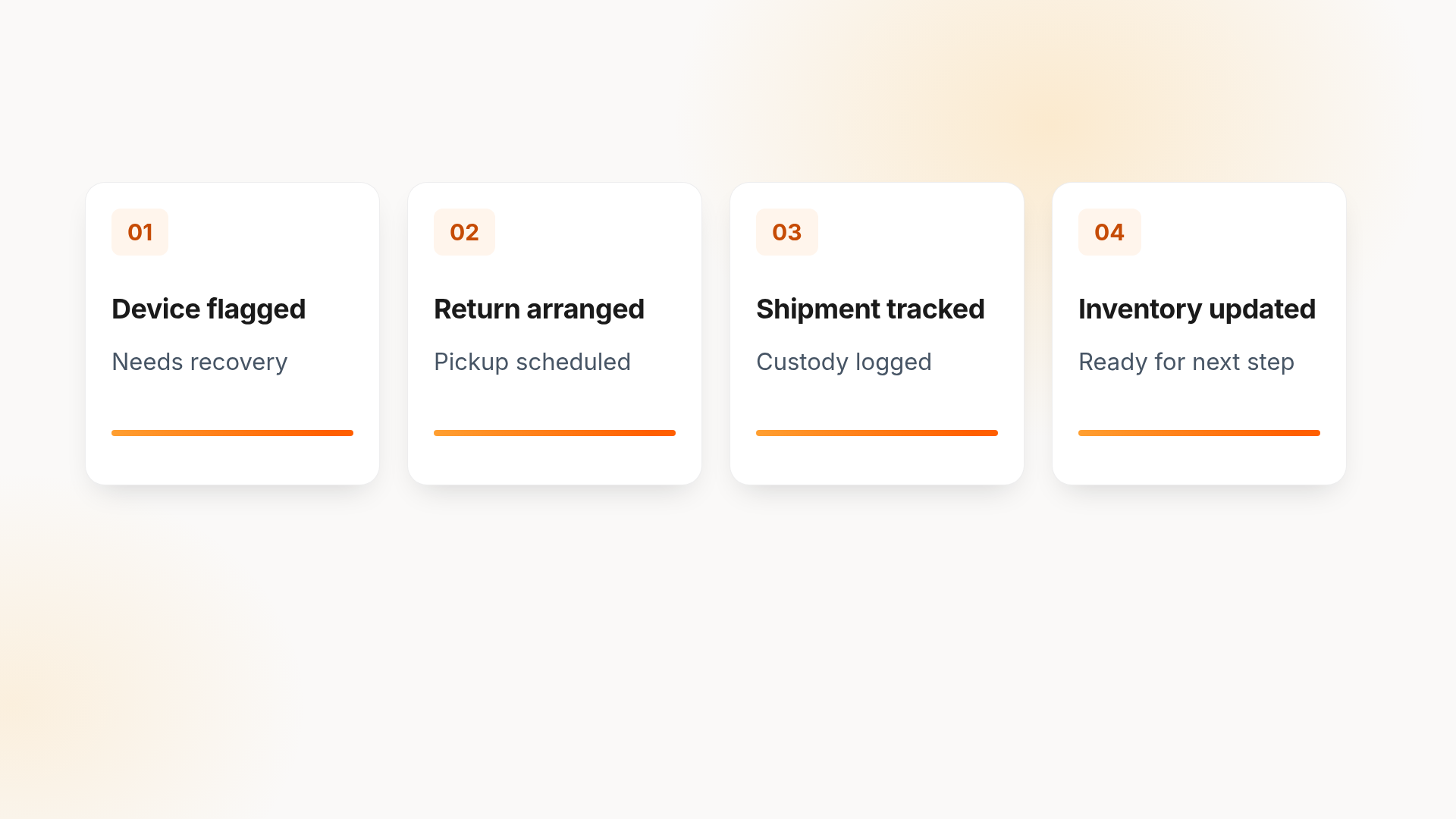
Most AI in ITAM ends at an insight. It tells you a laptop is unassigned, a license is idle or a device is aging out. Someone still has to ship the replacement, chase the return and confirm the wipe.
For distributed teams, that physical work is where records drift and costs pile up. Unduit is built for it. Its AI-powered IT agent sits inside an ITSM-native platform and connects each ticket to the device behind it, from procurement and deployment through recovery and retirement:
- Automated pickup scheduling: sends reminders and arranges device pickups without manual follow-up
- Real-time tracking dashboard: monitors laptops, monitors and peripherals in transit from anywhere
- Smart inventory updates: logs returned devices, records condition and updates your asset records
- Refurbish and redeploy recommendations: suggests repair, upgrade or redeployment options to maximize asset value
- Secure chain of custody: logs every step for compliance and data security
- Global support: handles domestic and international shipments
- Employee-friendly communication: sends timely updates by email, text or call
Frequently asked questions
Can AI do asset management?
Yes, for many tasks. AI can discover assets, clean records, forecast demand, reclaim licenses and trigger recovery workflows. It still needs humans to set policy, approve high-risk actions like data destruction and handle exceptions. Most teams use AI to reduce manual work, not to run ITAM unattended.
What is AI-enabled ITAM?
AI-enabled ITAM is IT asset management that uses machine learning, generative AI and AI agents to collect asset data, detect patterns and recommend or take actions. It replaces manual reconciliation and fixed rules with systems that learn from usage, tickets and HR events across the asset lifecycle.
How is AI used in IT asset management?
AI is used for automated asset discovery, data normalization, license optimization, predictive maintenance, anomaly detection, demand forecasting and offboarding recovery. The most mature use cases today are license reclamation and data cleanup. Agentic use cases, where AI completes multi-step workflows, are growing but need clear approval rules.
What are ITAM tools?
ITAM tools track an organization’s hardware, software and cloud assets from purchase to disposal. They record cost, ownership, location, contracts and lifecycle status. Common categories include discovery tools, software asset management platforms, MDMs, CMDBs and lifecycle platforms that handle procurement, deployment and recovery.
What’s the difference between an AI assistant and an AI agent in ITAM?
An AI assistant answers questions and suggests actions, such as listing laptops out of warranty. An AI agent takes action across systems, such as ordering replacements and notifying users. Agents need defined permissions, approval tiers and audit trails because their mistakes reach real systems and real people.
What data do you need before adopting AI in ITAM?
You need a reliable asset inventory, accurate user assignments from your HRIS, device data from your MDM, license and contract records, and ticket history. Each field should have one owner and one source of truth. Without that baseline, AI recommendations will reflect your data gaps.
Will AI replace IT asset managers?
No. AI removes repetitive work like reconciliation, reminders and data entry. IT asset managers shift toward setting policy, managing vendors, reviewing exceptions and owning governance. Gartner’s “agent washing” warning is a reminder that human judgment still decides which AI claims hold up.
Do you need to replace your ITAM or ITSM tool to add AI?
Usually not. Many teams add an AI layer to their existing ITSM and connect it to their MDM and HRIS. Replacement makes sense only if your current tools can’t share data through integrations or APIs.