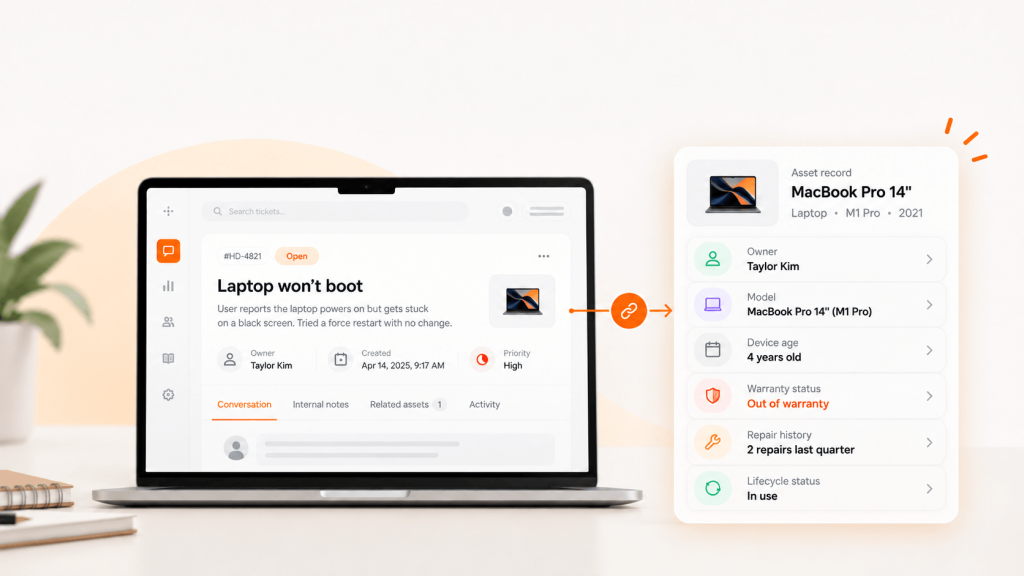
A ticket comes in: “Laptop won’t boot.” Your technician opens the help desk, then a spreadsheet, then the MDM console, just to learn the device is four years old, out of warranty and was repaired twice last quarter.
Help desk software with asset management puts that context inside the ticket. This guide compares nine tools on what matters to mid-market IT teams: real pricing, plan limits, integrations and what happens to the device after the ticket closes.
TL;DR
- Best all-rounder for mid-market IT: Unduit, Freshservice or ManageEngine ServiceDesk Plus
- Best if you already run Jira: Jira Service Management with Assets
- Best free options: GLPI (self-hosted) and Spiceworks Cloud Help Desk (up to 5 technicians)
- Watch for: Asset management locked to higher plans, asset unit caps and per-node fees
- The gap most tools leave: Some of them ship, recover or retire the physical device
What is help desk software with asset management?
It’s a ticketing system that links each request to the hardware and software involved. Technicians see the device’s model, owner, warranty, software and repair history without leaving the ticket. That speeds up resolution and gives IT the data to decide when to repair, replace or refresh.
It sits between a standalone help desk (tickets only) and a standalone ITAM platform (inventory only). For a deeper look at how asset records relate to configuration data, see our guide to CMDB vs ITAM.
Why Should You Link Help Desk Tickets to Assets?
When tickets and assets live in separate tools, the same problems show up:
- Context switching: technicians hunt for device details across two or three systems.
- Repeat fixes: nobody sees that the same laptop has failed three times.
- Missed renewals: warranties and licenses lapse without warning.
- Spreadsheet drift: the inventory stops matching what’s actually deployed.
- Offboarding gaps: a departing employee’s ticket closes, but the laptop never comes back.
What to Look for in Help Desk Software with Asset Management
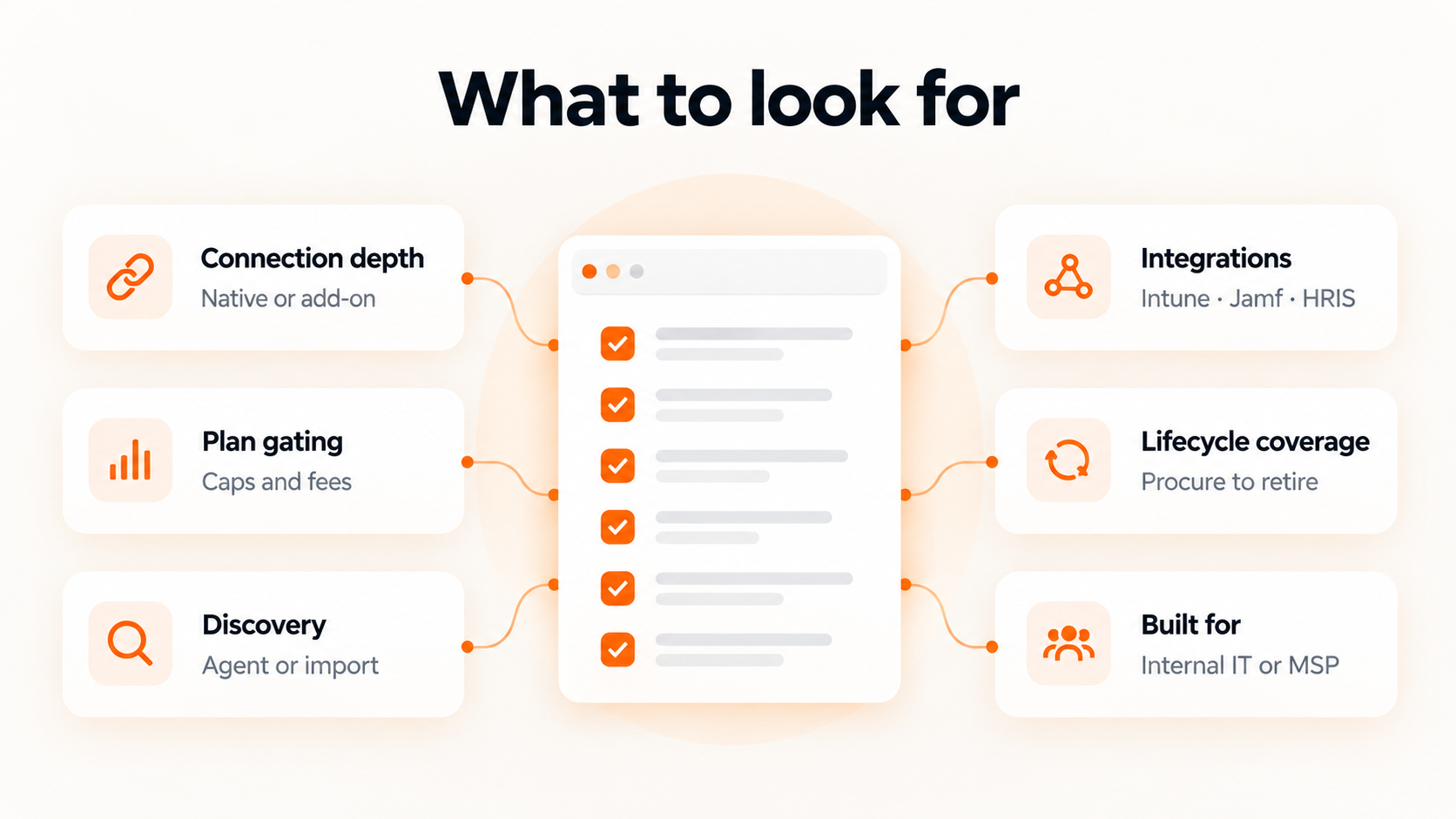
| Criterion | Question to ask the vendor |
|---|---|
| Connection depth | Is asset management native, or a synced add-on? |
| Plan gating | Which plan first includes assets? Are there asset or node caps? |
| Discovery | Agent-based, agentless, or import only? |
| Integrations | Does it sync with Intune, Jamf, Entra ID, Okta and your HRIS? |
| Lifecycle coverage | Does it track procurement, warranty, recovery and disposal? |
| Who it’s built for | Internal IT team or MSP managing many clients? |
Help desk software with asset management: comparison table
Prices are published starting rates for annual billing as of October 2026. Confirm with each vendor, since add-ons and asset limits change the real cost.
| Tool | Well suited to | Starting price | Asset management included? | Watch out for |
|---|---|---|---|---|
| Freshservice | Mid-market ITSM | $19/agent/mo | Yes, all plans (100 asset units included) | Asset types consume different numbers of units |
| ManageEngine ServiceDesk Plus | ITIL-heavy teams | $645/yr (Professional, 2 techs, 250 assets) | Professional and Enterprise only | CMDB is an add-on below Enterprise |
| SolarWinds Web Help Desk | On-premises shops | $533/technician/yr | Yes, with discovery | Validate discovery for cloud and remote devices |
| Jira Service Management | Teams already on Jira | $20/agent/mo | Yes, Assets on Standard (5,000 objects) | Hardware asset features on Premium |
| InvGate | Teams wanting separate ITSM and ITAM | $17/agent/mo + $0.21/node/mo | Separate modular product | Confirm the plan includes the asset features you need |
| HappyFox | Support-led IT teams | $21/agent/mo | Pro plan ($89/agent/mo) | Verify plan-level asset, discovery and automation features |
| GLPI | Budget, technical teams | Free self-hosted; cloud from €19/agent/mo | Yes, with CMDB | You host and maintain it |
| Spiceworks Cloud Help Desk | Very small IT teams | Free (up to 5 technicians) | Basic | Ad-supported; limited automation |
| Unduit | Distributed teams needing full device lifecycle | Free sign-up, pay-as-you-go model. | Yes, plus physical lifecycle services | Newer player, mid-market focus |
Quick takes
- Freshservice: A user-friendly ITSM platform with integrated ITAM. Confirm the asset unit allowance and budget for additional capacity, because different asset types consume different numbers of units.
- ManageEngine ServiceDesk Plus: A strong option for structured ITSM, asset management and CMDB requirements. Check edition-specific technician, asset, node and CMDB limits.
- SolarWinds Web Help Desk: Combines ticketing with asset discovery, ticket-to-asset association, lifecycle tracking and software asset capabilities. Validate discovery coverage for cloud and remote environments.
- Jira Service Management: Well suited to teams already using Jira. Its Assets feature can manage configuration and asset records, but device shipping, recovery and refurbishment may require an integration or lifecycle partner.
- InvGate: Offers modular Service Management and Asset Management products that can run separately or together. Confirm the selected plan includes the asset functionality you need.
- HappyFox: A fit for help-desk-centric teams that need asset records and ticket associations. Verify plan-level asset, discovery, licensing and automation capabilities.
- Unduit: Combines ITSM workflows with physical IT device lifecycle services, including procurement, deployment, recovery, replacement, resale and recycling. It’s especially relevant where distributed device logistics are a major requirement.
Tools like NinjaOne, Atera and SuperOps also link tickets to devices, but they’re built for MSPs and RMM. Internal IT teams often pay for multi-tenant features they don’t need.
Does Microsoft have asset management software?
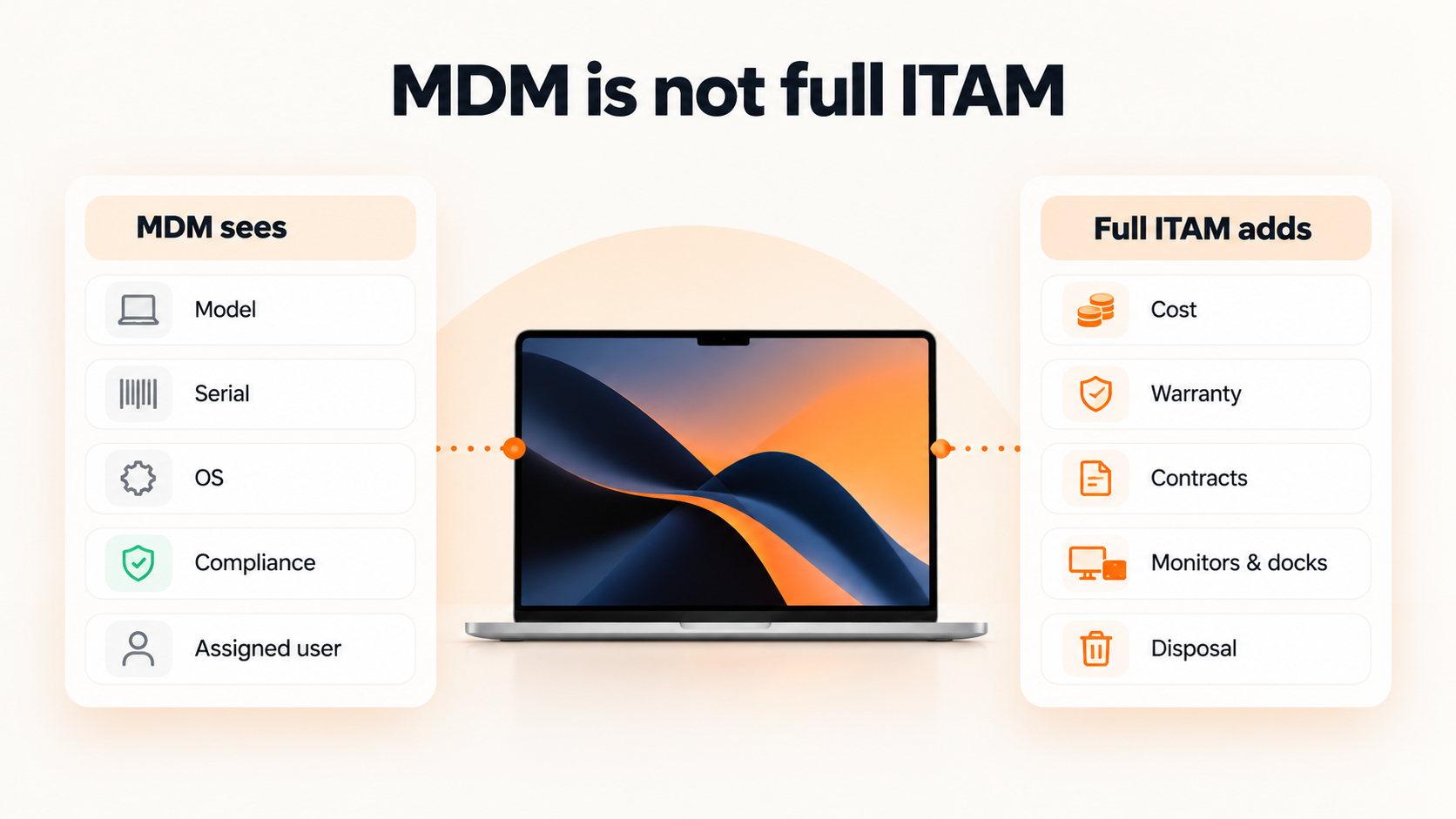
Not a full one. Microsoft Intune manages and inventories enrolled devices: model, serial number, OS, compliance and assigned user. It doesn’t track purchase costs, warranties, contracts, unenrolled hardware like monitors and docks, or disposal.
Most teams keep Intune (or Jamf, or Iru) as the device management layer and connect it to a help desk with ITAM. The MDM tells you what’s on the device. The ITAM tool tells you what it cost and where it is in its lifecycle.
Are there free help desk tools with asset management?
Yes, with trade-offs.
- GLPI is open source with ticketing, inventory and a CMDB. It’s free if you host it, but you own upgrades, security and backups.
- Spiceworks Cloud Help Desk is free for up to five technicians. It’s ad-supported, and adding a sixth technician moves every seat to a paid plan.
Free tools fit small teams. Once you’re supporting hundreds of remote employees, the hidden cost is staff time.
Why devices go missing after the ticket is closed
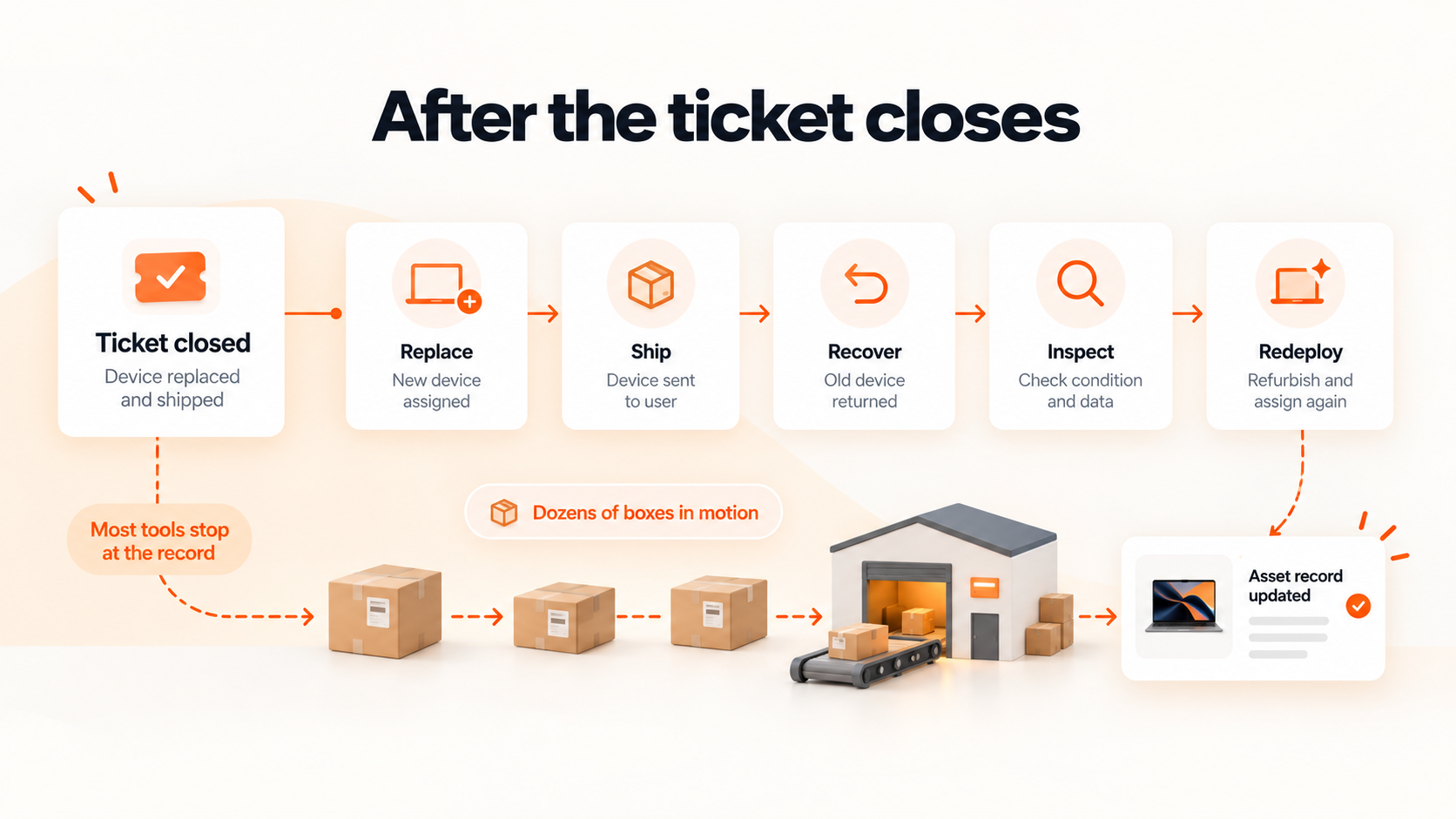
Most of the tools above stop at the record. It logs that a laptop failed, or that an employee left. Then someone still has to order a replacement, ship it to a home address in Ohio, chase the old device back and decide whether to repair, redeploy or recycle it.
For a team supporting 1,500 remote employees, that’s dozens of boxes in motion every month, tracked through email threads and carrier portals.
How Unduit closes the loop
Unduit is an ITSM-native platform that connects each ticket to the device behind it and then handles the physical lifecycle: procure, deploy, support, recover and retire. An offboarding ticket can trigger a device return automatically, with no separate workflow.
- Automated pickup scheduling: sends reminders and arranges pickups without manual follow-up
- Real-time tracking dashboard: shows laptops, monitors and peripherals in transit
- Smart inventory updates: logs returned devices, records condition and updates asset records
- Refurbish and redeploy recommendations: suggests repair, upgrade or redeployment to recover value
- Secure chain of custody: logs every step for audits and data security
- Global support: handles domestic and international shipments
- Employee-friendly communication: sends updates by email, text or call
FAQs
What is the best help desk software with asset management?
It depends on your stack. Freshservice and ManageEngine suit most mid-market teams, Jira Service Management fits Jira shops, and GLPI fits budget-conscious technical teams.
Is there free help desk software with asset management?
Yes. GLPI is free to self-host, and Spiceworks Cloud Help Desk is free for up to five technicians.
Is Microsoft Intune an asset management tool?
Intune is device management, not full ITAM. It inventories enrolled devices but doesn’t track cost, warranties or disposal.
Can help desk software track non-IT assets?
Many tools can, using custom asset types for furniture, vehicles or equipment. Check discovery and field limits first.
How long does implementation take?
Ticketing can go live in days. Asset data takes longer because the inventory usually needs cleanup first, so plan for several weeks.