It’s 10:30 a.m. in Chicago. A GLPI update has broken the ticket form your service desk relies on. On GLPI Cloud, the vendor’s support desk closed half an hour ago because it operates Monday through Friday, 9 a.m. to 5 p.m. Paris time, and closes on weekends and French public holidays.
For many IT teams, that’s when the search for a GLPI alternative starts.
Tl;dr
- GLPI is free to license, not free to run. Self-hosting costs admin hours, server upkeep, and plugin fixes after upgrades.
- GLPI Cloud has trade-offs for US teams: Paris support hours, France-based hosting, and 97% uptime.
- Pick an alternative by your gap: Snipe-IT for simple assets, Freshservice for fast cloud ITSM, ServiceNow for enterprise scale, and Unduit for ITSM plus device logistics.
- Software can log a laptop, but it can’t ship, recover, or wipe one. Plan for the physical lifecycle too.
GLPI is a capable, mature open-source tool. But the costs of running it are rarely on the pricing page. They show up as admin hours, patched plugins, and support gaps.
This guide compares seven alternatives, shows what “free” really costs, and explains what to check before you migrate.
What GLPI does well and where teams hit the wall
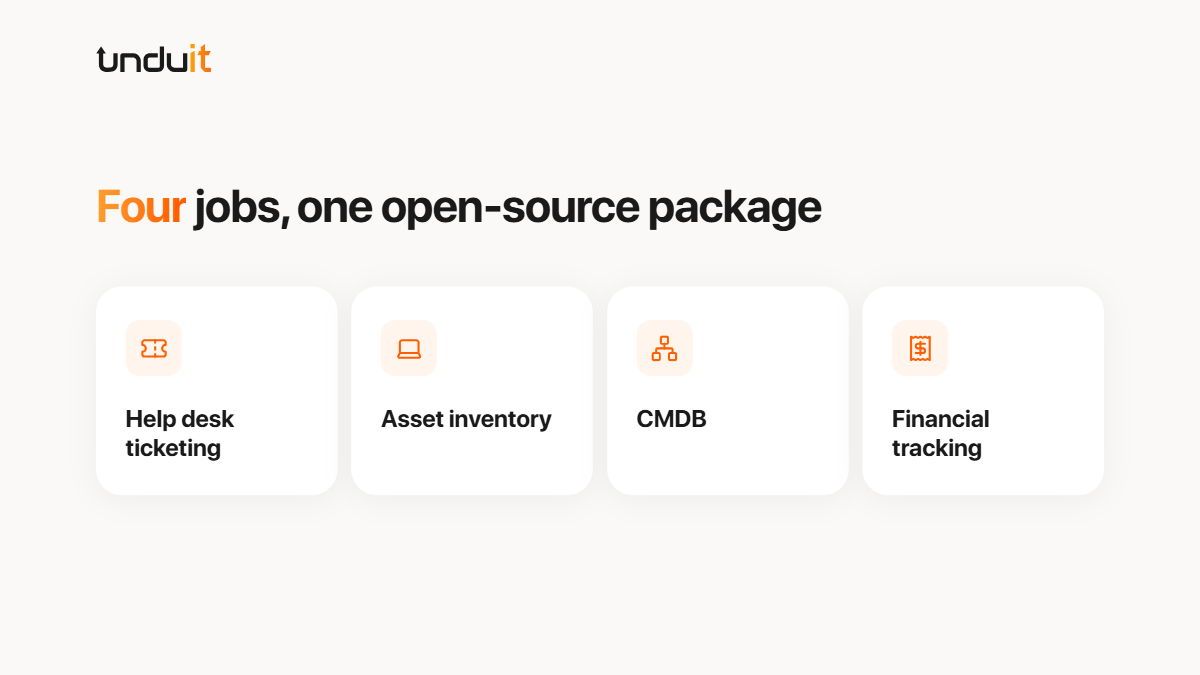
GLPI brings help desk ticketing, asset inventory, a CMDB, and financial tracking together in one open-source package.
GLPI 11, the most recent major version, added:
- Native custom assets (replacing the GenericObjects plugin)
- Built-in forms (replacing FormCreator)
- A redesigned self-service portal
- Two-factor authentication (TOTP + WebAuthn/FIDO2)
- Webhooks for real-time integrations
For teams with in-house Linux and PHP skills that must self-host, GLPI remains a legitimate choice.
Why IT teams look for a GLPI alternative
Self-hosting turns into a part-time job
Self-hosted GLPI has no license fee, but someone still has to patch the server, test upgrades, and rebuild broken plugins. Plugin compatibility at upgrade time is the complaint that surfaces most often on Reddit.
GLPI Cloud runs on European business hours
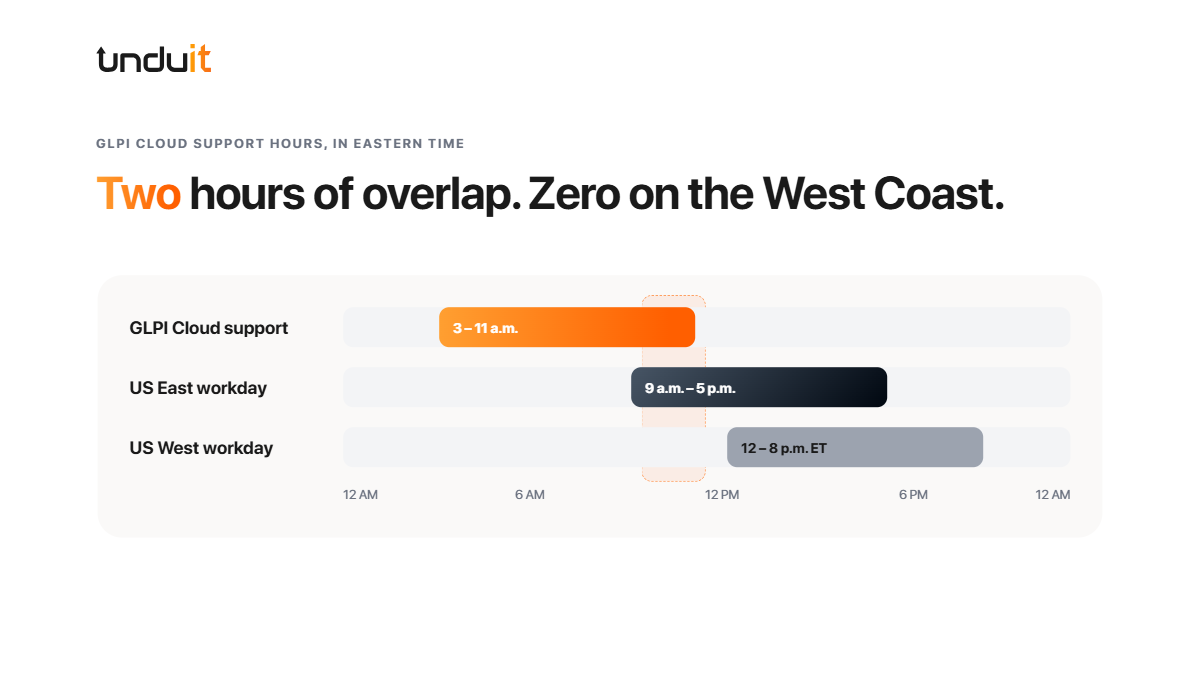
Moving to Teclib’s hosted GLPI Cloud removes the server work. It also introduces trade-offs that most comparison articles skip. These all come from GLPI’s official pricing page:
Dated UI and limited reporting
Reviewers on Capterra describe a dated interface where administrators struggle at first to locate the settings they need, and team leads note that onboarding new staff often takes a long time because many features aren’t intuitive.
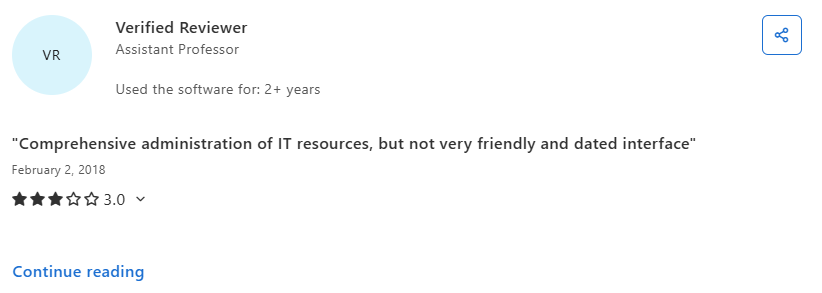
When leadership asks for SLA trends or cost-per-device reports, that friction becomes a visibility problem.
How we evaluated these GLPI alternatives
We compared each tool on the criteria that matter most to US IT operations leaders:
- Time to value: setup effort and ongoing admin load
- ITSM depth: incident, problem, change, and SLA management
- ITAM depth: discovery, license tracking, and CMDB relationships
- Support and hosting: US-hours coverage and data location
- Total cost of ownership: licenses plus labor, hosting, and add-ons
- Lifecycle coverage: what happens to physical devices beyond the database
Pricing reflects publicly listed rates as of September 2026. Always confirm current pricing with each vendor.
7 GLPI alternatives worth shortlisting
1. Snipe-IT
- What it does: Web-based IT asset management for tracking hardware, software, licenses, and accessories. Supports check-in/check-out, QR/barcode labels, and basic reporting.
- Best for: Teams that need a simple, low-cost asset register without ticketing or ITIL processes.
- Strengths:
- Straightforward asset and license tracking with check-in/check-out workflows.
- QR/barcode labeling and REST API for integrations.
- Lower administrative overhead than full ITSM suites.
- Limitations:
- No native ticketing, problem/change management, or CMDB.
- Reporting and workflow automation are limited compared to dedicated ITSM platforms.
- Pricing model:
- Free to self-host.
- Hosted plans priced by number of assets/users.
2. ManageEngine ServiceDesk Plus
- What it does: ITIL-aligned service desk with incident, problem, change, release management, plus integrated ITAM and CMDB in higher tiers.
- Best for: Organizations that want broad ITIL coverage with on-prem or hybrid deployment options.
- Strengths:
- Wide range of ITIL processes in one product.
- Built-in asset management and CMDB in Professional/Enterprise tiers.
- Integrates with other IT management tools (directory, monitoring, etc.).
- Limitations:
- Configuration can be complex; UI can feel dense.
- Some advanced features require higher-tier plans.
- Pricing model:
- Free for up to 5 technicians (Standard, on-prem).
- Paid tiers priced per technician/month; final pricing is quote-based.
3. Freshservice
- What it does: Cloud ITSM platform with incident, problem, change, asset management, knowledge base, SLA management, and no-code automation.
- Best for: Teams that want a managed service desk with minimal infrastructure and fast setup.
- Strengths:
- Clean, modern UI and relatively quick time-to-value.
- No-code workflow automation; AI-assisted routing/suggestions in higher tiers.
- Multi-channel support (email, portal, chat) and integrated knowledge base.
- Limitations:
- Asset management only from the Growth plan and limited by asset count.
- Less depth for complex enterprise governance and custom workflows.
- Pricing model (annual billing, typical list prices):
- Starter: ~$19/agent/month
- Growth: ~$49/agent/month (includes asset management, limited assets)
- Pro: ~$99/agent/month
- Enterprise: quote-based.
4. Jira Service Management (JSM)
- What it does: Service desk and ITSM tool with incident, problem, change, and request management; “Assets” provides CMDB capabilities. Deeply integrated with Jira Software and Confluence.
- Best for: IT and development teams already using Jira/Confluence who want shared workflows and a CMDB in the same ecosystem.
- Strengths:
- Native integration with Jira Software and Confluence.
- Flexible automation rules, forms, and workflows.
- Assets/Insight allows modeling of asset and service relationships.
- Limitations:
- Some advanced change, asset, and automation features require Premium or higher.
- Complex CMDB and process modeling can extend implementation time.
- Pricing model (cloud, list prices):
- Free: up to 3 agents
- Standard: ~$20/agent/month (annual)
- Premium: ~$51.42/agent/month (annual)
- Enterprise: quote-based.
5. ServiceNow
- What it does: Enterprise platform for ITSM, ITAM, ITOM, security, HR, and custom workflow applications, with a robust data model and development environment.
- Best for: Large organizations with complex, multi-department processes and strong governance/compliance needs.
- Strengths:
- Extensive ITIL process coverage and governance capabilities.
- Large ecosystem of integrations and prebuilt applications.
- Advanced reporting, analytics, and AI features.
- Limitations:
- Implementations can be long and resource-intensive.
- Requires dedicated administrators/developers; higher total cost of ownership.
- Pricing model:
- Quote-based, typically by module and user type.
- Often sold as part of multi-year enterprise agreements.
6. Lansweeper
- What it does: Agentless IT asset discovery and inventory platform that scans networks to detect devices, software, and configurations, and provides vulnerability and license data.
- Best for: Teams that need accurate, detailed inventory and vulnerability information, usually alongside a separate ITSM tool.
- Strengths:
- Agentless scanning across many device types and platforms.
- Detailed hardware/software inventory, license reconciliation, and vulnerability insights.
- Reporting and API used to feed data into ITSM/BI tools.
- Limitations:
- Not a service desk; no native incident/problem/change workflows.
- Typically deployed alongside a separate ITSM platform for ticketing.
- Pricing model:
- Tiered by number of assets.
- Annual subscription; pricing varies by tier and region.
7. Unduit
- What it does: Cloud ITSM + ITAM platform integrated with physical device lifecycle services (procurement, shipping, retrieval, refurbishment). Combines ticketing and asset tracking with hands-on device logistics.
- Best for: Distributed or remote-first teams that want ITSM/ITAM and device logistics in one system.
- Strengths:
- Ticketing, asset tracking, and device lifecycle (onboarding/offboarding, global shipping, retrieval) in a single dashboard.
- Reduces coordination between separate ITSM tools and logistics providers.
- Workflows designed around remote/hybrid operations.
- Limitations:
- Cloud-only; not suitable for strict on-prem requirements.
- Newer platform with a smaller partner ecosystem and fewer third-party reviews.
- Pricing model:
Sign up free; pay as you scale.
GLPI alternatives compared side by side
* Freshservice asset management starts at Growth plan and is limited by asset count per tier.
Is “free” GLPI actually cheaper?
Sometimes, but only if you account for all cost lines. Self‑hosted GLPI has no license fee, but you still pay for infrastructure, security, backups, upgrades, and internal labor. Hosted GLPI and other SaaS ITSM/ITAM tools shift much of that work to the vendor but charge per agent/user.
Cost components to consider
Example labor math:
If one administrator spends ~4 hours/week maintaining GLPI at a loaded cost of $60/hour, that’s roughly:
4 hours/week×52 weeks×$60 = $12,480 per year
At that level of internal effort, a paid SaaS platform for a small team (e.g., 10 agents) can end up costing less in total than “free” self‑hosted GLPI once labor is included. The right answer depends on your team size, skill set, and how heavily you rely on plugins and customizations.
Migrating off GLPI: What moves and what breaks
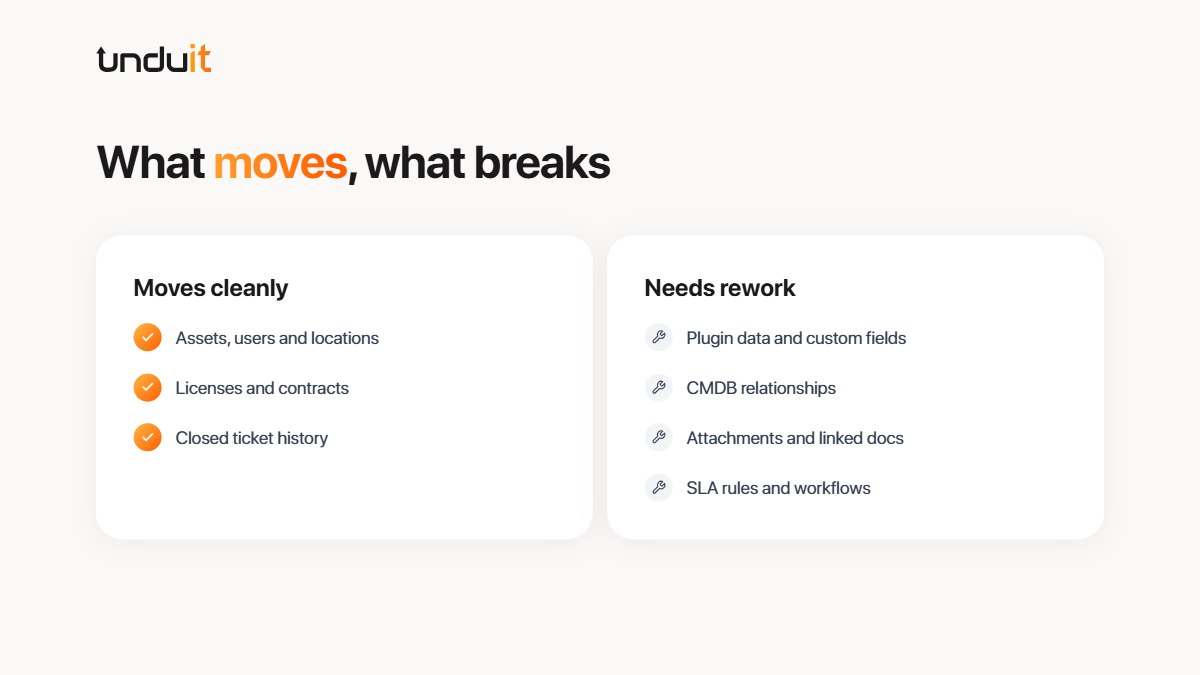
Most core data can be exported from GLPI, but migrations usually stall on relationships, customizations, and plugin data rather than on basic records.
Data that usually moves cleanly
- Asset records (hardware, software), users, locations, and suppliers
- Software licenses and contracts
- Closed ticket history (often via CSV export or API)
Data that often needs mapping or rework
- Custom fields and data created by plugins
- CMDB-style relationships between assets, services, and applications
- Attachments (files, screenshots) and linked documents
- SLA rules, business calendars, and complex workflow configurations
Practical cutover checklist
- Audit plugins and customizations
- List all active plugins and custom fields.
- Decide which are still needed in the new tool.
- Map fields before exporting
- Create a field mapping document (GLPI field → target tool field).
- Note any data that will be dropped or merged.
- Export and transform data
- Use GLPI exports (CSV, API, or database dump) for assets, users, tickets, and licenses.
- Clean and transform data to match the target tool’s import format.
- Run parallel systems
- Operate GLPI and the new tool in parallel for 2–4 weeks if possible.
- Route new tickets to the new tool while keeping GLPI read‑only for history.
- Validate before full switch‑over
- Reconcile asset counts, license counts, and open tickets between systems.
- Spot‑check key reports and dashboards.
- Communicate the change
- Inform end users of the new portal/URL, processes, and any changes in SLAs.
- Provide quick guides or FAQs for the new system.
If you are on GLPI Cloud (hosted by Teclib or an official partner), you can typically request a full copy of your data, including the MySQL database and attachments. Providers generally honor such requests within a defined period (often around 30 days) after a written request, without extra charge. It’s best to request this early in your migration project so you have time to validate and transform the data.
Your new service desk can log the laptop. Who ships it back?
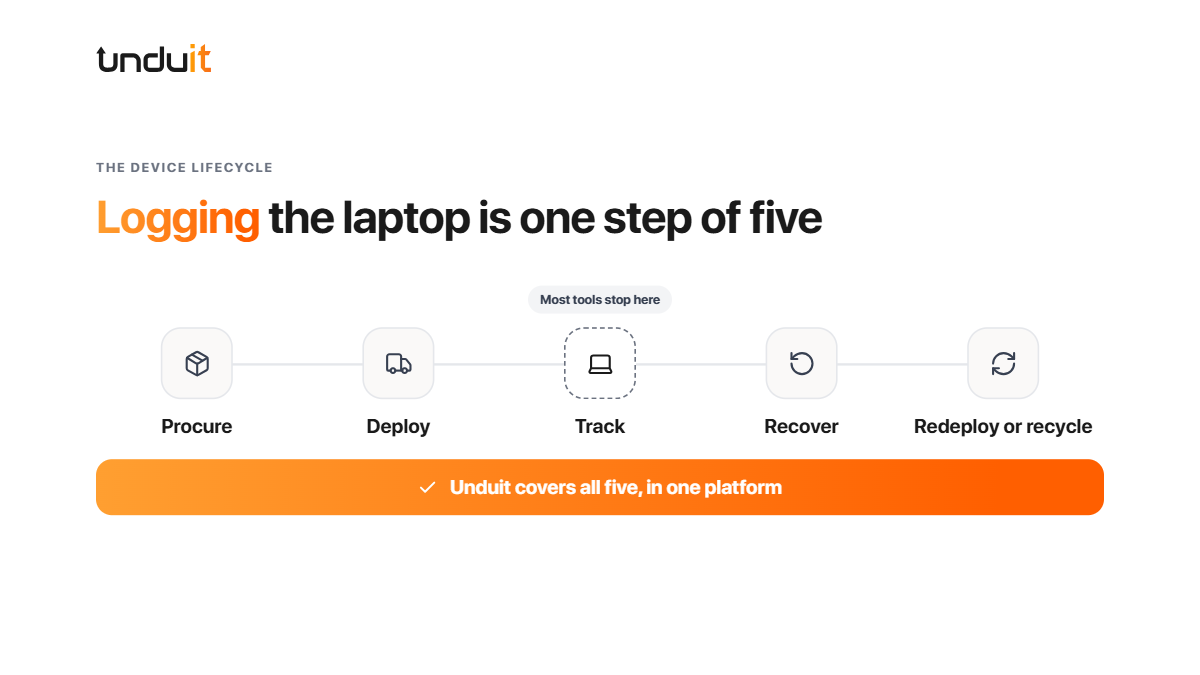
Every tool above can record that a laptop exists. None of them, GLPI included, can physically get that laptop to a new hire in Denver, recover it from a departing employee in Atlanta, or wipe it to a documented standard before resale.
For distributed teams, that gap is where most device-related tickets come from: late shipments, unreturned equipment, and assets that exist in the database but not on anyone’s desk.
Unduit closes the gap by pairing a unified ITSM and ITAM platform with hands-on lifecycle services:
- Unified service desk and asset tracking: Tickets, assets, and device history in one central dashboard for IT, HR, and Finance.
- Procurement and deployment: Order, configure, and ship devices to employees in 100+ countries.
- Automated recovery: Pickup scheduling and employee reminders without manual follow-up.
- Real-time tracking: Visibility into laptops, monitors, and peripherals in transit.
- Repair and redeployment: Recommendations to refurbish, upgrade, or reassign devices to extend their useful life.
- Secure, certified ITAD: R2-certified recycling with a logged, auditable chain of custody.
- Proven security posture: ISO/IEC 27001 certified with SOC 2 compliance.
The result is fewer tools and fewer vendors to coordinate, with full lifecycle visibility from procurement to disposal.
Frequently asked questions
Q1: What is the best alternative to GLPI?
It depends on your gap. Snipe-IT suits simple asset tracking, Freshservice suits fast cloud ITSM, and ServiceNow suits large enterprises. Teams managing remote devices should consider a platform that also handles physical logistics.
Q2: Is GLPI really free?
The software is free to download and self-host. Paid support, hosted cloud plans, and exclusive plugins cost extra, and self-hosting requires ongoing admin time.
Q3: Is Snipe-IT better than GLPI?
Snipe-IT is easier to use for asset tracking. GLPI is broader, because it also covers ticketing and a CMDB.
Q4: Can I migrate from GLPI without losing ticket history?
Usually, yes. Export tickets via CSV or API, map fields before import, and run both systems in parallel to validate the data.
| Note: Unduit develops ITSM and ITAM solutions, making us an active participant in this market, and some vendors listed here are our competitors. We’ve aimed to be fair and have based these comparisons on publicly available information, including vendor pricing pages and G2 and Capterra reviews. Please verify details with each vendor before deciding. |