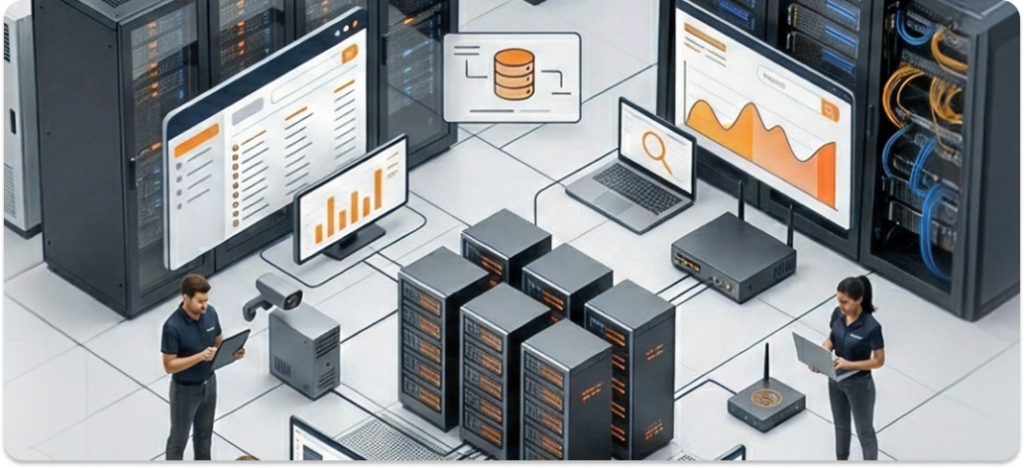
Hardware inventory management is all about keeping track of physical IT assets in an organization. It’s the process of monitoring and managing the equipment you use daily from desktops, laptops, and mobile devices to servers and printers.
Essentially, it’s about knowing what you have, where it is, who is using it, and its status (in use, in repair, or retired).
Key Takeaways
- Complete Asset Visibility: Know what hardware you have, where it is, and who is using it.
- Cost & Efficiency Gains: Reduce overspending and optimize device lifecycle with proper tracking.
- Enhanced Security & Compliance: Prevent loss, theft, and ensure regulatory requirements are met.
- Streamlined IT Operations: Automate inventory workflows, integrate systems, and support hybrid teams.
Why does this matter? Well, managing hardware effectively can help reduce costs, improve security, ensure compliance, and make it easier to plan for future needs.
Proper inventory management ensures that no asset goes unnoticed or untracked, preventing unnecessary spending and minimizing the risks of theft or loss.
What Is Hardware Inventory Management?
In simple terms, hardware inventory management is the process of tracking, organizing, and overseeing the physical IT assets within your organization.
You might be wondering: “What exactly should I track?” Here’s a list of the key types of hardware that should be in your inventory:
- Desktops and Laptops: These are the most common types of IT assets in any organization.
- Mobile Devices: Smartphones, tablets, and other portable devices used by employees.
- Servers: Both physical and virtual servers that store company data and run critical applications.
- Monitors, Docks, and Peripherals: Including things like keyboards, mice, printers, and docking stations.
- Network Gear and Storage: Routers, switches, and external storage devices.
These items can form the backbone of your hardware inventory system. Depending on your organization, you might also track other specialized devices, like edge devices or network security gear.
Why Hardware Inventory Management Matters
Managing hardware inventory isn’t just about knowing where your devices are; it’s about protecting your organization and improving efficiency.
Here are a few key reasons why it matters:
- Cost Control: It helps you avoid over-purchasing and manage existing devices effectively. Without proper tracking, you could be spending money on duplicate devices that aren’t needed.
- Security: Lost or stolen devices are a serious risk. By keeping track of all your assets, you can quickly detect any discrepancies or missing items and act accordingly.
- Compliance: Many industries require accurate records of physical assets for audit purposes. Proper management helps ensure you’re compliant with regulations like GDPR, SOX, or HIPAA.
- Refresh Planning: Knowing the lifecycle of your devices helps in scheduling timely upgrades or replacements.
By improving your IT inventory management and asset tracking, you ensure that all assets, hardware and software are in good condition and correctly aligned with business needs.
Unlock Seamless Hardware Inventory Management with Unduit.
Discover how IT Teams Across the Globe Use our platform for their Hardware Inventory Management Needs.
Book a Demo!Common Challenges and Pain Points
Inventory management can be tricky, especially when organizations face issues like:
- Ghost Assets: These are devices or assets that are recorded but no longer exist or are misplaced.
- Stale Spreadsheets: Manual records often become outdated, leading to inaccuracies.
- Shadow IT: Employees using unauthorized devices or software outside the company’s inventory system.
- Hybrid-Work Sprawl: With more employees working remotely, tracking assets becomes even more complex.
Key Components of a Strong Hardware Inventory Program
To build a strong hardware inventory system, focus on the following key components:
- Lifecycle: From procurement to disposal, every piece of equipment goes through stages that should be tracked.
- Tagging: Using barcodes or RFID tags to identify and track hardware can greatly improve accuracy.
- Automation: Automated discovery tools can save time and reduce errors by scanning your network to find connected devices.
Additionally, software tools like equipment inventory management software and tool inventory management can assist in streamlining these processes.
A Step-by-Step Hardware Inventory Workflow
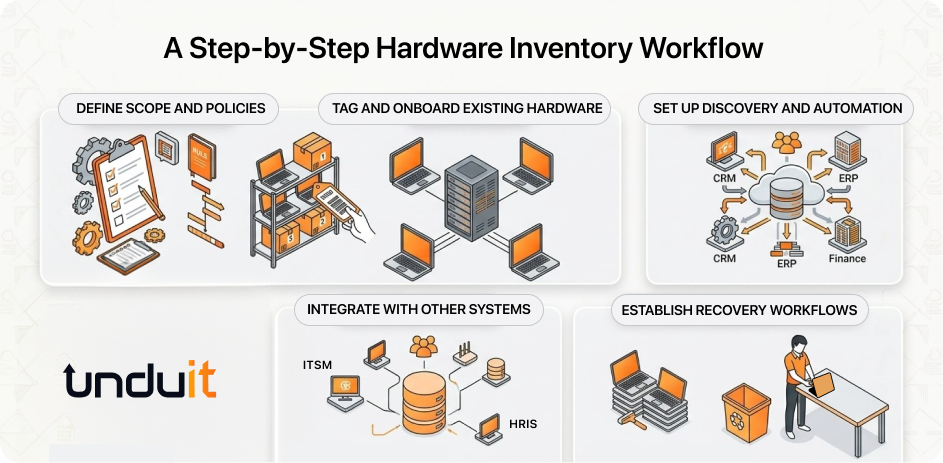
Here’s a simple guide to get started with your hardware inventory program:
- Step 1: Define Scope and Policies: Determine what hardware to track and establish ownership rules.
- Step 2: Tag and Onboard Existing Hardware: Label your current assets with barcodes or RFID tags to bring them into the inventory system.
- Step 3: Set Up Discovery and Automation: Use network scans, agent-based tools, or mobile apps to automate inventory tracking.
- Step 4: Integrate with Other Systems: Link your hardware management system with HRIS, procurement, and ITSM tools for better tracking of employee movements (joiners, movers, leavers).
- Step 5: Establish Recovery Workflows: Make sure you have clear processes for checking in and out devices, as well as recovering assets from former employees.
Best Practices for IT Hardware Inventory Management
Once your system is up and running, it’s important to keep it accurate:
- Standardize Tagging: Use consistent asset tags and labels across all devices for easy identification.
- Automate Data Capture: Use scanning apps, network agents, or scripts to automatically capture asset data and reduce manual entry.
- Schedule Regular Audits: Conduct periodic audits (monthly or quarterly) to ensure your inventory is accurate and reconcile any discrepancies.
- Keep Track of Warranty and EOL Dates: Maintain visibility into warranty expiration and end-of-life (EOL) dates for timely hardware refresh planning.
Tools and Software: What to Look For
When evaluating hardware inventory management tools, make sure they offer the following features:
- Discovery Methods: Automatic device discovery via network scanning or manual entry.
- Integrations: Look for tools that integrate with your existing systems like HRIS, procurement, and ITSM.
- Reporting: Ensure the tool offers detailed reports on asset usage, lifecycle, and compliance.
Remote and Hybrid Work Considerations
With more companies adopting remote and hybrid work models, managing hardware remotely has become more important. Consider:
- Tracking Home-Office Devices: Implement workflows for shipping devices to remote employees and receiving them back when needed.
- Self-Service Portals: Allow employees to request new hardware or report issues through a self-service portal.
Compliance, Security, and Risk Reduction
A solid hardware inventory system is crucial for meeting IT asset management system and asset inventory requirements. It supports regulatory compliance with standards like SOX, GDPR, or HIPAA. It also supports security efforts by helping you:
- Track Lost or Stolen Devices: Quickly locate missing devices and implement decommissioning procedures.
- Ensure Compliance: Keep accurate records of devices for audit trails, depreciation, and insurance purposes.
Metrics and KPIs to Measure Success
To measure the effectiveness of your hardware inventory system, track the following:
- Inventory Completeness: Measure the percentage of devices actually tracked versus the total number of devices in your organization.
- Reconciliation Accuracy: Track how often audits uncover discrepancies and aim to reduce this over time.
- Utilization and Overspending: Look for “ghost assets” (unused equipment) and monitor any overspending on hardware.
How to Build a Roadmap from This Pillar
Creating a roadmap for your hardware inventory management journey is key:
- Short-Term: Stabilize tagging, audits, and basic tools.
- Mid-Term: Integrate ITAM software, HRIS, and procurement systems.
- Long-Term: Transition from hardware management to a comprehensive hardware asset management strategy, including ESG and sustainability reporting.
Unduit: Simplifying Hardware Inventory Management
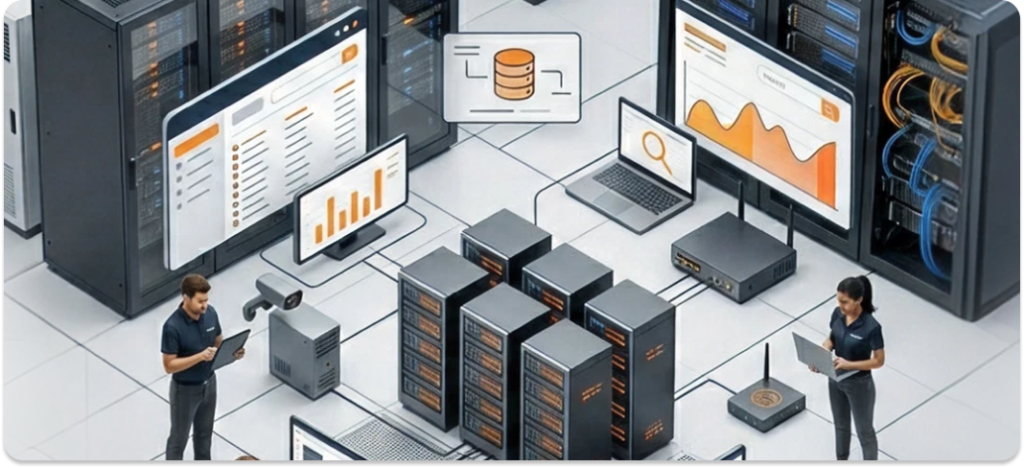
Unduit is AI driven platform for IT hardware and software inventory management. It simplifies the process with automated tracking, easy integrations, and real-time visibility into your assets, helping IT teams stay organized and efficient.
- Automated Device Discovery: Quickly identify and track connected devices.
- Seamless Integrations: Integrates easily with existing IT systems.
- User-Friendly Interface: Simple to use with minimal training required.
- Real-Time Reporting: Get instant updates on asset status and lifecycle.
- Scalable Solution: Works for both small teams and large enterprises.
Frequently Asked Questions (FAQ)
Q1: What’s the difference between hardware inventory and ITAM?
ITAM (IT Asset Management) includes hardware and software assets, while hardware inventory management focuses solely on physical devices.
Q2; Can we start with spreadsheets and still do inventory management?
Yes, but spreadsheets are prone to errors and can’t scale. It’s best to move to a dedicated inventory system once you’ve outgrown spreadsheets.
Q3: How often should we audit hardware?
It’s recommended to conduct audits at least quarterly, but the frequency should be based on your organization’s size and needs.
Q4: What is the 80/20 Rule in Inventory?
The 80/20 rule, also known as the Pareto Principle, is a concept used in inventory management. It suggests that 80% of your inventory’s value comes from just 20% of the items.
Q5: What Are the 4 Types of Inventory Management?
There are several approaches to managing inventory, but the four common types are:
- Push
- Pull
- Just-In-Time (JIT)
- Consignment
Q6: What Are the 4 Types of Hardware?
There are four common types of hardware in IT environments:
- Input Devices
- Output Devices
- Storage Devices
- Processing Devices