Your team’s already decided equipment monitoring software is worth having. Maybe a machine went down last quarter with zero warning, or someone’s still doing rounds with a clipboard while every other plant you know of gets alerts on their phone.
Key Takeaways
- Equipment monitoring software tracks how machines and assets are performing in real time, using sensors instead of manual checks.
- The biggest payoff is catching small problems before they turn into costly downtime; companies typically see 50% fewer unplanned incidents and ROI in 3-6 months.
- Implementation costs $6,500-$16,000 in Year 1 for small facilities, but savings often exceed investment within 3-4 months.
- Look for real-time alerts, remote access, integrations with your CMMS or asset system, and lifecycle management capabilities that turn alerts into completed actions.
- A proper evaluation checklist and demo using your own equipment can save you from picking the wrong tool.
Now comes the harder part: picking the right one. There are a dozen vendors making nearly identical promises, and the wrong pick means a tool that sits unused six months from now.
Before we get into what actually separates a good tool from a forgettable one, let’s make sure we’re talking about the same thing.
What Is Equipment Monitoring Software?
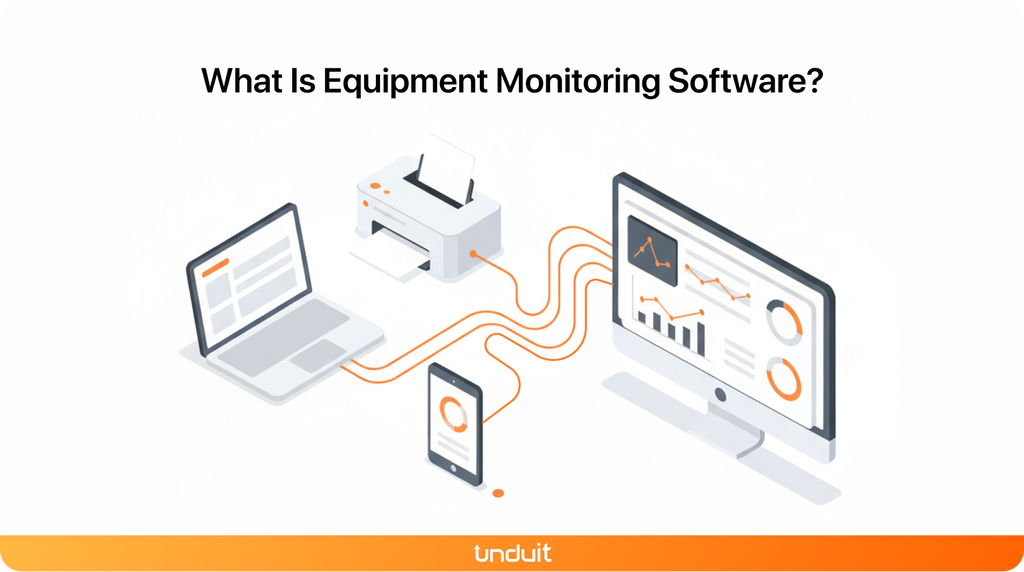
Equipment monitoring software replaces the clipboard walk. Sensors feed real-time data temperature, vibration, run-time, output into one dashboard.
But what separates monitoring that actually moves the needle is this: it turns that real-time data into the metrics your operations team actually reports on OEE (Overall Equipment Effectiveness).
OEE breaks down into three components, and monitoring feeds all three:
- Availability: How much time did the machine actually run versus planned?
(If a machine is down 2 hours a week unplanned, that’s a 5% availability loss) - Performance: How fast did it run versus its ideal speed?
(Running at 80% of rated speed when it should hit 100% is a 20% performance gap) - Quality: What percentage of output met spec versus scrap/rework?
(5% defect rate = 5% quality loss)
A machine running at 85% availability, 90% performance, and 95% quality has an OEE of 72.7% and most plants run between 60-75%. Monitoring helps you see where the losses are. Without it, you’re guessing.
Types of Equipment Monitoring
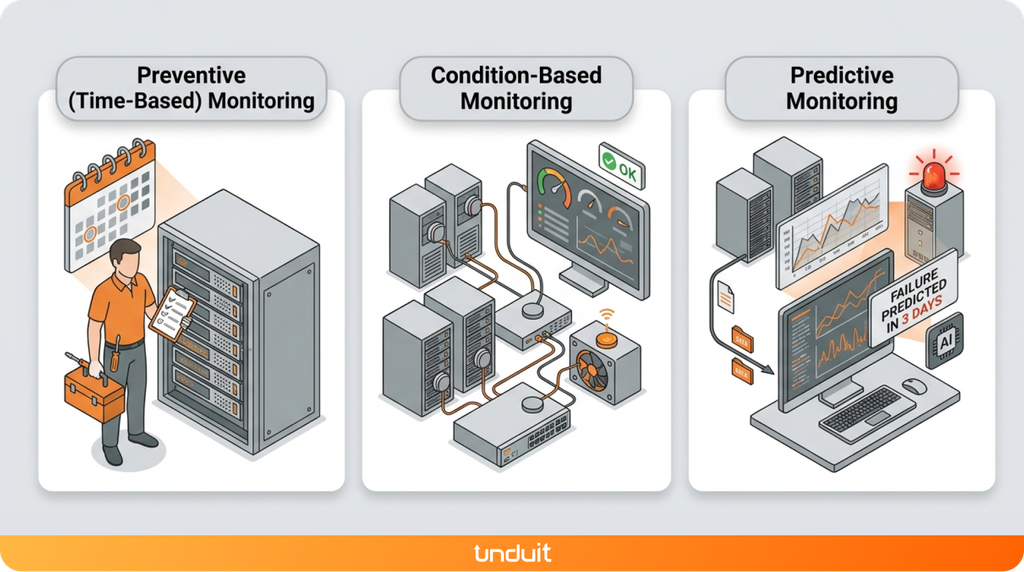
Most software uses a mix of three approaches. Which one matters depends on your equipment type and downtime cost.
Preventive (Time-Based) Monitoring: Checks happen on a set schedule every 500 operating hours, every quarter, every year, whether the equipment needs it or not.
- Best for: Equipment with predictable wear patterns
- Trade-off: Simple to implement, but you’ll waste money on premature maintenance and still miss failures that happen between intervals
Condition-Based Monitoring: Sensors track live signals like temperature, vibration, and pressure, and flag anything unusual as it happens. You maintain when something looks wrong, not on a calendar.
- Best for: Equipment where failure is expensive
- Trade-off: Requires upfront sensor investment and alert tuning, but cuts unnecessary maintenance by 30-40%
Predictive Monitoring: The software studies trends in that data, not just one high temperature, but temperature creeping up over days. It warns you before a failure actually happens, not just after something looks off.
- Best for: Mission-critical equipment or multi-site operations
- Trade-off: Requires more historical data and AI analytics; takes 2-3 months to build a reliable baseline
Key Benefits of Equipment Monitoring Software
Siemens’ 2022 “True Cost of Downtime” report, based on a survey of maintenance and reliability professionals, found the average plant now has 20 unplanned downtime incidents a month, six fewer than two years earlier, a 23% drop. Among the report’s Senseye Predictive Maintenance clients specifically, the gap was wider still: a 50% reduction in unplanned machine downtime and a 40% cut in maintenance costs. Companies that deploy predictive maintenance at scale typically recoup that investment in three to six months, according to the same report.
The real-world payoff, without the sales pitch:
- Fewer surprise breakdowns
- Equipment that lasts longer, because problems get caught early
- Lower repair costs, since small fixes are cheaper than emergency ones
- Easier audit and compliance reporting
- Real data to back up maintenance decisions, instead of guesswork
What to Look for in Equipment Monitoring Software
Not every platform does the same things. Worth checking for:
- Real-time alerts, not just a dashboard you have to remember to check
- Remote access, so you can check equipment at another site without driving there
- Asset tracking, location and usage history in one place
- Integrations, so it talks to the CMMS, ERP, or asset system you already use
Equipment Monitoring Software Features Comparison
Understanding the Real Cost of Equipment Monitoring
Equipment monitoring requires upfront investment, but the payoff shows up fast. Here’s what to budget for:
Typical Implementation Costs
Where You Recover This
According to the Siemens 2022 report cited earlier, organizations typically see:
- 50% reduction in unplanned downtime incidents
- 40% cut in maintenance labor costs
- ROI window: 3-6 months for most installations
Real example: A mid-size manufacturer spending $100K/month on emergency repairs and lost production saves $40K-50K monthly, paying back the full Year 1 investment in 3-4 months.
How to Choose the Right Equipment Monitoring Software
A short checklist before committing to anything:
- Does it work with the sensors and equipment you already have?
- Can it scale if you add more equipment or sites later?
- How customizable are the alerts, so your team doesn’t tune them out?
- What does reporting actually look like? Ask for a real sample.
- What’s the full cost, once you count sensors, setup, and support?
If you can, ask for a demo using your own equipment’s data. It shows you a lot more than a rehearsed sales walkthrough.
Setting Up Remote Equipment Monitoring
Getting started is more straightforward than it sounds:
- Install sensors on the equipment that matters most
- Connect them to the network, wireless, wired, or a mix
- Set up the software, dashboards, thresholds, and who gets notified
- Configure alerts so the right person knows the moment something looks off
A few things that trip people up:
- Weak connectivity in parts of a facility
- Too many alerts too soon, so people start ignoring them
- Data sitting in the software but never reaching the person who needs to act on it
How Unduit Turns Monitoring Alerts Into Completed Actions
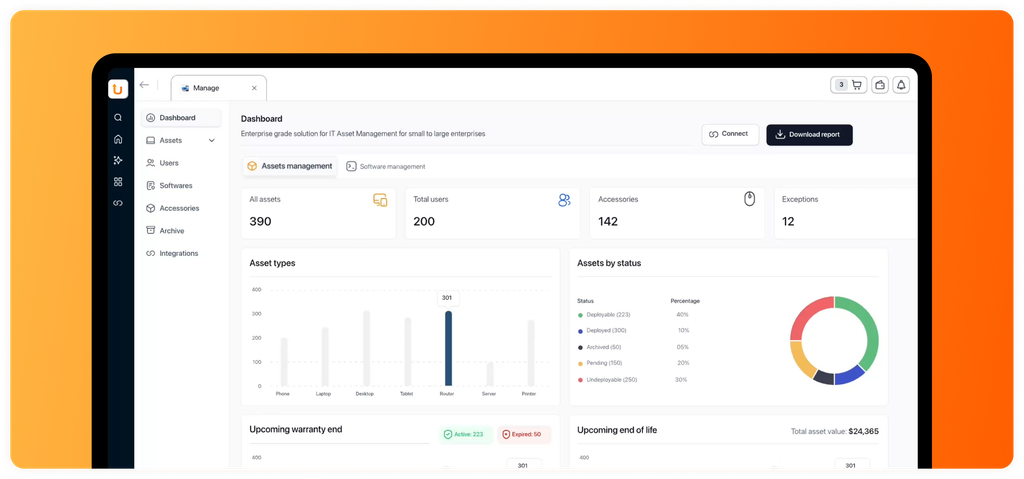
Most equipment monitoring tools tell you a server, switch, or device is failing. Then what? You’re stuck manually routing the alert, creating a ticket, assigning it, and hoping nothing falls through the cracks.
Without integrated lifecycle management:
- Alert fires in monitoring software
- Team member sees it and manually logs a ticket
- Ticket sits in backlog until someone prioritizes it
- Device fails or gets repaired ad-hoc
- Hardware’s end-of-life value is lost or forgotten
With Unduit’s connected approach:
- Alert fires in monitoring software
- Automatically ties to existing asset record
- System routes to right technician based on workload
- Failing device gets recovered, repaired, or replaced without delay
- Entire lifecycle managed in one place (recovery, repair, deployment, buyback, recycling)
- No data lost, no duplicate records, no handoff delays
The difference: monitoring tells you a device is failing. Unduit is what happens next, turning that alert into a completed action instead of an open ticket that slows everything down.
Frequently Asked Questions
Q1: What are the three types of equipment monitoring?
Preventive (time-based), condition-based, and predictive. Most modern software leans hardest on the last two.
Q2: Is there another way to categorize equipment monitoring?
Yes, the split above is by maintenance strategy. Monitoring can also be grouped by data collection method: continuous, periodic, and event-based.
Q3: What’s the purpose of equipment monitoring?
To catch problems early, extend equipment life, and avoid the cost and disruption of unplanned downtime.
Q4: Is equipment monitoring software the same as a CMMS?
No. A CMMS manages maintenance work, like scheduling and work orders. Equipment monitoring software supplies the real-time data a CMMS can act on. Many platforms combine both.
Q5: What if we already have a CMMS? Do we need separate monitoring software?
Not necessarily. Some platforms integrate tightly with existing CMMS platforms and feed alerts directly into work order creation. Others work alongside, giving you the choice to pull data in when you need it. The key is avoiding duplicate data entry.
Q6: What industries use equipment monitoring software?
Manufacturing, healthcare, data centers, energy, construction, and facilities use it to monitor equipment performance and reduce downtime.
Q7: What sensors are used for equipment monitoring?
Common sensors include vibration, temperature, pressure, humidity, power, and acoustic sensors.
Q8: How long does equipment monitoring actually take to set up?
Most implementations run 4-8 weeks from sensors installed to fully operational dashboards, depending on facility size and complexity. Parallel setup (sensors while software config happens) can speed this up.