An IT team can retire a laptop that still shows $600 on the books. Another can write a laptop down to $0 while it sits in a closet with resale value nobody collects.
Both problems come from the same gap: a depreciation schedule that isn’t tied to the actual device. This guide covers the laptop depreciation rate, calculation methods, 2026 IRS rules and how to recover value after a laptop is fully depreciated.
TL;DR
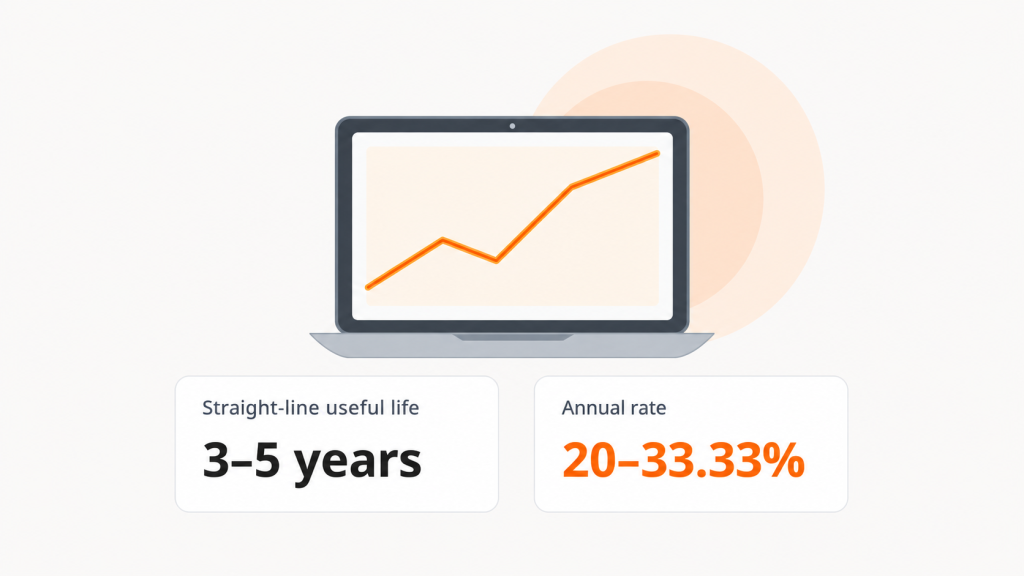
- Most laptops depreciate 20% to 33% per year, based on a 3- to 5-year useful life.
- The IRS treats laptops as 5-year MACRS property, and Section 179, bonus depreciation, or the de minimis safe harbor may allow a full write-off in year one, depending on eligibility.
- Hardware is depreciated. Software is generally amortized or expensed, depending on its type and applicable accounting and tax rules.
- A laptop at $0 book value can still be worth recovering through IT asset disposition (ITAD).
- Unduit ITAM automates depreciation tracking and flags devices ready for redeployment, resale, or recycling.
What is the depreciation rate for a laptop computer?
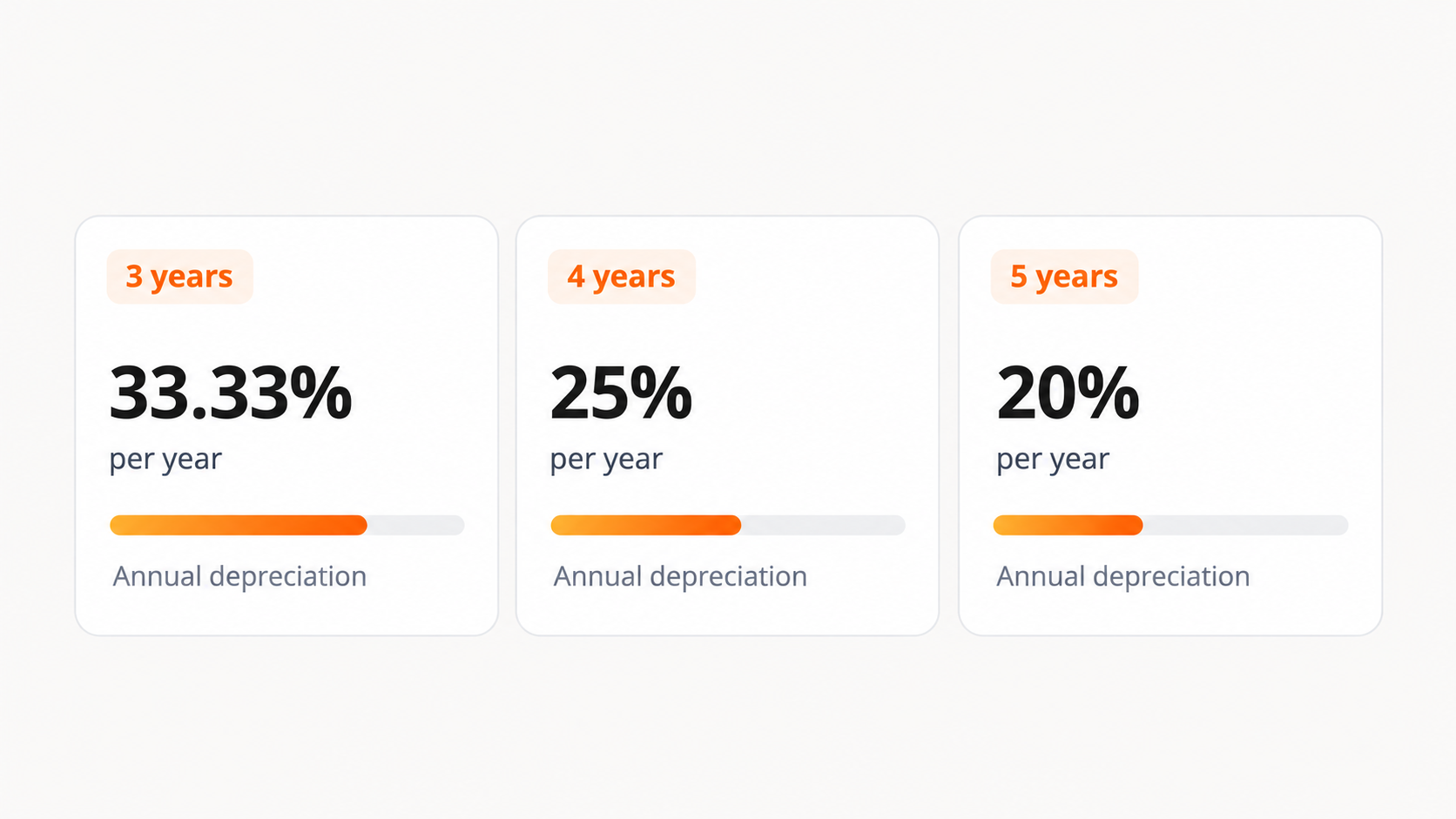
The laptop computer depreciation rate is usually 20% to 33.33% per year. To find it, divide 100% by the useful life you assign.
Laptops generally last 3 to 5 years in business use (Business News Daily). Match useful life to your device refresh cycle: a team that refreshes every 3 years shouldn’t depreciate laptops over 5.
| Useful life | Annual rate (straight-line) |
|---|---|
| 3 years | 33.33% |
| 4 years | 25% |
| 5 years | 20% |
| 5 to 7 years (servers, networking) | 14.29% to 20% |
How IT asset depreciation works
Depreciation spreads the cost of a fixed asset over its useful life. Laptops, desktops, servers, networking gear, printers and peripherals qualify because they serve the business for more than one accounting period.
Software is different. Intangible assets are amortized, not depreciated, and off-the-shelf software is generally amortized over 36 months for US tax purposes. Clean classification keeps your hardware asset management records audit-ready.
Every calculation uses three inputs:
- Asset cost: Purchase price plus shipping, imaging and setup.
- Salvage value: What the asset is worth at end of life. Many companies use $0 for laptops, even though used laptops often resell for more.
- Useful life: Typically 3 to 5 years for laptops, shaped by usage and refresh policy.
How to calculate laptop depreciation
To calculate laptop depreciation, apply one of four methods to cost, salvage value and useful life. The simplest is straight-line: (Cost − Salvage value) ÷ Useful life.
| Method | Formula | Best for |
|---|---|---|
| Straight-line | (Cost − Salvage value) ÷ Useful life | Predictable budgets and most financial statements |
| Double-declining balance (DDB) | Book value at start of year × (2 ÷ Useful life) | Assets that lose most value early, like laptops |
| Sum-of-the-years’ digits | (Remaining life ÷ Sum of the years’ digits) × (Cost − Salvage value) | Front-loaded expense with a gentler curve than DDB |
| Units of production | (Cost − Salvage value) ÷ Total expected units × Units used | Usage-driven assets such as printers |
DDB applies a constant rate to the current book value, so a 5-year laptop depreciates at 40% each year. Expense is highest early, which matches how quickly laptops lose market value.
Pro tip: Unduit’s Manage app calculates depreciation for you and keeps values current, so finance and IT work from the same numbers.
Laptop depreciation rate by year
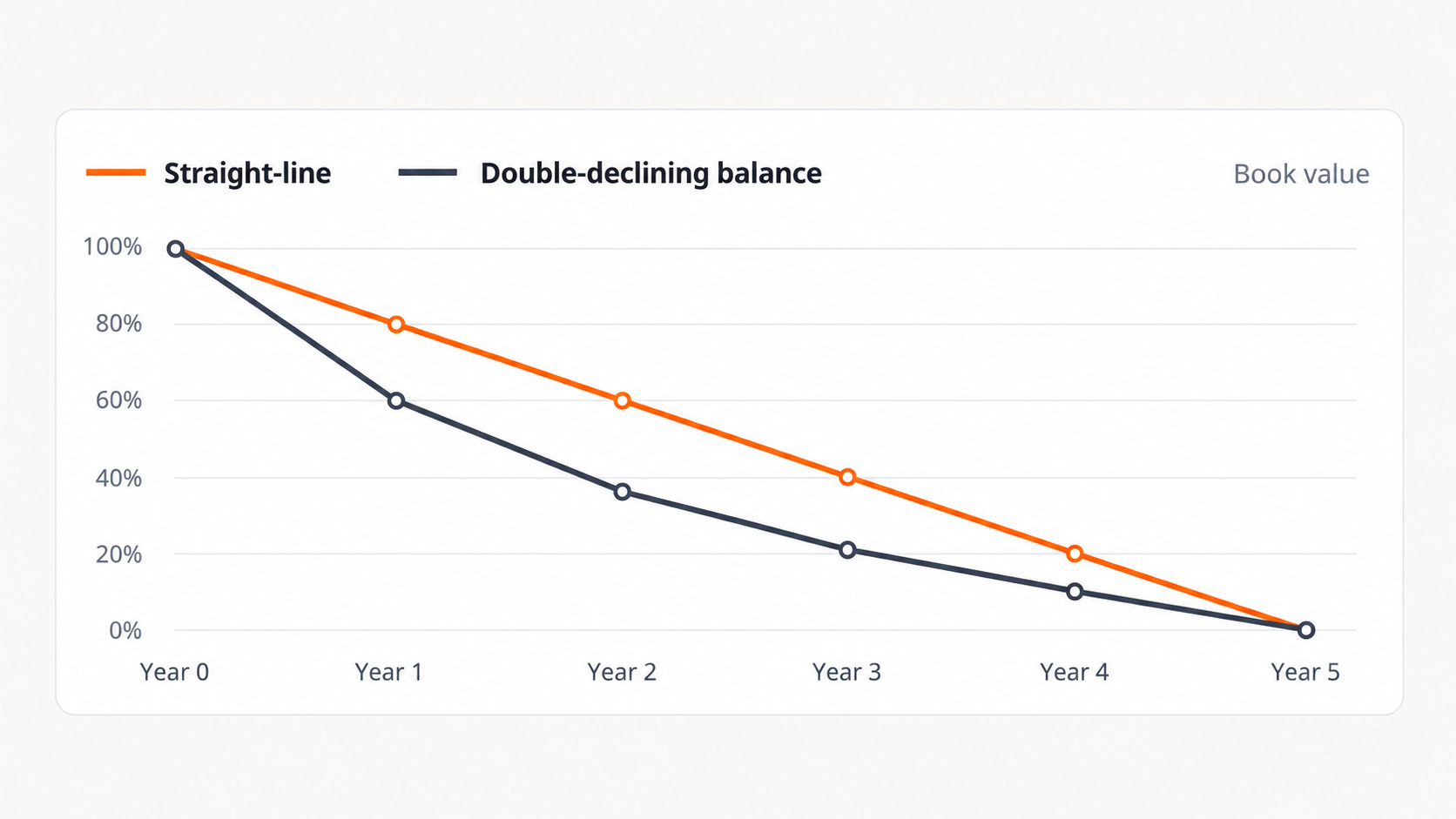
On a 5-year life, a laptop depreciates 20% per year under straight-line. Under DDB, it loses 40% in year one and 64% by the end of year two.
| Year | Straight-line (% of cost) | Straight-line book value | DDB (% of cost) | DDB book value |
|---|---|---|---|---|
| 1 | 20% | 80% | 40% | 60% |
| 2 | 20% | 60% | 24% | 36% |
| 3 | 20% | 40% | 14.4% | 21.6% |
| 4 | 20% | 20% | 10.8%* | 10.8% |
| 5 | 20% | 0% | 10.8%* | 0% |
*From year 4, DDB switches to straight-line so the laptop is fully depreciated by the end of its life.
Depreciation on a computer: worked example ($1,500 laptop)
Here is a $1,500 laptop with $0 salvage value under three approaches:
| Year | Straight-line (5 years) | DDB (40%) | IRS MACRS 5-year |
|---|---|---|---|
| 1 | $300 | $600 | $300 |
| 2 | $300 | $360 | $480 |
| 3 | $300 | $216 | $288 |
| 4 | $300 | $162 | $172.80 |
| 5 | $300 | $162 | $172.80 |
| 6 | None | None | $86.40 |
MACRS runs into a sixth tax year because of the half-year convention. Many companies keep two schedules: straight-line or DDB for financial reporting, and MACRS for tax returns.
Computer depreciation life under IRS rules
The IRS classifies laptops and other computers as 5-year MACRS property (IRS Publication 946). Under the half-year convention, deductions run across six tax years: 20%, 32%, 19.2%, 11.52%, 11.52% and 5.76%.
Is a laptop 5 or 7 year property?
A laptop is 5-year property. Office furniture is 7-year property, which is where the confusion usually starts.
Section 179, bonus depreciation and the de minimis safe harbor
Most US businesses don’t have to wait six years:
| Option | 2026 limit | How it works |
|---|---|---|
| Section 179 | $2,560,000, phasing out above $4,090,000 in purchases | Expense the full cost in the year placed in service, up to taxable business income. |
| 100% bonus depreciation | No dollar cap | Full first-year deduction for qualifying property acquired after January 19, 2025. |
| De minimis safe harbor | $2,500 per item or invoice ($5,000 with an applicable financial statement) | Expense lower-cost laptops instead of capitalizing them, subject to the applicable requirements. |
The One Big Beautiful Bill Act made 100% bonus depreciation permanent in July 2025 (Thomson Reuters) and raised the Section 179 limit (U.S. Bank). The de minimis election comes from the IRS tangible property regulations.
Example: a 400-person company buys 120 laptops at $1,400 each. Each falls under the $2,500 de minimis limit, so the full $168,000 can be expensed in 2026.
Mobile device and other IT asset depreciation rates
Smartphones and tablets usually get a 2 to 3 year book life, while an iPhone typically keeps 60% to 70% of its resale value after one year (Swappa).
| Asset | Typical useful life | Straight-line rate | IRS MACRS class |
|---|---|---|---|
| Laptops | 3 to 5 years | 20% to 33.33% | 5-year |
| Desktops and workstations | 4 to 5 years | 20% to 25% | 5-year |
| Smartphones and tablets | 2 to 3 years | 33.33% to 50% | 5-year |
| Printers and copiers | 5 years | 20% | 5-year |
| Servers and networking gear | 5 to 7 years | 14.29% to 20% | 5-year |
Book value vs. resale value: what your laptop is actually worth
Book value is an accounting estimate. Resale value is what a buyer pays today. Research from the National Bureau of Economic Research found PCs lose roughly half their remaining value with each additional year of use (NBER).
| Device | Typical resale loss | Value after about 3 years |
|---|---|---|
| MacBook (Apple silicon) | About 15% to 20% per year | 40% to 60% retained |
| Premium Windows laptop | Up to 50% to 70% in year one | 25% to 40% retained |
Source: Swappa completed-sale data
The gap cuts both ways. A Windows laptop can still show 60% of its cost on a 5-year schedule while reselling for far less. A 3-year-old MacBook can sit at $0 on the books and still be worth hundreds of dollars.
That second case is the opportunity. A structured IT asset disposition (ITAD) program recovers value through resale, refurbishment or redeployment, with certified data erasure first. Because resale value falls fastest early, selling a quarter or two before refresh usually recovers more.
Computer depreciation calculator: spreadsheet formulas
Excel and Google Sheets both include built-in depreciation functions:
| Method | Formula | Example ($1,500, $0 salvage, 5 years) |
|---|---|---|
| Straight-line | =SLN(cost, salvage, life) |
=SLN(1500, 0, 5) returns $300 |
| DDB | =DDB(cost, salvage, life, period) |
=DDB(1500, 0, 5, 1) returns $600 |
| DDB with switch | =VDB(cost, salvage, life, start, end) |
=VDB(1500, 0, 5, 3, 4) returns $162 |
| Sum-of-the-years’ digits | =SYD(cost, salvage, life, period) |
=SYD(1500, 0, 5, 1) returns $500 |
Spreadsheets work for a few dozen devices. Past that, keeping serial numbers, assignments and book values in sync becomes a full-time job. Estimate what automation could save with Unduit’s IT savings calculator.
When the books say $0: how Unduit tracks depreciation and recovers laptop value
Most depreciation problems are visibility problems. Finance has a schedule, IT has an inventory, and neither knows which laptop is in a closet in Denver or still with a former employee in Austin.
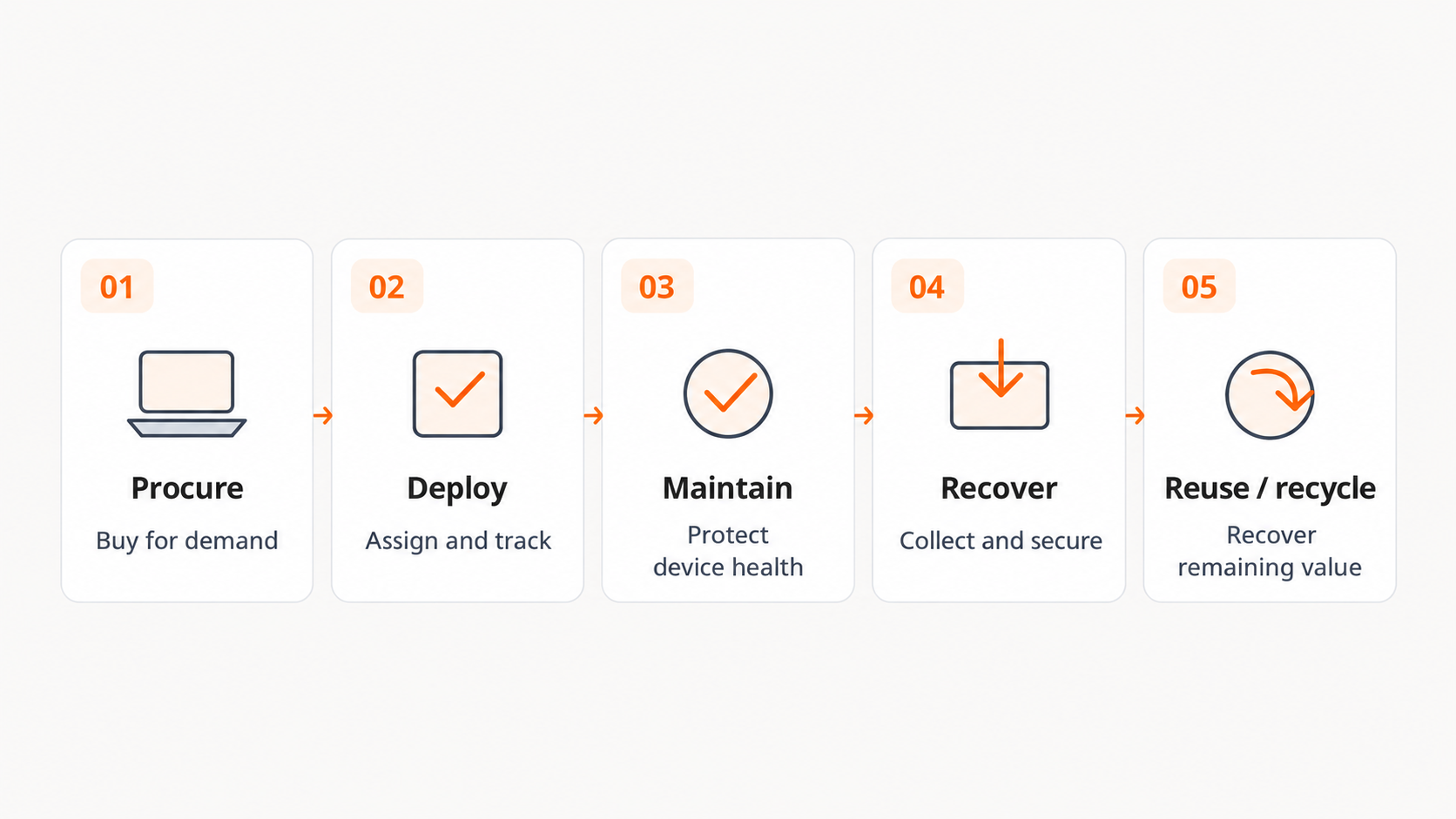
Unduit’s IT asset management platform ties depreciation to the physical device, so value, location, assignment and condition live in one record.
- Custom depreciation rules by asset type and manufacturer.
- Your choice of method: straight-line or declining balance to match your financial strategy.
- Automatic value updates once useful life and depreciation periods are set.
- Value recovery signals that route aging or idle devices to redeployment, resale or recycling.
- Recover and secure: pickup, tracking and certified data wiping for remote and departing employees.
- Redeploy or recycle: refurbishment, resale or responsible recycling, so fully depreciated laptops still return value.
The result: fewer ghost assets on the balance sheet, cleaner audits and real cash back from laptops your books already wrote off.
Tips to extend laptop useful life
- Buy for demand, not in bulk: Idle laptops lose market value without doing any work.
- Track warranties: Use coverage before it lapses and repairs hit your budget.
- Run hardware audits: Let device health data drive refresh decisions.
- Maintain devices: Cleaning, battery care and updates protect performance and resale value.
- Reuse and remarket: Redeploy healthy laptops to new hires, then sell at the right time.
- Compare renting and buying: Hardware as a service removes upfront cost, while buying gives you the tax write-offs above.
Frequently asked questions
What is the depreciation rate for laptops?
Usually 20% to 33% per year under straight-line: 20% over 5 years, 25% over 4 years and 33.33% over 3 years.
Is a laptop 5 or 7 year depreciation?
5 years. The IRS classifies computers and peripheral equipment as 5-year MACRS property.
How many years can I depreciate a laptop?
For US taxes, 5 years, which spans 6 tax years under the half-year convention. For financial statements, most companies use 3 to 5 years.
How do I calculate the depreciation of a laptop?
Use (Cost − Salvage value) ÷ Useful life. A $1,500 laptop with no salvage value over 5 years depreciates $300 per year.
Can I write off a laptop in one year?
Often, yes, through Section 179, 100% bonus depreciation or the $2,500 de minimis safe harbor. Confirm eligibility with a tax advisor.
How much value does a laptop lose in the first year?
On the resale market, MacBooks lose about 15% to 20% per year, while many Windows laptops lose 50% or more in year one.