CDW has built a strong reputation as a value-added reseller offering IT solutions like hardware procurement, managed services, cloud solutions, and cybersecurity support.
However, if you’re specifically looking to manage your entire IT hardware lifecycle from procurement to tracking to recovery, CDW might leave significant gaps in your operations.
Key Takeaways
- CDW excels at procurement but lacks full lifecycle management capabilities.
- Users report long lead times and inconsistent support.
- Better alternatives exist for specific needs, including asset lifecycle management, distributed teams, cost recovery, and software licensing compliance.
- Top alternatives include Unduit, Workwize, Insight, and SHI.
- Each vendor serves different company sizes and priorities.
Recent G2 reviews reflect CDW’s strength in customer service and product selection, alongside concerns about pricing and support consistency.
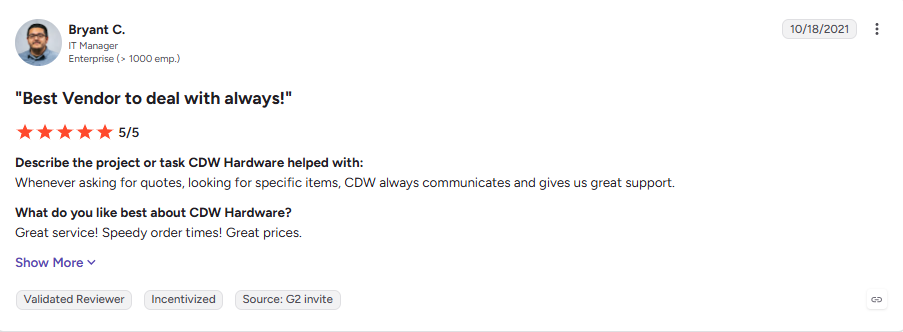
“Great service! Speedy order times! Great prices.”
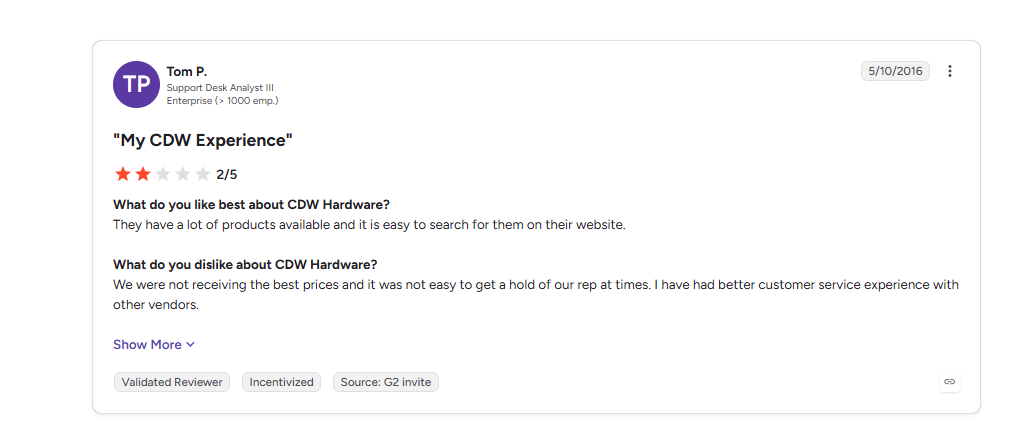
“We were not receiving the best prices and it was not easy to get a hold of our rep at times. I have had better customer service experience with other vendors. “ — G2 Review
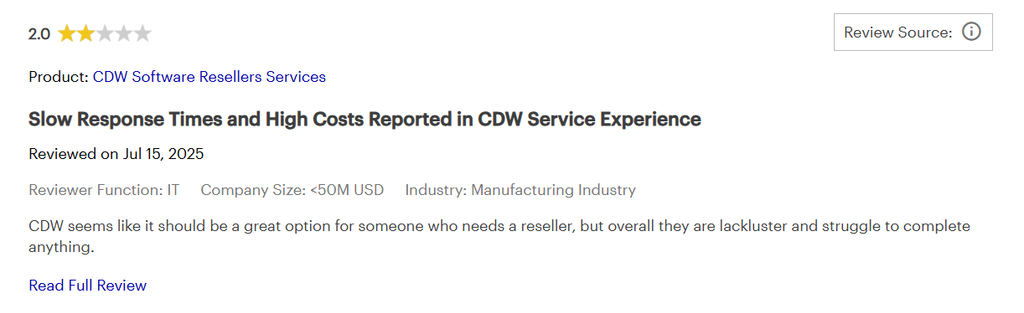
“CDW seems like it should be a great option for someone who needs a reseller, but overall they are lackluster and struggle to complete anything.” Gartner Review
If you’re managing distributed teams, need real-time asset visibility, or want to recover value from old equipment, you need more than CDW offers.
Here are 7 alternatives that might better fit your needs.
CDW alternatives at a glance
1. Unduit
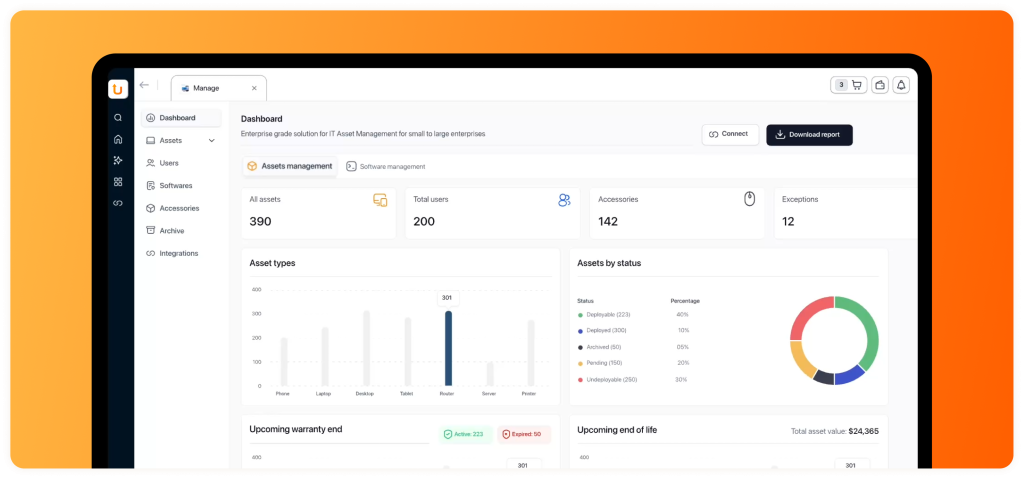
Full IT asset lifecycle management platform. Handles procurement from 100+ global suppliers, zero-touch MDM enrollment, real-time asset tracking, device repair/redeployment, and secure hardware recovery all in one system.
Best For: Mid-market to enterprise organizations (500-5,000+ employees) managing distributed teams and wanting native ITSM integration.
Key Offerings
- Global IT Procurement from 100+ suppliers with 5-7 day delivery to remote employees worldwide
- Zero-Touch MDM Deployment with pre-configured security profiles and user accounts
- Real-Time Asset Management with ITSM platform integration (Jira, ServiceNow, Zendesk)
- Hardware Recovery & ITAD
- AI-Powered Cost Optimization identifying duplicates and unused devices
Pros
- Designed around IT asset lifecycle management, with procurement, tracking, recovery and disposition connected in one workflow.
- Full lifecycle: Only one vendor for procurement through recovery
Cons
- Mid-market focused
- Initial deployment and integration can require more effort
Pricing
Custom Pricing
2. Insight Enterprises
Enterprise technology services provider. Offers hardware procurement, managed services, cloud transformation consulting, and lifecycle management tailored to industry (healthcare, government, education).
Best For: Large enterprises (5,000+ employees) needing consulting-led technology transformation, not just device ordering.
Key Offerings
- Digital Innovation Solutions with AI-enhanced PC rollouts and process automation
- Cloud & Data Center Transformation including migration services and multi-cloud strategy
- Connected Workforce Solutions covering enterprise device management and endpoint security
- Supply Chain Optimization with vendor relationship management and global procurement
- Consulting-led technology transformation tailored to industry (healthcare, government, education)
Pros
- Enterprise expertise: Deep understanding of large-scale, complex IT environments
- Strong vendor relationships: Direct partnerships mean better terms and priority support
- Global reach: Genuine presence in 19 countries (vs. channel-only model)
Cons
- Enterprise-focused pricing model (higher cost structure; consulting overhead adds to procurement costs)
- Regional delivery model through partner networks (can extend lead times vs. centralized fulfillment)
- Organizational complexity means approval processes involve multiple departments
Pricing
Custom Pricing
3. SHI International
IT solutions provider specializing in software licensing compliance, hardware procurement, data center integration, and lifecycle management.
Best For: Enterprise IT teams struggling with software licensing audit risk and cost optimization.
Key Offerings
- Software Licensing Optimization (Microsoft EA, Oracle, SAP, Adobe negotiation and management)
- Licensing Audit Defense and Preparation preventing vendor surprise audits
- Hardware Procurement and Configuration with vendor relationship management
- Infrastructure Solutions including data center integration and cloud deployment
- Advanced Consulting through Stratoscale subsidiary for digital transformation
Pros
- Software licensing expertise: Strong focus on software licensing, vendor management, and enterprise procurement.
- Audit prevention: Proactive reviews prevent vendor surprise audits
- Knowledgeable team: Consistently rated as helpful and transparent by users
- Enterprise relationships: Direct access to vendor decision-makers
- Money-saving focus: Often uncover $500K-$5M in annual licensing savings for large orgs
Cons
- Enterprise-focused pricing model
- Regional delivery model through partner networks
- Organizational complexity means approval processes involve multiple departments
Pricing
Custom Pricing
4. Softchoice
Technology solutions provider combining software licensing, hardware procurement, and device recovery/ITAD services. Unique focus on what happens after procurement.
Best For: Mid-market organizations (500-5,000 employees) wanting balanced procurement + asset recovery.
Key Offerings
- Software Licensing Optimization for Microsoft, Oracle, Adobe with cloud strategy and migration
- Hardware Procurement including laptop, desktop, workstation customization and global shipping
- Device Buyback Programs with actual money recovered per device
- Refurbishment and Resale of functional equipment with data destruction and recycling
- Managed Services covering deployment, lifecycle management, and ongoing support
Pros
- Asset recovery built-in: Most competitors skip this entirely; Softchoice owns it
- Balanced approach: Equal expertise in software and hardware
- Sustainability angle: ESG/CSRD compliance through device recovery programs
Cons
- Strongest presence in Canada/US; limited infrastructure outside North America
- Less developed for very large enterprise deployments
- Regional delivery varies (some markets experience slower hardware fulfillment than others)
Pricing
- Transparent per-device pricing: Typically $30-45 per device for hardware
- Software licensing: Varies by vendor and volume
- Recovery value: $150-400 per refurbished laptop typically recovered
5. Connection
IT solutions provider offering transparent pricing on 460,000+ products, global procurement via GlobalServe subsidiary (500 suppliers in 174 countries), and managed services.
Best For: Cost-conscious mid-market organizations valuing pricing transparency.
Key Offerings
- 460,000+ Products from major manufacturers with published transparent pricing
- Global Procurement via GlobalServe subsidiary with 500 suppliers in 174 countries
- International Shipping and Logistics with regional supplier relationships
- Software Licensing and Cloud Solutions (Microsoft, Google, Amazon)
- Implementation, Deployment, and Ongoing Managed Services
Pros
- Most transparent pricing: Actually publishes prices, no “contact for quote” games
- Responsive support: Dedicated customer care team with quick issue resolution
- Mid-market sweet spot: Ideal for 1,000-3,000 employee organizations
Cons
- U.S.-market primary
- Procurement-focused
- Annual commitment model
Pricing
Custom Pricing
6. Workwize
Zero-touch IT hardware lifecycle platform designed for distributed teams. Covers procurement, MDM auto-enrollment, asset tracking, HRIS integration, device retrieval, and disposal.
Best For: Distributed/remote-first organizations scaling globally; IT service providers.
Key Offerings
- Global IT Procurement from 100+ suppliers with worldwide delivery and customizable devices
- Zero-Touch Deployment with MDM auto-enrollment and pre-configured security profiles
- Real-Time Asset Tracking with location updates and HR/HRIS integration
- Automated Employee Onboarding/Offboarding tied to device lifecycle
- One-Click Device Retrieval with global logistics and data destruction certificates
Pros
- Purpose-built for distributed teams: Designed for global operations, not adapted
- True global reach: Real logistics infrastructure in 100+ countries
- HRIS integration: Automates device lifecycle tied to employee lifecycle
Cons
- Subscription-based pricing
- Not suitable for small organizations; better fit for mid-market/enterprise
- Regional delivery variance
- Purpose-built for distributed teams, not enterprise complexity
Pricing
- Basic: $8 per seat + $540 platform fee
- Professional: $11 per seat + $540 platform fee
- Enterprise: Custom pricing
7. Zones
Zones is a U.S.-based IT solutions provider offering technology procurement, IT lifecycle services, deployment, asset management, managed services, and IT asset disposition. Its lifecycle services cover IT assets from procurement and configuration through deployment, maintenance, recovery, and disposal.
Best For: Mid-market and enterprise organizations that need IT procurement combined with deployment, asset management, logistics, and lifecycle services.
Key Offerings
- IT Procurement and Supply Chain: Strategic sourcing, inventory and warehouse management, transportation, order processing, and global IT supply chain services.
- IT Integration and Configuration: Device imaging, provisioning, asset tagging, customized configurations, and enrollment into platforms such as Microsoft Intune and Jamf.
- IT Asset Management: Hardware and software asset visibility, lifecycle tracking, reporting, license management, and compliance support.
- Deployment and Rollout Services: Staging, kitting, white-glove deployment, installation, multi-site rollout, and reverse logistics.
- IT Asset Disposition: Asset reclamation, refurbishment, remarketing, data destruction, and equipment disposal.
Pros
- Broad lifecycle coverage: Procurement, configuration, deployment, maintenance, and ITAD can be handled through one provider.
- Enterprise integrations: Supports integration with ITSM, procurement, ERP, and other enterprise systems, including ServiceNow and Jira.
- Physical infrastructure: Technology Solution Centers support configuration, storage, repair, logistics, and asset disposition.
Cons
- Broader service model: Organizations looking specifically for a dedicated IT asset lifecycle platform may find Zones’ broader IT services model more extensive than necessary.
- Enterprise-oriented: Some services are designed around complex, multi-site deployments and larger IT environments.
- Custom pricing: Pricing depends on the services, technology, locations, and scale involved.
Pricing
Custom pricing based on the organization’s requirements, service scope, and deployment model.
Streamline IT Service Management with Unduit
Automate requests, manage assets, and deliver better IT support from one platform.
Get demoWhat to consider before replacing CDW
Switching from an established technology provider isn’t just about finding another company with similar products.
Evaluate the alternative based on your actual IT workflow.
1. Procurement
Consider:
- How many countries do you purchase devices in?
- Can the provider source your required manufacturers?
- Can devices be configured before delivery?
- How are international orders handled?
- What are typical delivery times for your locations?
2. Asset visibility
Ask whether the provider can give your IT team a complete view of:
- Who has each device
- Where the device is located
- Device status
- Purchase information
- Warranty information
- Assignment history
- Recovery status
- Disposition status
3. Deployment
Check whether devices can be prepared and enrolled into your existing MDM environment before reaching employees.
This can reduce the amount of manual configuration required by internal IT teams.
4. Retrieval and recovery
The lifecycle doesn’t end when an employee leaves.
Your provider should have a clear process for:
- Device retrieval
- Shipping
- Data erasure
- Inspection
- Repair
- Redeployment
- Resale
- Recycling
- Chain-of-custody documentation
5. ITSM integration
If your organization already uses platforms such as Jira or ServiceNow, determine whether the alternative can integrate with your existing workflows.
This is particularly important when device information needs to remain connected to tickets, users, and internal processes.
6. Geographic coverage
For distributed organizations, don’t evaluate global coverage based only on a list of countries.
Ask about:
- Local fulfillment
- Delivery times
- Retrieval logistics
- Local support
- Data destruction
- Regional compliance
- Reverse logistics
Is CDW the right choice for your organization?
CDW can be a strong fit for organizations primarily looking for broad IT procurement and technology services.
But your requirements may call for a different type of provider.
If your biggest challenge is software licensing, a provider such as SHI or Softchoice may deserve consideration.
If you’re managing a distributed workforce, Workwize may be relevant.
If you need broad enterprise technology services, Insight is another option to evaluate.
If your primary requirement is IT procurement, Connection may fit your workflow.
And if your priority is connecting procurement, deployment, asset management, recovery, and disposition, an IT asset lifecycle platform such as Unduit may be worth evaluating.
The right choice ultimately depends on the systems you already use, your geographic footprint, device volumes, and how much of the IT asset lifecycle you want one provider to manage.
Why Smart IT Teams Choose Unduit
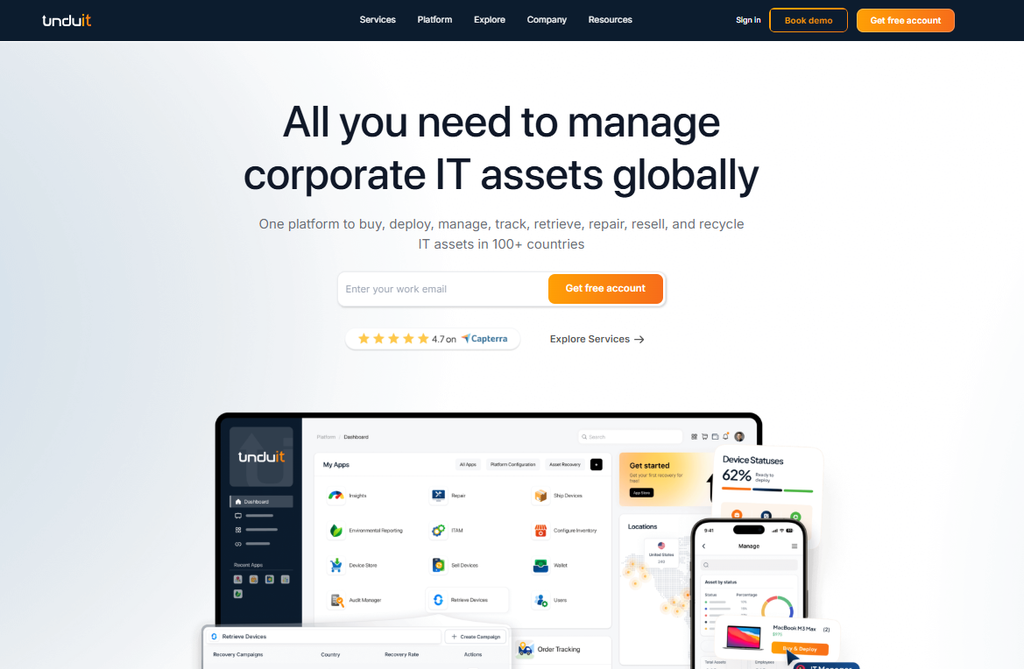
Unduit platform replaces 3-4 separate vendors. That means less complexity, lower costs, and real visibility into your entire device lifecycle.
Unduit solves all of this in one platform.
- Full lifecycle: Procurement through disposal, all connected
- ITSM-native: Asset data lives in Jira, ServiceNow, Zendesk (your existing tools)
- Zero-touch provisioning: Devices arrive ready; no manual setup
- Hardware recovery built-in: $200-400 recovered per device when employees leave
- Global scale: 5-7 day delivery to 100+ countries
- Automated tracking: AI-powered intelligence, duplicate detection, optimization recommendations