An IT director evaluating Atera does not need another marketing page telling them the platform is great. They need to know what the technicians and MSPs actually running it every day think, where it saves time, and where it still falls short.
Atera has built a large review footprint across G2, Capterra, TrustRadius, and Gartner Peer Insights, enough to separate the marketing copy from the day-to-day experience.
Key Takeaways
- Highly rated for ease of use, powerful automation, and a predictable per-technician pricing model.
- Criticised for cost creep at higher tiers, uneven support, and limited reporting flexibility.
- Manages software operations only, completely excluding physical device logistics like procurement, tracking, and recovery./li>
What Is Atera?

Atera is an AI-powered IT management platform built for managed service providers (MSPs) and internal IT teams. It bundles remote monitoring and management (RMM), a professional services automation (PSA) helpdesk, patch management, scripting, and remote access (via Splashtop) into one subscription.
Its newer differentiator is IT Autopilot, an AI agent Atera describes as a context-aware technician for every employee, resolving issues in real time. Atera reports more than 13,000 customers across 120+ countries.
Atera Review Scores at a Glance
Across every platform, Atera sits in the same range: well-liked, with a small, consistent set of complaints that show up repeatedly regardless of source.
What IT Teams Like About Atera
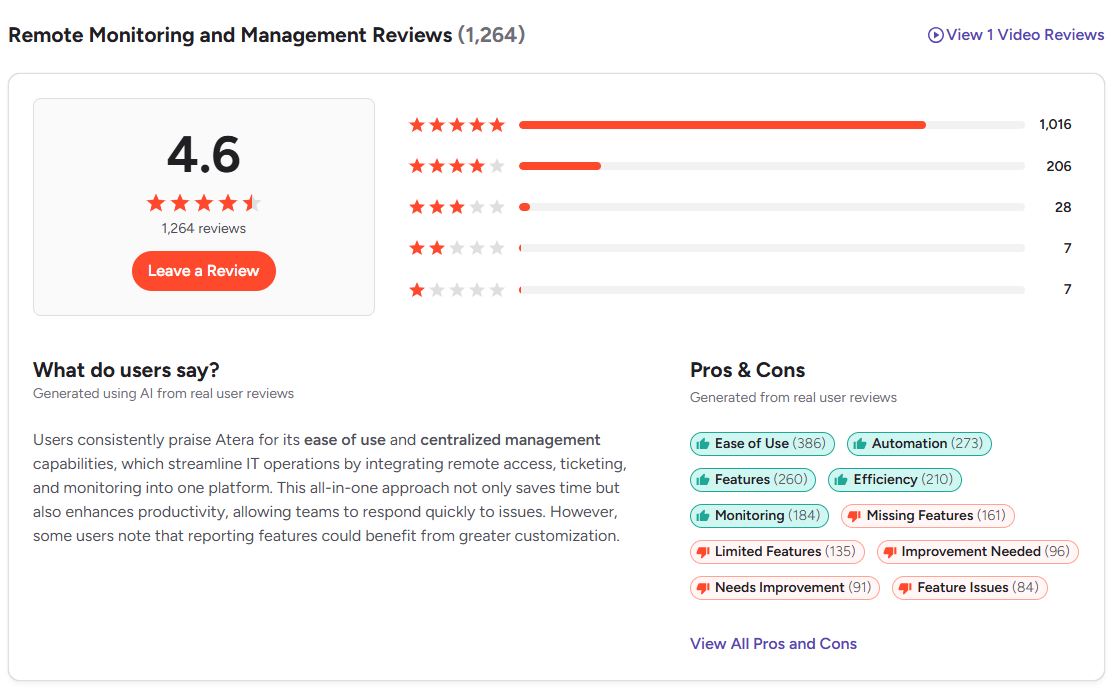
- Ease of use. G2 reviewers regularly cite the intuitive dashboard and short learning curve as a reason they chose Atera over more complex platforms like Autotask or Kaseya VSA.
- Per-technician, unlimited-device pricing. Reviewers on G2 and TrustRadius point out that Atera charges by technician seat, not by endpoint, which keeps costs predictable as a fleet grows.
- Automation depth. Capterra’s review data shows 100% positive sentiment across 24 reviews specifically calling out patch automation and scripting for cutting manual work.
- Fast onboarding. Capterra reviewers describe setup as “fast, intuitive, and straightforward,” with one reviewer at a 51–200 employee company noting that managing several client environments from one dashboard is simpler and clearer than the tools they used before.
- Responsive support. Quality of support scores 9.0 out of 10 on G2, and several reviewers mention quick resolution over chat and email, though one r/msp thread is quick to add the platform is feature-complete but not always intuitive to navigate day to day.
Where Atera Reviews Get Critical
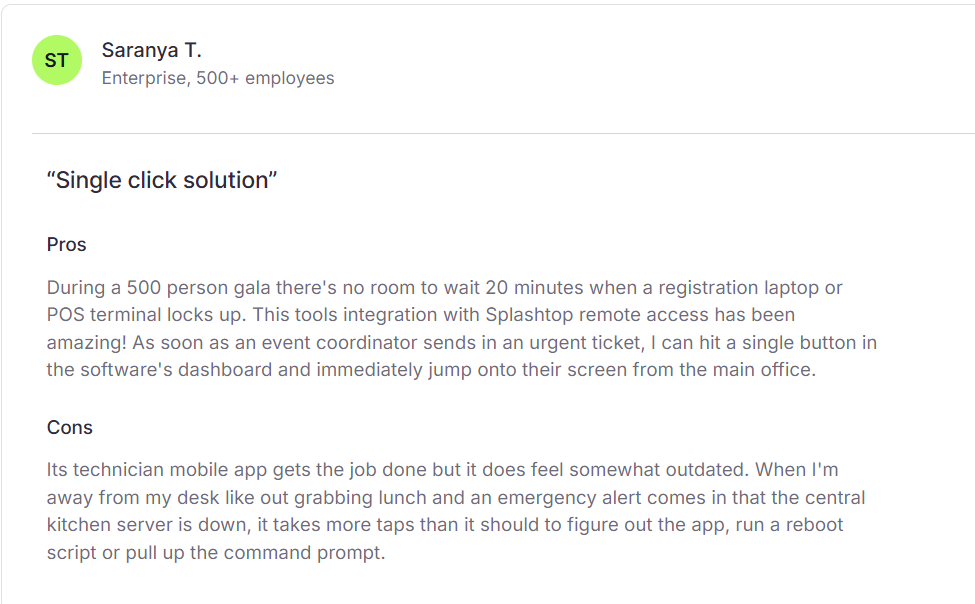
- Cost creep at scale. A SoftwareAdvice reviewer noted the platform gets “pricey” as more technicians are added to an account.
- Reporting flexibility. Multiple G2 and Capterra reviewers say the built-in reporting module needs more customization options, especially for teams that need to present metrics to non-technical stakeholders.
- Platform responsiveness. A Capterra reviewer, mentioned delays in remote access performance depending on the network. Capterra’s synthesized review data flags this as a recurring theme, tagging inconsistent platform responsiveness across a meaningful share of reviews mentioning interface speed and remote access delays.
- Mobile app gaps. Several reviewers on SoftwareFinder describe the mobile app as glitchy or limited compared to the desktop experience.
What MSPs Debate About Atera on Reddit
- Reddit discussions provide useful anecdotal context, but they should be treated differently from aggregated review data. Individual comments can highlight experiences that don’t appear in review scores, but they don’t necessarily represent the broader customer base.
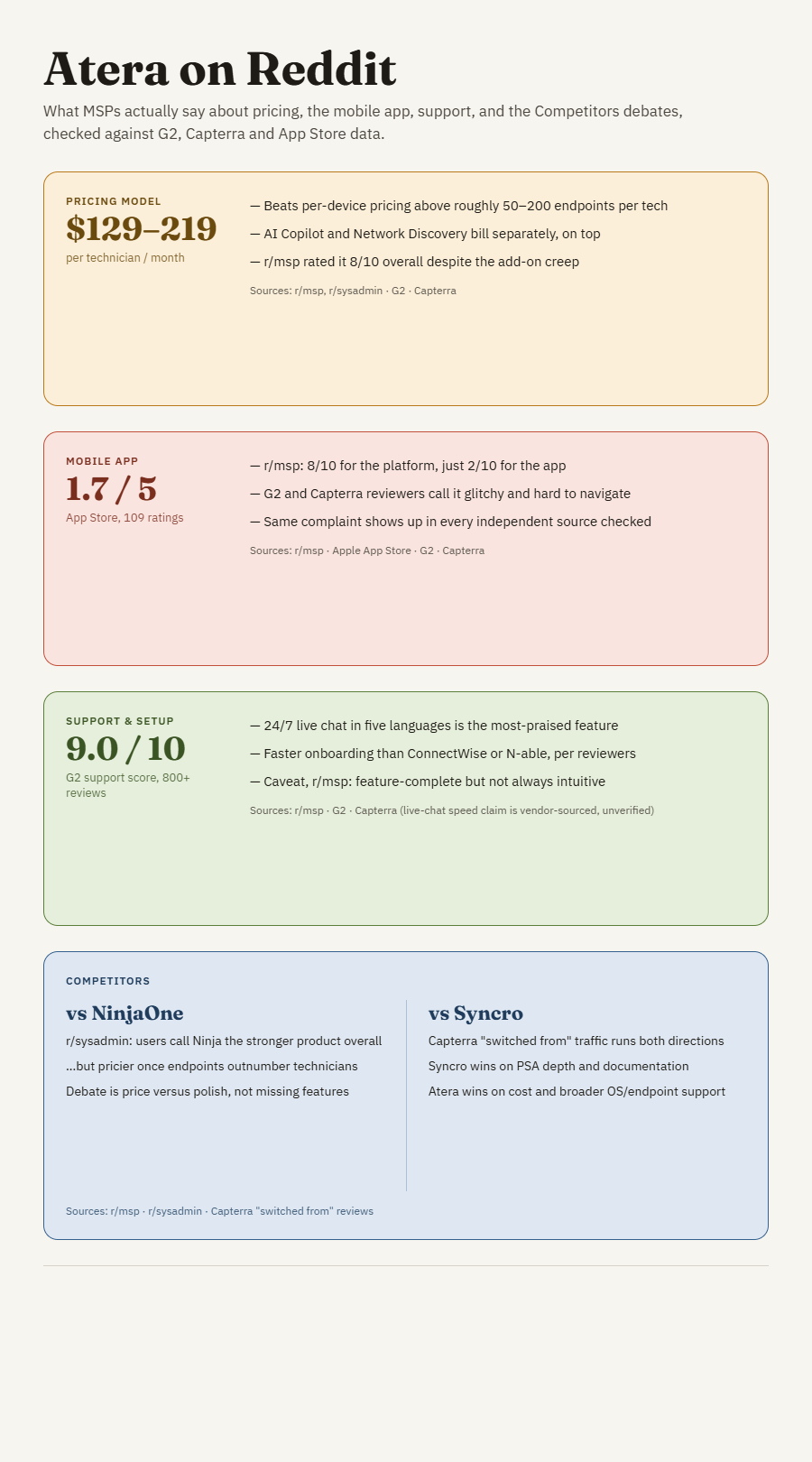
- Pricing: when per-technician wins, and when it doesn’t. A long-running r/msp consensus thread rates the platform 8/10 and calls the per-technician model “relatively inexpensive.” But in a head-to-head r/sysadmin thread, someone who’s run both Atera and NinjaOne is blunter: Atera stays cheaper only while your endpoint count is high relative to your technician count. Flip that ratio and a per-device competitor can win instead the same math that shows up in the pricing table below.
- Mobile app: one of the most consistent complaints across sources. That same 8/10-platform thread gave Atera’s mobile app a 2/10. Not an outlier: Atera’s iOS app sits at 1.7 out of 5 stars across 109 App Store ratings, and G2/Capterra reviewers independently call it glitchy and hard to navigate. The same concern also appears across G2, Capterra, and App Store reviews.
- Atera vs. NinjaOne: price vs. polish, not features. This is the least contested debate on Reddit. In a separate r/msp thread, a NinjaOne user called its support “the best and friendliest I have ever seen.” Nobody argues Atera is broken next to NinjaOne, the disagreement is narrower: NinjaOne is more polished, Atera is cheaper at scale.
- Atera vs. Syncro: different strengths for different MSPs. Unlike the NinjaOne debate, this one runs both directions. Capterra’s “switched from” data shows real traffic moving each way, some MSPs leave Atera for Syncro citing better PSA depth and documentation, others leave Syncro for Atera over cost or OS/endpoint support gaps.
The discussions tend to focus on different priorities, particularly PSA depth, documentation, pricing, and endpoint support.
Atera Pricing in 2026
Atera prices per technician, with unlimited managed devices included at every tier. Two separate plan structures exist: one for MSPs, one for internal IT departments.
Atera offers a 30-day free trial but does not maintain a permanent free tier. Note that Atera updated its pricing structure in 2026 for legacy accounts, with new rates taking effect on monthly billing cycles starting in June 2026 and on annual renewals on or after July 28, 2026. If you are comparing quotes, confirm current numbers directly on Atera’s pricing page, since third-party trackers vary slightly on exact figures.
Who Atera Is Built For
Atera fits small to mid-sized MSPs and internal IT departments managing a few dozen to a few hundred endpoints who want RMM, ticketing, and patching in one subscription without a long implementation cycle. Most G2 reviewers (60%+) report from small-business environments, which tracks with that positioning.
Larger enterprises with complex asset lifecycle, CMDB, or compliance requirements tend to look at tools built specifically for that depth. On G2’s Atera vs. ServiceNow ITAM comparison, reviewers rate ServiceNow stronger specifically on asset lifecycle management, even though Atera holds the higher overall star rating (4.6 vs. 4.3).
Unlock Seamless IT Asset Management with Unduit.
Discover how IT teams across the globe use our platform for their IT Asset Management needs.
Book a Demo!What Atera Reviews Do Not Mention: The Physical Device Gap
Every review cited above is about software. Atera monitors devices, patches them, remotely accesses them, and tickets problems on them. What it does not do is get involved once a device needs to physically move.
Atera does not procure hardware, ship a laptop to a new remote hire, coordinate the pickup of equipment from a departing employee, or manage the recycling and resale of retired devices. That is a different category of problem entirely, and interestingly, Atera acknowledges it. In its own comparison of Atera versus Deel IT, Atera describes Deel IT as focused on “the physical lifecycle of employee devices,” distinct from its own software-based IT operations focus.
For IT teams managing distributed or remote workforces, that gap matters. Someone still has to handle the logistics of getting a laptop to a new hire in another state and getting it back when they leave.
Beyond the Dashboard: Moving from RMM to Full Asset Lifecycle Management
Atera’s focus is software-based IT management. Teams that also need hardware procurement, deployment, recovery, and disposition may need a separate platform or service to manage those physical workflows.
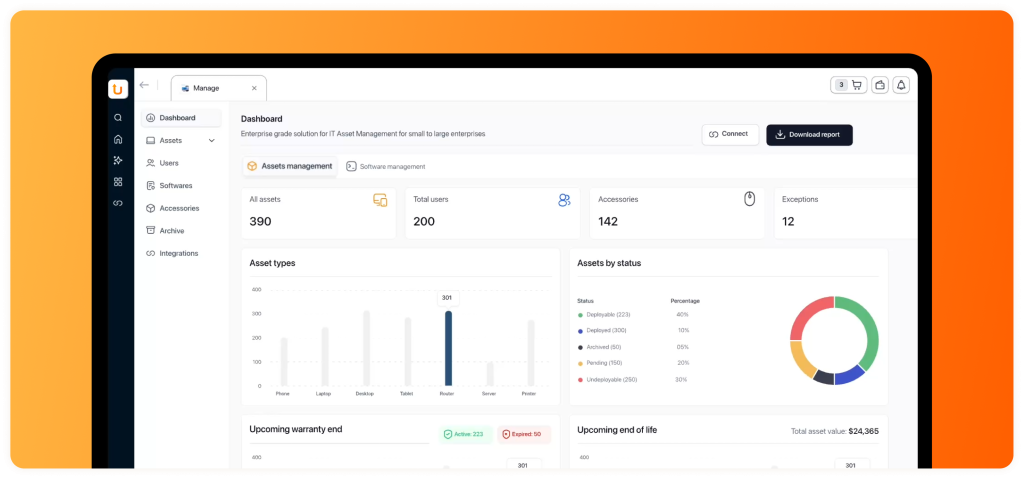
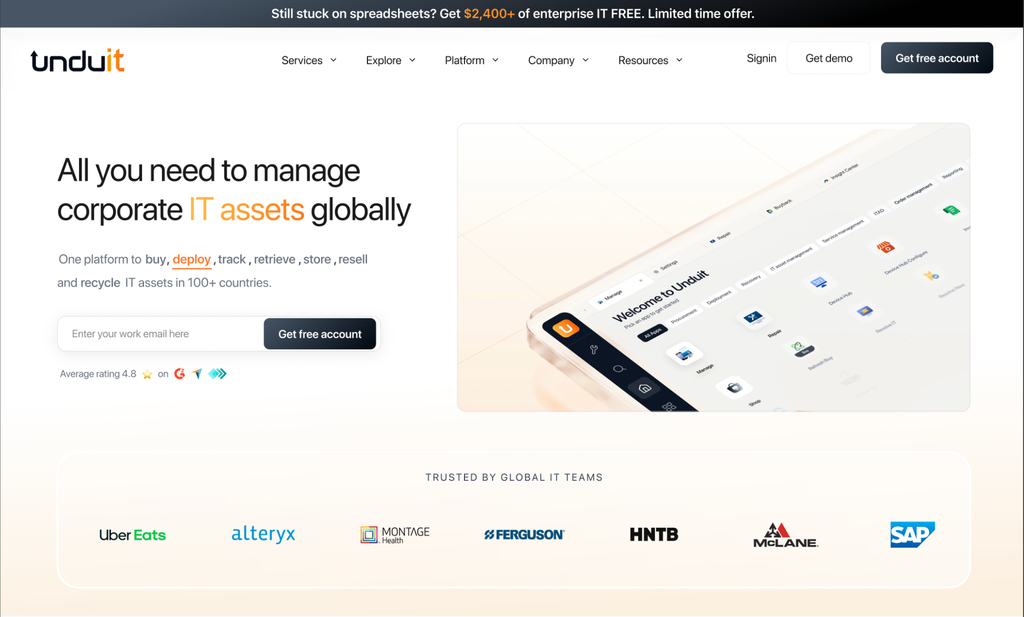
Unduit closes that gap by bringing IT Asset Management (ITAM), IT Service Management (ITSM), and Asset Lifecycle Management (ALM) together in one platform, with a single dashboard shared across IT, HR, and Finance.
Instead of one tool to track assets, a separate one to log service tickets, and a manual process to handle recovery and disposition, Unduit follows a device from the day it’s procured to the day it’s refurbished, resold, or recycled. Laptop returns are one piece of that lifecycle.
Employee Laptop Return Service
Managing remote employee laptop returns can be complex. Unduit’s platform makes it easy, automating the tedious parts while keeping IT in full control and full visibility.
- Automated Pickup Scheduling. Sends reminders and arranges device pickups without manual follow-up from IT.
- Real-Time Tracking Dashboard. Monitor every laptop, monitor, and peripheral in transit from anywhere.
- Smart Inventory Updates. Automatically logs returned devices, updates condition, and syncs with your asset management system.
- Refurbish and Redeploy Recommendations. Suggests the best path for repair, upgrade, or redeployment to maximize asset value.
- Secure Chain of Custody. Logs every step for compliance and data security auditing.
- Global Support. Handles domestic and international shipments to reduce delays.
- Employee-Friendly Communication. Sends timely updates by email, text, or phone so the return process stays smooth on the employee’s end too.
Atera and Unduit are not competitors. One manages what happens on a device. The other manages what happens to the device itself, across ITAM, ITSM, and ALM in a single system. Many IT teams run both.
Frequently Asked Questions
Q1: Is Atera good for small IT teams and MSPs?
Yes. Most reviewers on G2 and Capterra come from small-business environments, and the per-technician pricing model scales well for growing teams without a large device count penalty.
Q2: How much does Atera cost in 2026?
MSP plans start around $129 per technician per month, and IT department plans start around $149 per technician per month, both billed annually. Pricing updated in mid-2026, so confirm current rates on Atera’s official pricing page.
Q3: Does Atera offer a free plan?
Atera offers a 30-day free trial but does not have a permanent free tier as of 2026.
Q4: What do people complain about most in Atera reviews?
The most consistent complaints are rising costs at higher technician counts, limited reporting customization, and occasional lag in remote sessions or the mobile app.
Q5: Does Atera handle physical device logistics like shipping or recovery?
No. Atera manages the software side of IT operations: monitoring, patching, ticketing, and remote access. It does not handle procurement, shipping, or device recovery, which is where a dedicated lifecycle platform like Unduit fits in.
Q6: Is Atera worth it in 2026?
For MSPs and internal IT teams that need RMM, PSA, and patch management in one platform, most verified reviews say yes. Teams with heavier compliance reporting or large-scale asset lifecycle needs may want to pair it with a more specialized tool.
Sources & Discussion Threads
Review data referenced above comes from G2, Capterra, and TrustRadius as cited throughout. Community discussions referenced include threads from r/msp and r/sysadmin: r/msp consensus, separate r/msp thread.