Leadership has read that AI can resolve most help desk tickets. Now they want to know why IT still pays for seats in Jira Service Management, Freshservice or ServiceNow.
The vendor answers are loud and conflicting. One camp says keep your ITSM and add an AI layer. The other says rip it out and move to an AI service desk built from scratch.
The right call depends on a question most vendors skip: is your ITSM the problem, or is the front door the problem?
TL;DR:
- An AI service desk is the conversational front end where employees get answers and fixes in Slack, Microsoft Teams or a portal.
- Your ITSM stays the system of record for incidents, changes and assets. Add an AI layer if your ITSM works.
- Replace it if the ITSM itself is the bottleneck. Neither option ships, recovers or repairs a laptop.
What is an AI service desk?
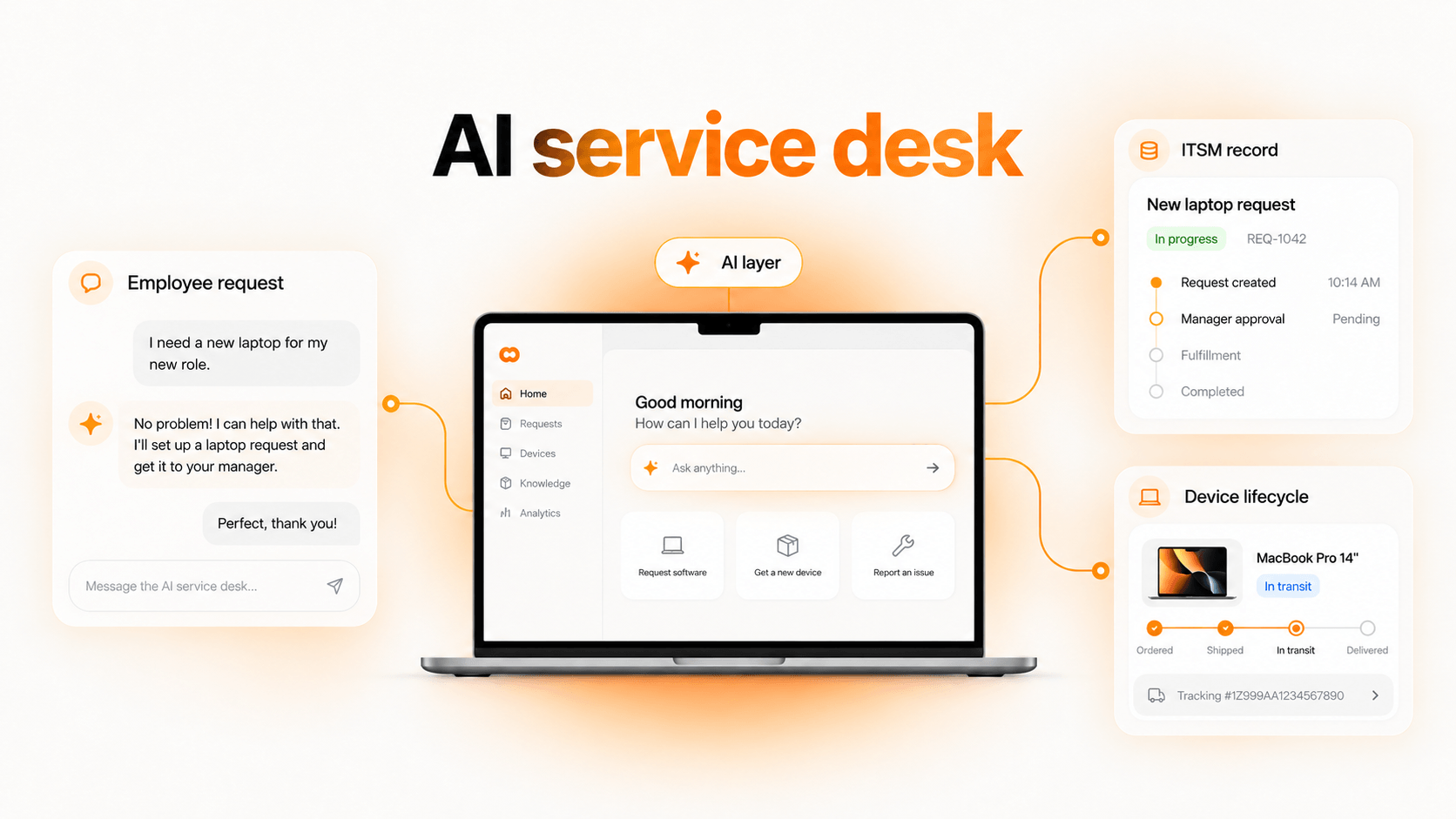
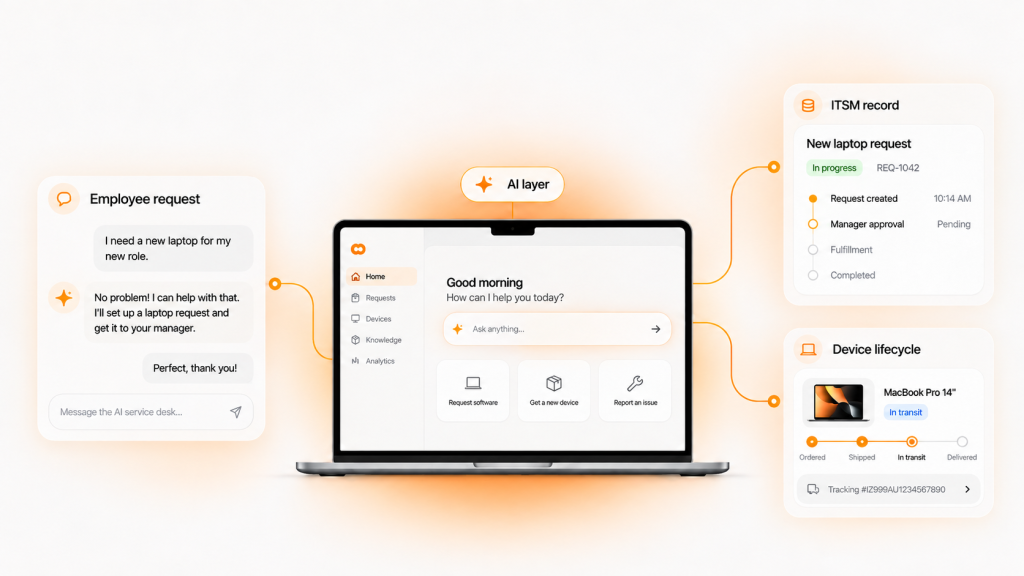
An AI service desk is the layer employees talk to. It answers questions, resolves routine requests and routes everything else to a human, usually inside the chat tools people already use.
Your ITSM does a different job. It is the system of record for tickets, SLAs, approvals, change history and the CMDB. Using AI for service desk work does not remove that record. It changes how requests reach it.
That distinction matters because the two layers can come from one vendor or two. It is the root of the layer-or-replace decision.
What does your ITSM’s native AI already do?
Check this before you buy anything. Most major platforms now ship their own AI:
- Rovo in Jira Service Management handles virtual agent conversations, knowledge search and ticket summaries.
- Freddy AI in Freshservice covers an AI agent, copilot features and AI Agent Studio for custom workflows.
- Now Assist in ServiceNow adds generative AI and agents across the platform.
Native AI is often enough for knowledge-base answers and agent assist. It tends to stop at the edge of its own platform, and usage is frequently metered by plan or session. List the specific requests native AI cannot resolve. That gap is what any add-on has to justify.
Option 1: Add an AI layer on top of your ITSM
An AI layer leaves your ITSM in place and adds an assistant in front of it. It suits teams whose workflows, data and reporting already work.
How an AI layer works
The assistant sits in Slack or Teams and reads your knowledge base in Confluence or Notion. It acts through integrations with Okta, Microsoft Entra ID, Jamf or Intune, then writes the outcome back to the ITSM ticket.
A typical example: an employee asks for Figma access in Slack. The layer checks policy, requests manager approval, provisions the license through the identity provider and closes a ticket in Jira Service Management.
Examples
- Moveworks: employee AI assistant with 100+ integrations, now part of ServiceNow.
- Aisera: agentic AI for IT, HR and customer service, now part of Automation Anywhere.
- Risotto: Slack-based AI ticketing that can augment Jira, Freshservice or Zendesk or run its own ticketing.
Pros and cons
| Pros | Cons |
|---|---|
| No ITSM migration | Two vendors, two contracts, two roadmaps |
| Easier to pilot and reverse | Only as good as your integrations |
| Keeps reporting and audit history intact | Does not fix a broken ITSM underneath |
Option 2: Replace your ITSM with an AI-native platform
An AI-native ITSM is a service desk built around AI agents from day one, rather than AI added to a ticket queue. It suits teams whose current ITSM is the bottleneck: slow to configure, expensive per seat or ignored by employees.
Examples
- Serval: AI-native ITSM that also offers bi-directional sync with ServiceNow, Jira and Zendesk. It raised a $75 million Series B at a $1 billion valuation in December 2025.
- Atomicwork: agentic service management aimed at mid-market teams.
- Ravenna: Slack-native service desk for IT, HR and operations.
- Harmony: service desk with asset and software management built in.
- Siit: chat-based service desk that runs standalone or as an overlay.
Notice that several of these also sell an overlay or sync mode. The market is a spectrum, not a binary.
Pros and cons
| Pros | Cons |
|---|---|
| One platform built around automation | Migration of workflows, SLAs and history |
| Often simpler admin than legacy ITSM | Younger vendors with shorter track records |
| Pricing may shift away from per-seat | Asset and CMDB depth varies widely |
Migration is the real cost. Teams that have customized ServiceNow or Jira Service Management for years should budget months, not weeks.
AI layer vs AI-native ITSM vs managed help desk
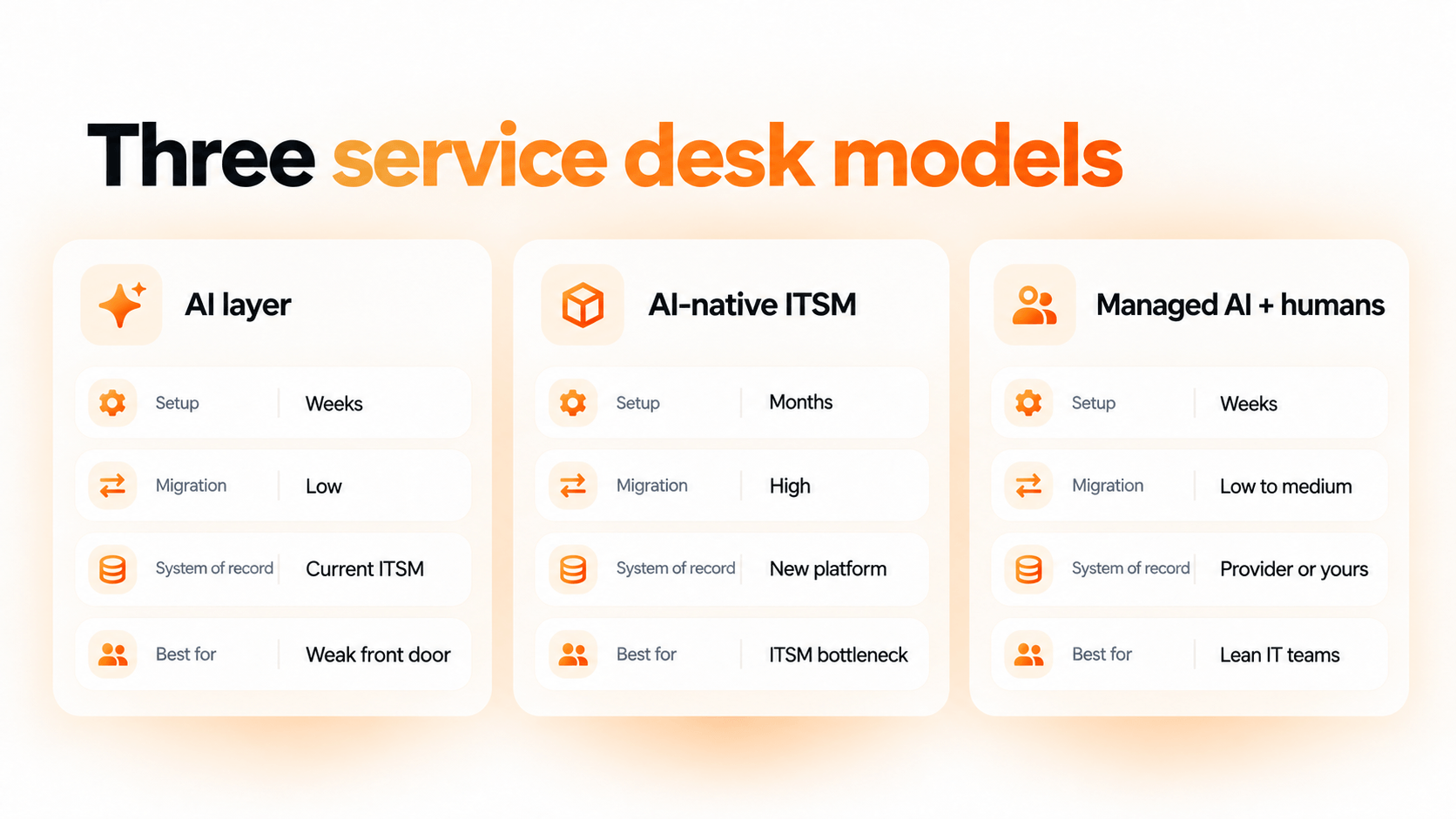
There is a third model worth knowing. Fixify runs a managed help desk that pairs AI automation with human analysts, so you buy outcomes instead of software.
Comparison of AI powered service desk models
| Factor | AI layer | AI-native ITSM | Managed AI + humans |
|---|---|---|---|
| Setup time | Weeks | Months | Weeks |
| Migration effort | Low | High | Low to medium |
| System of record | Your current ITSM | The new platform | Your ITSM or the provider’s |
| Lock-in risk | Low to medium | High | Medium |
| Best for | A working ITSM with a weak front door | An ITSM that is the bottleneck | Lean IT teams short on staff |
| Physical device work | Not covered | Limited | Limited, varies by provider |
What happens when your AI vendor gets acquired?
This category is consolidating quickly, and few buying guides mention it.
| Vendor | Acquirer | Status |
|---|---|---|
| Console | Palo Alto Networks | Being folded into Cortex, its security platform (Sept 2026) |
| Moveworks | ServiceNow | Acquisition completed (Dec 2025) |
| Aisera | Automation Anywhere | Acquired, terms undisclosed (Nov 2025) |
After an acquisition, roadmaps and pricing usually align with the parent’s platform. Before you sign with any AI layer, ask three questions:
- Is support for non-parent ITSMs written into the contract?
- What notice period applies to price or packaging changes?
- Can you export conversation logs, workflows and knowledge if you leave?
How to decide: a 5-question framework
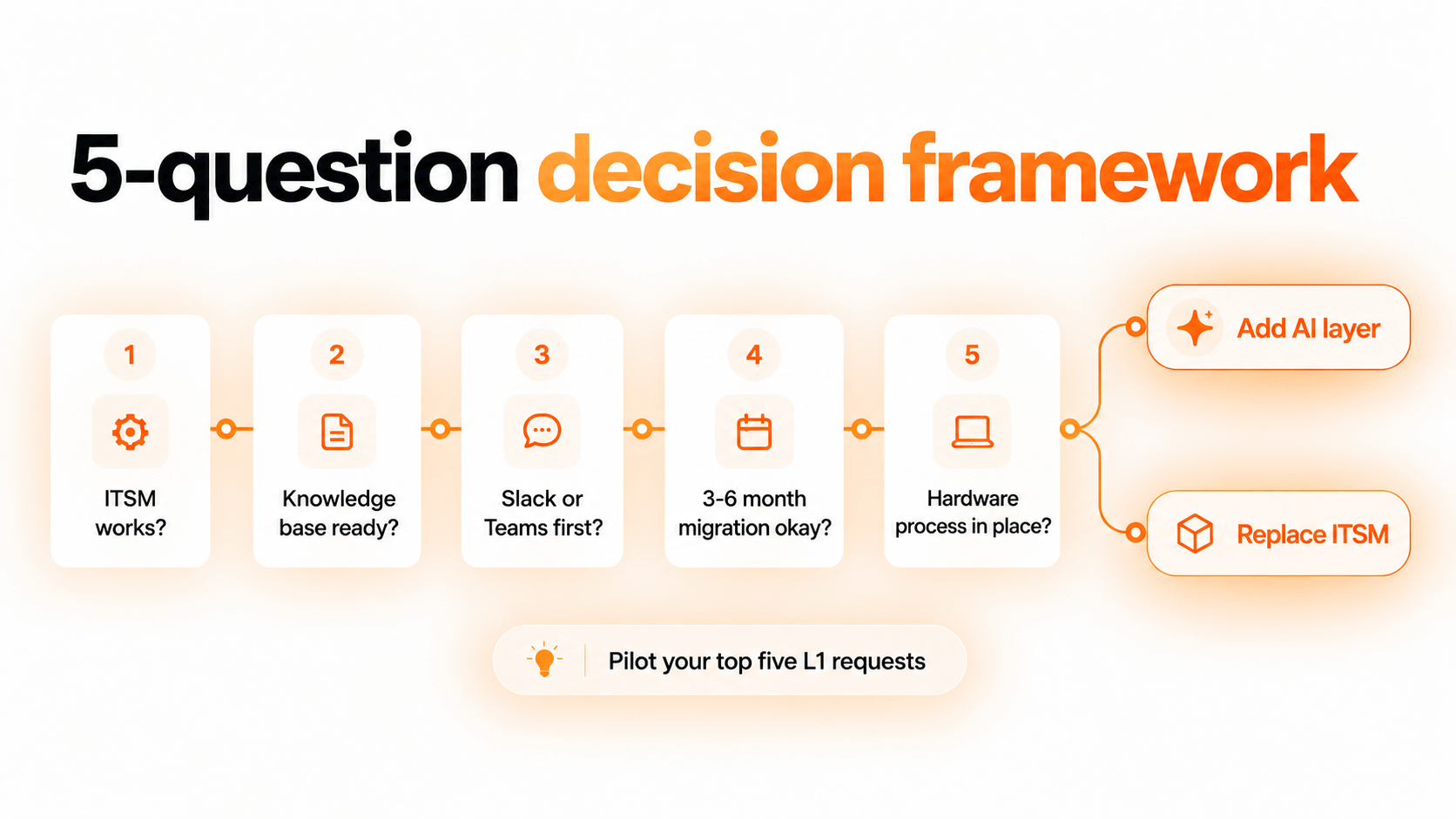
Use these questions to choose a direction and to explain it to leadership.
| Question | If yes | If no |
|---|---|---|
| 1. Does your ITSM work for agents and reporting? | Lean toward an AI layer | Consider AI-native ITSM |
| 2. Is your knowledge base current and complete? | Pilot now | Clean it up before buying |
| 3. Do employees already ask for help in Slack or Teams? | Prioritize chat-first tools | A portal-led approach may fit |
| 4. Can you absorb a 3 to 6 month migration? | Replacement is realistic | Layer first, revisit later |
| 5. Do you have a process for hardware requests? | AI can route into it | Fix this regardless of AI choice |
Whichever path you choose, run a pilot on your top five L1 request categories. Measure resolution rate, not deflection, and track the same help desk metrics before and after.
Is your data ready for an AI service desk?
AI resolves requests only as well as the context it can read. Three inputs decide that:
- Knowledge base: articles that are current, specific and owned by someone.
- Ticket history: consistent categories, so the AI can learn which fixes worked.
- Asset data: accurate records of who has which device, so hardware requests start from facts. See our guide to CMDB vs ITAM for where that data should live.
Layer or Replace, Someone Still Has to Ship the Laptop
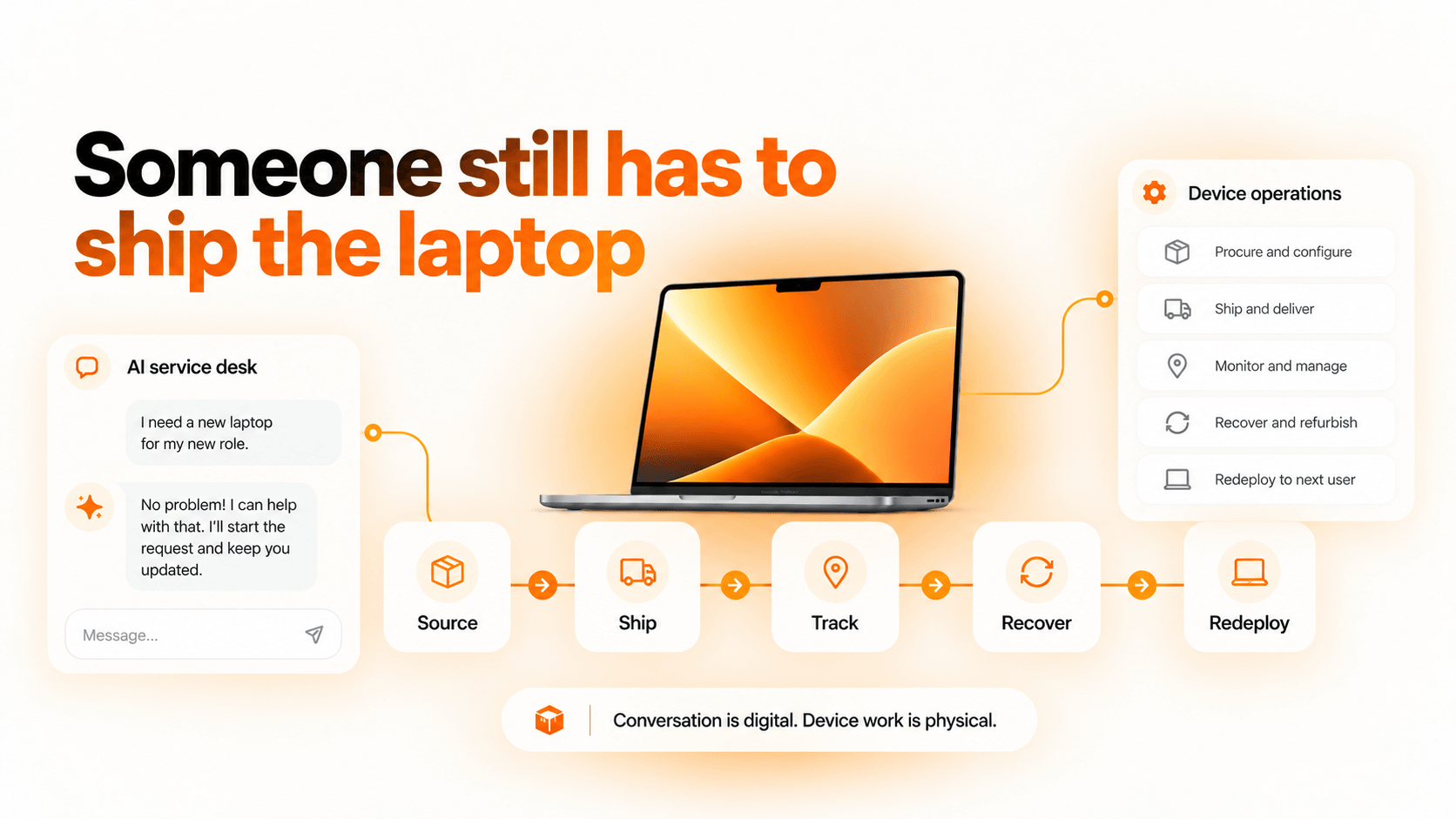
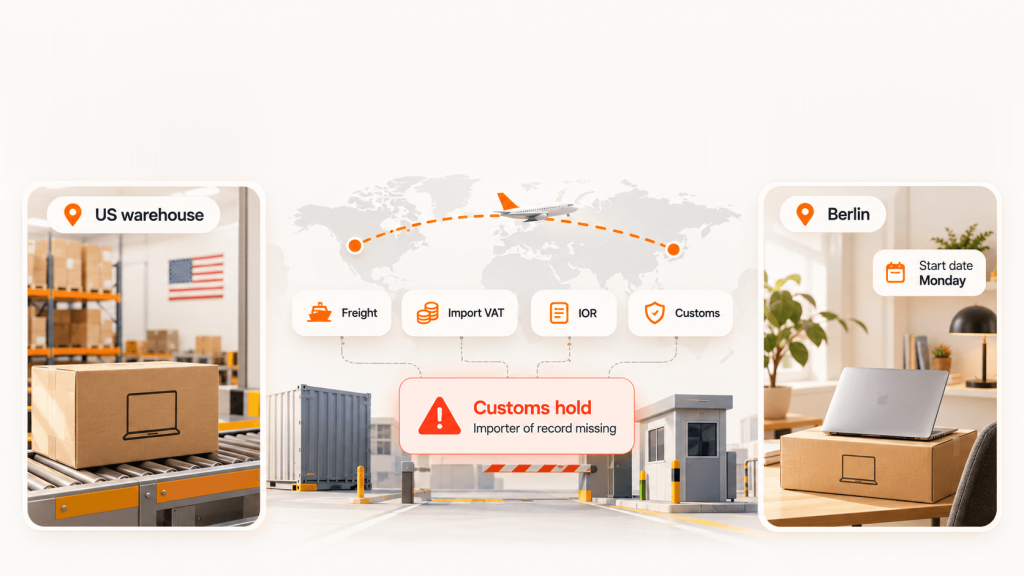
An AI service desk can reset a password in seconds. It cannot put a configured laptop on a new hire’s desk in Denver or get one back from a departing engineer in Austin.
Hardware requests are where both camps stop. The AI can log the ticket and route it. Then someone still has to source the device, ship it, track it, recover it, wipe it and decide whether to repair, redeploy or retire it. In distributed teams, that work often lives in spreadsheets and email threads.
How Unduit closes the device gap
Unduit is not an AI service desk vendor. It is the device lifecycle layer that works alongside whichever option you choose, including Unduit + Jira for teams on Jira Service Management. Its AI-powered IT agent handles the physical side of IT:
- Automated pickup scheduling: sends reminders and arranges device pickups without manual follow-up.
- Real-time tracking dashboard: monitors laptops, monitors and peripherals in transit.
- Smart inventory updates: logs returned devices, records condition and syncs with your asset management system.
- Refurbish and redeploy recommendations: suggests repair, upgrade or redeployment options to recover asset value.
- Secure chain of custody: logs every step for audit and data security requirements.
- Global support: handles domestic and international shipments.
- Employee-friendly communication: keeps employees updated by email, text or call.
The result: your AI service desk handles the conversation, your ITSM keeps the record and Unduit handles the device. For offboarding specifically, see our guide to employee equipment return.
Frequently asked questions
Will AI replace the help desk?
No. AI absorbs repetitive L1 requests like password resets, access requests and how-to questions. Outages, security exceptions, judgment calls and physical device work still need people. Expect smaller queues and different roles, not an empty desk.
Do I need to replace Jira Service Management to use AI?
No. Rovo is native to Jira Service Management, and several AI layers integrate with it. Replace JSM only if the platform itself is the bottleneck, not just its front door.
What is AI-native ITSM?
AI-native ITSM is a service desk designed around AI agents from the start. Instead of adding AI to a ticket queue, the agent is the primary way requests get resolved, with the ticket as the record.
What is the best AI to replace an IT help desk?
There is no single answer. The right tool depends on your current ITSM, company size, chat platform and data quality. Use the five-question framework above and pilot before committing.
Can an AI service desk handle hardware requests?
It can log, triage and route them. Procurement, shipping, returns, repair and retirement still need a device lifecycle process or partner behind the ticket.