Type “IT asset disposition software” into Google and you get one answer for two very different problems.
An ITAD company running 40 client accounts is not shopping for the same thing as an enterprise IT team retiring 400 laptops a year internally. They’re typing the same three words. They need almost nothing in common.
One needs a system to run a business. The other needs a system to prove a process happened. Mix up the two, and you end up evaluating a platform against the wrong checklist, or paying for features built to solve someone else’s problem.
Key Takeaways
- ITAD software serves two buyers: vendors and enterprises.
- Vendors need multi-client, white-label, built-in billing.
- Enterprises need full-lifecycle chain-of-custody, not pickup-only.
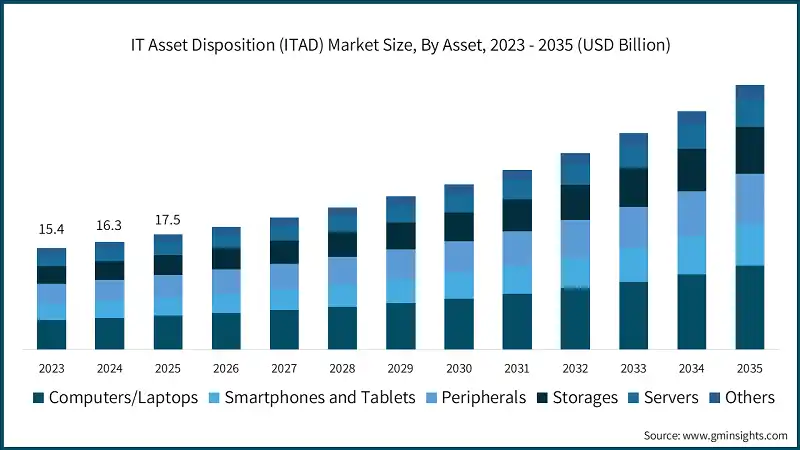
- ITAD market: $18.6B (2026) → $40.1B (2035), 8.9% CAGR.
- Software and physical ITAD service solve different problems, most need both.
What is IT Asset Disposition Software?
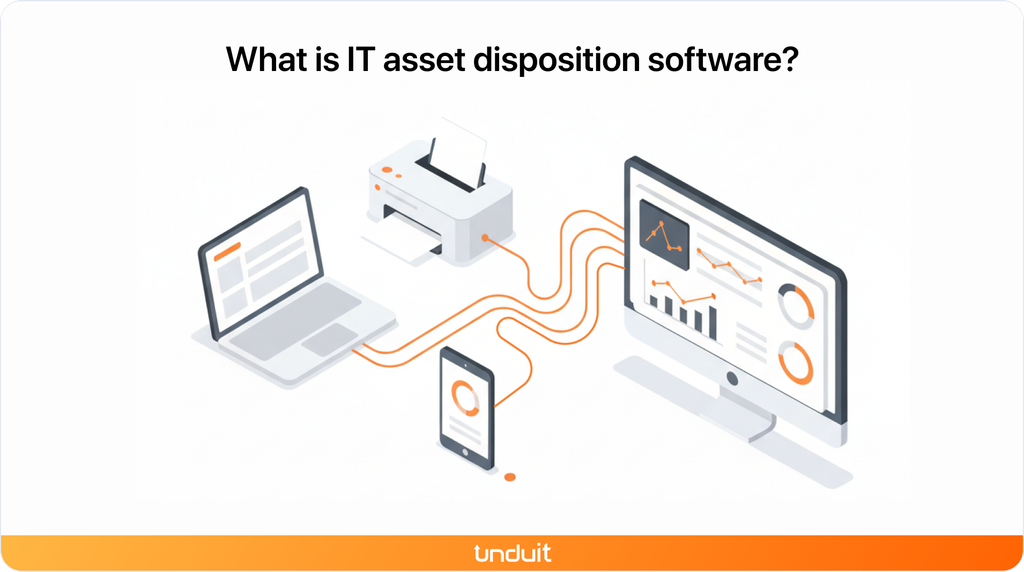
IT asset disposition software tracks retired IT equipment through collection, chain of custody, sanitization verification, remarketing, and reporting. It doesn’t wipe a drive or shred a server itself. It’s the system of record for everything that happens to a device between “this is no longer in use” and “this is provably gone.”
Regardless of who’s running it, that usually means:
- Logging devices into the disposal workflow by serial number or asset tag
- Recording custody at every handoff, from pickup to final processing
- Storing or linking sanitization certificates
- Tracking resale or remarketing value where equipment still has it
- Generating reports for auditors, clients, or internal compliance teams
Where it splits is who’s reading those reports and why.
The volume moving through this stage keeps climbing. Global spending on IT asset disposition is on pace to grow from $18.6 billion in 2026 to $40.1 billion by 2035, representing an 8.9% CAGR, according to Global Market Insights. More hardware moving through more vendors is exactly the condition that makes an untracked disposal process expensive to reconstruct later Global Market Insights. More hardware moving through more vendors is exactly the condition that makes an untracked disposal process expensive to reconstruct later.
ITAD Software for Vendors vs. Enterprises
Unlock seamless IT Asset Disposition with Unduit.
Discover how IT Teams Across the Globe Use our platform for their IT Asset Disposition Needs.
Book a Demo!ITAD Software for Vendors: What to Look for in a Client Portal
An ITAD company managing dozens of client accounts isn’t running one disposition workflow. It’s managing multiple workflows at the same time, each with its own assets, users, reporting requirements, and client expectations.
A platform designed for a single organization’s assets can struggle when it’s used to operate a services business.
1. True multi-tenancy
Each client should have a properly separated environment and data structure.
Look for:
- Account-level asset visibility
- Separate user permissions
- Client-specific workflows
- Segmented reporting
- Centralized administration for the ITAD provider
A shared login with filtered views isn’t the same as true multi-tenancy.
2. White-label client portals
White-labeling should go beyond replacing a logo.
For an ITAD vendor, the client-facing experience may need:
- Custom domains
- Client branding
- Branded email communications
- Client-specific dashboards
- Customized reports
If clients still see the underlying software provider throughout the workflow, the portal isn’t truly operating as the ITAD vendor’s own platform.
3. Self-service onboarding
Adding a new client shouldn’t require the ITAD team’s involvement at every step.
Self-service onboarding can reduce manual account setup and allow clients to access the information they need without creating another administrative task for the service provider.
4. Client-specific reporting
Different clients may need different reports, fields, asset groups, and documentation.
The platform should allow vendors to generate and export client-specific information without manually cleaning spreadsheets every time.
5. Commercial workflows
For an ITAD vendor, disposition isn’t only an operational process. It’s a business transaction.
Depending on the service model, the software may need to connect:
- Quotes
- Contracts
- Orders
- Invoices
- Client approvals
- Asset processing
- Recovery value
Keeping these workflows connected reduces the need to move information between separate systems.
ITAD Software for Enterprises: Tracking Chain of Custody Internally
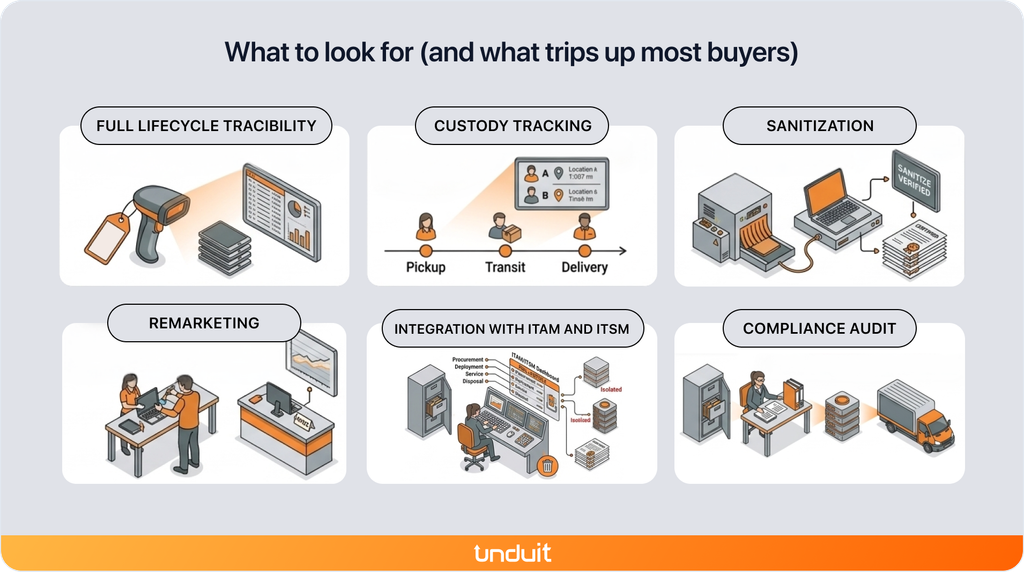
Enterprise ITAD is a different problem.
A company with 2,000 employees across multiple locations may retire equipment continuously rather than in one large batch.
A laptop might be returned by an employee in Ohio. A server might leave a data center in Virginia. A warehouse in Texas might retire several scanners at the same time.
Different locations, employees, vendors, and workflows can quickly create fragmented records.
Then an auditor asks:
Which devices were retired last year, who handled them, and where is the proof that they were sanitized?
If each vendor or location maintained its own records, answering that question can require reconstructing the process manually.
That’s why enterprise buyers should prioritize lifecycle visibility and centralized records.
1. Full lifecycle traceability
The disposition record shouldn’t begin when the device reaches the ITAD provider.
Ideally, it should connect to the asset’s existing history:
Procurement → deployment → active use → return → disposition → final outcome
This gives IT teams a complete record rather than a standalone retirement event.
2. Chain-of-custody documentation
Every important handoff should be recorded and timestamped.
That can include:
- Employee return
- Internal collection
- Transportation
- Vendor receipt
- Processing
- Sanitization
- Resale or recycling
- Final disposition
The goal is to make the history of an individual asset easy to reconstruct.
3. Sanitization verification
The platform should connect sanitization records to the specific asset being processed.
Where applicable, organizations may also need documentation aligned with standards such as NIST SP 800-88.
A certificate sitting in a separate folder is less useful than documentation tied directly to the device record.
4. Audit-ready reporting
Reports should bring together the information compliance, finance, security, and IT teams actually need.
The less manual reconstruction required, the easier it is to respond to audits and internal requests.
5. Remarketing and value recovery
Not every retired device should follow the same path.
Equipment with remaining resale value may be refurbished or remarketed, while obsolete or damaged equipment may require recycling.
Software should make those outcomes visible so organizations can understand where their retired assets went and what value was recovered.
6. ITAM and ITSM integration
Disposition shouldn’t become an isolated system at the end of an asset’s life.
Integration with existing ITAM and ITSM platforms can help keep asset records, service workflows, and disposition information connected.
How an Integrated Platform Handles the Enterprise ITAD Gap
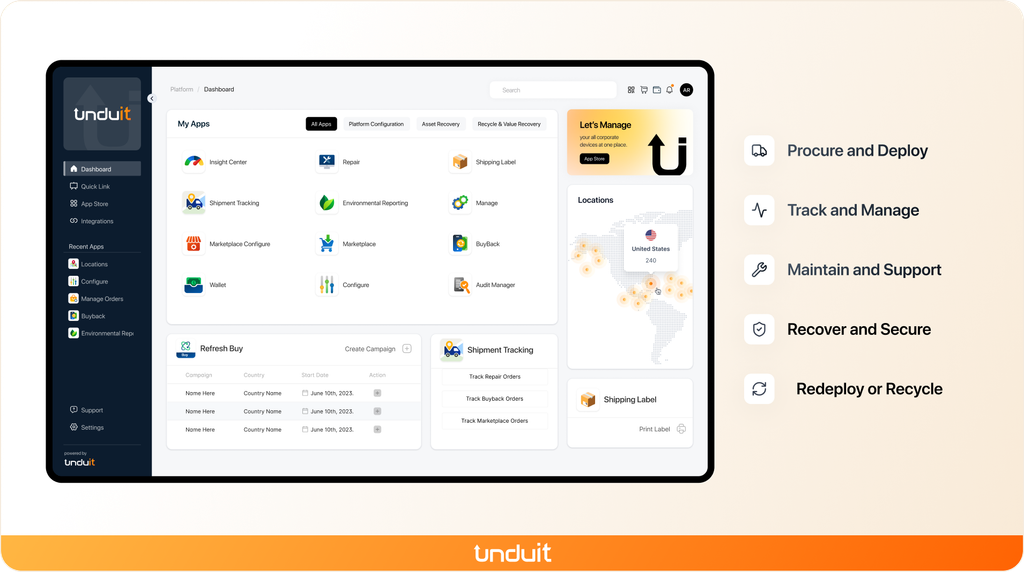
Most disposition programs don’t break at the destruction step. They break earlier, at the point of actually getting a device back from someone who no longer needs it.
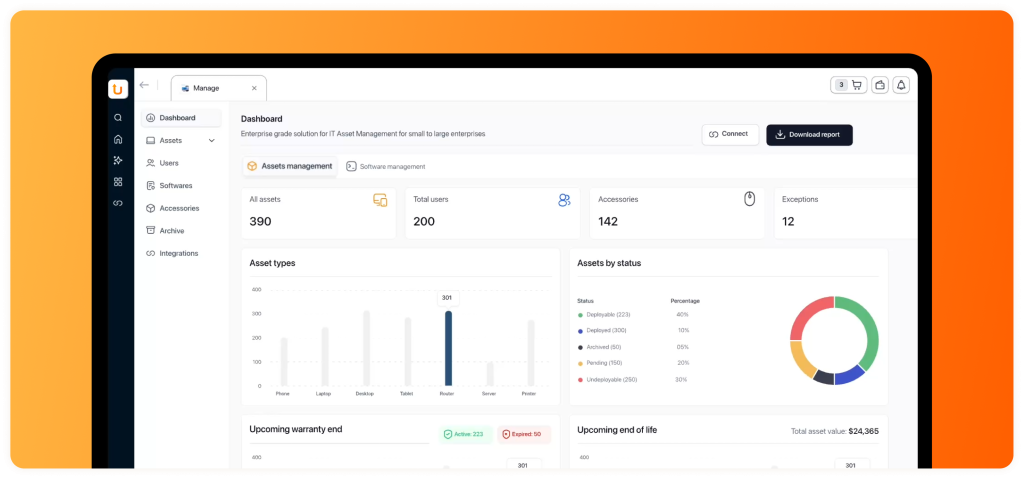
Unduit builds disposition into the same platform that already handles procurement, deployment, and repair, so retirement carries the same record-keeping as the rest of a device’s life instead of starting over in email and spreadsheets. For the enterprise side of this equation, a few things are worth calling out:
- Automated pickup scheduling that sends reminders and arranges device pickups without manual follow-up
- A real-time tracking dashboard for laptops, monitors, and peripherals in transit, from anywhere
- Smart inventory updates that log returned devices, update condition, and sync with your existing asset management system
- Refurbish-and-redeploy recommendations, so value recovery is the default path instead of something someone has to remember to check for
- A chain of custody that holds up under audit, logged and exportable at every step, not reconstructed after the fact from someone’s inbox
- Global support for domestic and international shipments, and employee-friendly communication so the return process doesn’t feel like a fight
The Ohio laptop, the Virginia server, and the Texas scanners show up in the same system that’s already been tracking equipment since day one.
Choosing the Right ITAD Software Starts with Knowing Which Buyer You Are
Choosing ITAD software starts with identifying which type of buyer you are. ITAD vendors need a platform that runs a multi-client business without exposing someone else’s brand. Enterprises need a record that follows a device from the day it’s issued to the day it’s gone, with nothing missing in between.
Get that distinction right first, and evaluating compliance requirements, reporting capabilities, and value recovery becomes much more straightforward.
FAQs
Q1: What’s the difference between ITAD software and an ITAD service provider?
The software tracks and documents the process. The service provider physically collects, wipes, and recycles or resells the equipment. Organizations may use both, depending on whether they manage disposition internally, through an ITAD provider, or through a combination of the two.
Q2: Is ITAD software for vendors different from ITAD software for enterprises?
Yes, in practice. Vendor-side platforms need multi-client management, white-labeling, and commercial workflows. Enterprise-side platforms need chain-of-custody tracking tied to a device’s internal lifecycle. A tool built for one rarely fits the other well.
Q3: Do I need software if I already work with an ITAD vendor?
Usually, for the part a vendor’s certificate doesn’t cover: chain of custody before pickup, and one consolidated report across multiple vendors and locations if you use more than one.
Q4: What is chain of custody in IT asset disposition?
A continuous, serialized record of who handled a device and when, from the point it leaves an employee’s desk through pickup, transit, processing, and final disposition. For any given device, you should be able to produce that full history without a gap.
Q5: Does ITAM software cover ITAD, or do I need something separate?
IT asset management (ITAM) tracks assets while they’re in active use. IT asset disposition (ITAD) handles the retirement stage. Some ITAM platforms extend into disposition; many don’t. If yours stops at “retired” with no further tracking, that’s the gap this guide is about.