TL;DR
- What it is: AI in ITSM uses machine learning, NLP, and generative or agentic AI to classify, route, resolve, and automate IT service work.
- Where it pays off first: High-volume, repetitive work like ticket routing, virtual agents, knowledge management, and device lifecycle tasks such as offboarding returns.
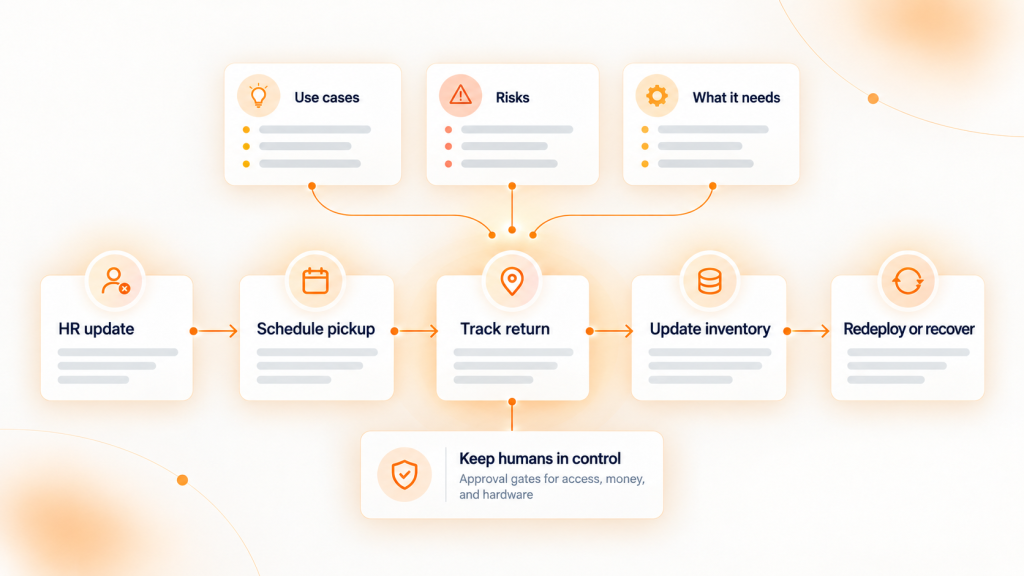
- What it needs: Accurate asset and configuration data, a 90-day KPI baseline, and approval gates for any AI that takes action.
An AI agent can classify a broken-laptop ticket in two seconds and still ship the replacement to an employee who left in March.
That gap rarely shows up in vendor demos. It shows up three weeks later, when the service desk is cleaning up after automation that acted on bad records.
AI in ITSM is no longer experimental. In a May 2026 TeamDynamix survey of 392 IT professionals, 87% of organizations said they use or plan to use AI in ITSM within two years. The harder question is which use cases pay off, what can go wrong, and what the AI needs underneath it to be right.
This guide covers all three, with a focus on mid-market IT teams supporting distributed employees.
What is AI in ITSM?
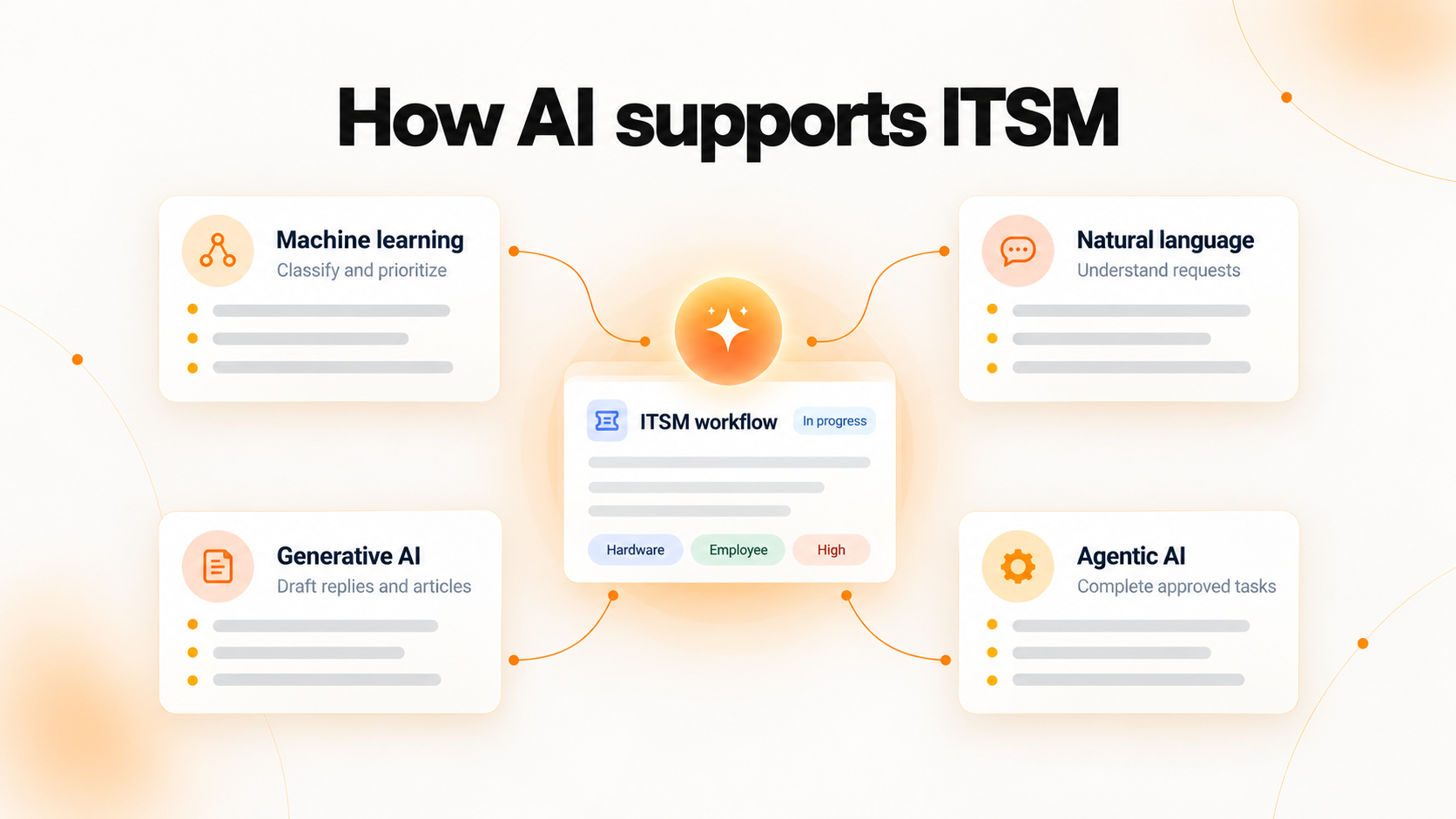
AI in ITSM is the use of machine learning, natural language processing, and generative or agentic AI inside IT service management workflows. It reads tickets, assets, and knowledge articles, then recommends or takes actions across incident, request, change, and knowledge management.
The technology usually shows up in four forms:
- Machine learning classifies, prioritizes, and predicts from historical ticket data.
- Natural language processing understands what an employee typed in a portal, email, or Slack message.
- Generative AI drafts replies, summaries, and knowledge articles.
- Agentic AI completes multi-step tasks, such as resetting access or opening a hardware return, within limits you set.
AI in ITSM use cases worth prioritizing
The strongest early returns come from high-volume, repetitive work. Among teams already using AI, the TeamDynamix survey found 88% apply it to knowledge management, 82% to virtual agents that deflect tickets, and 71% to faster triage.
| Use case | What AI does | KPI it moves | Data it depends on |
|---|---|---|---|
| Ticket categorization and routing | Reads the request, sets category and priority, assigns the right group | Reassignment rate, MTTR | Clean ticket history, accurate assignment groups |
| Virtual agents and self-service | Resolves password resets, access requests, and how-to questions in chat | Ticket deflection rate | Current knowledge base, identity data |
| Knowledge management | Drafts articles from resolved tickets and flags gaps or outdated content | Self-service resolution rate | Resolution notes |
| Agent assist | Summarizes long threads and suggests fixes that worked on similar tickets | Handle time, first-contact resolution | Searchable ticket history |
| Incident prediction and root cause | Spots patterns across alerts and tickets before users report them | Incident volume, MTTR | Monitoring data, CMDB relationships |
| Change risk assessment | Scores a change by past failures and affected services | Change failure rate | Change records, service dependencies |
| Device lifecycle automation | Flags laptops due for refresh, triggers equipment returns at offboarding, catches unused licenses | Asset recovery rate, license spend | Device owner, location, warranty, and license records |
A practical example: a 1,200-person company with remote staff in 30 states gets 400 hardware tickets a month. Routing alone saves time. The bigger win comes when the AI also knows the device model, warranty status, and assigned employee, so it can approve a repair, ship a spare, or open a return without a technician looking anything up.
Generative AI vs. agentic AI in ITSM
| Category | Generative AI | Agentic AI |
|---|---|---|
| What it produces | Text: replies, summaries, articles | Actions: completed tasks across systems |
| Example | Drafts a response to a VPN ticket | Provisions access, updates the ticket, notifies the user |
| Main risk | Confident but wrong answers | Wrong actions at scale |
| Guardrail | Human review of published content | Approval gates, scoped permissions, audit logs |
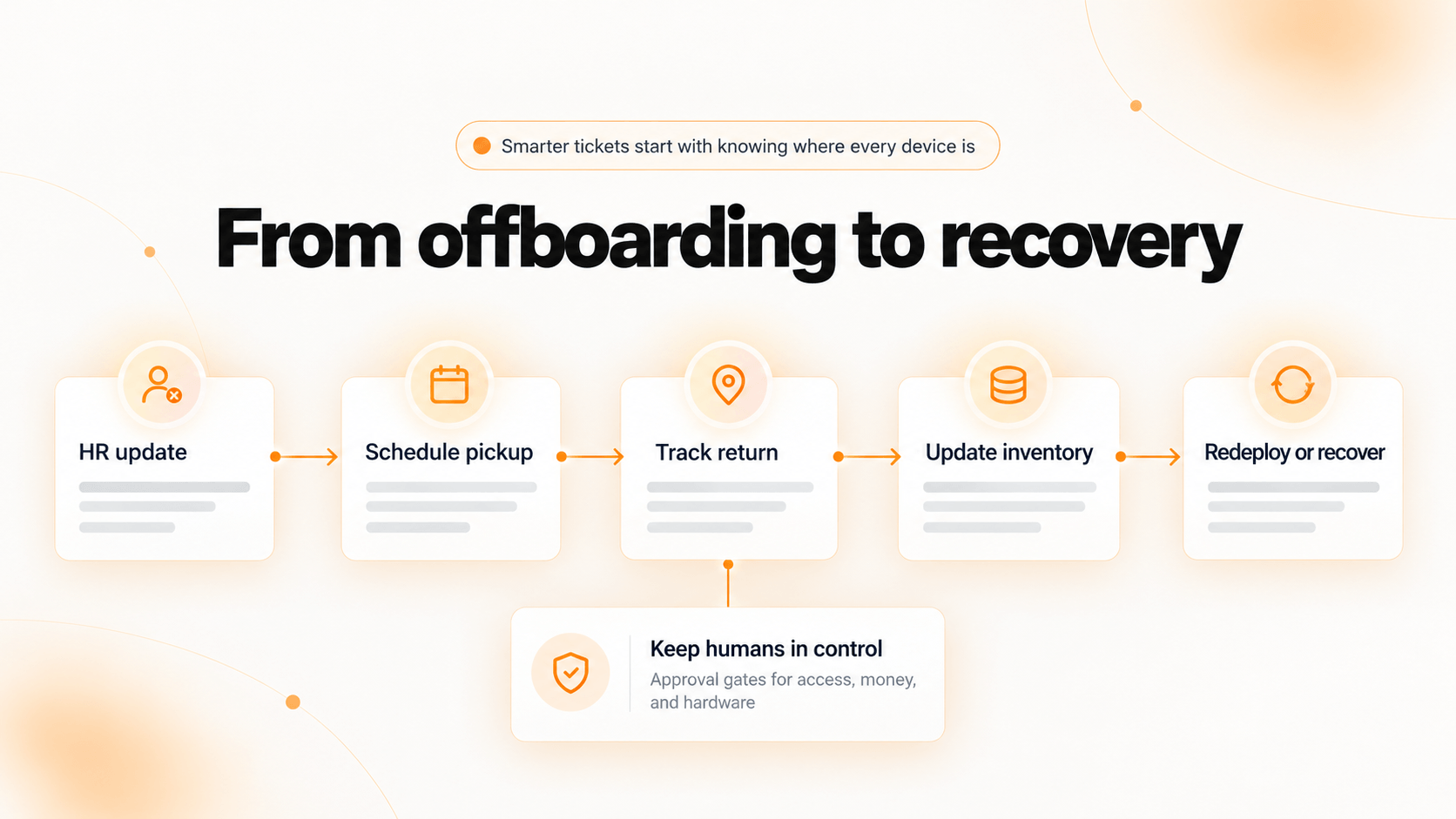
Start agentic workflows with low-risk, reversible tasks. Keep a human approval step for anything that touches money, access, or hardware leaving a building.
Why does AI in ITSM fail without clean asset data?
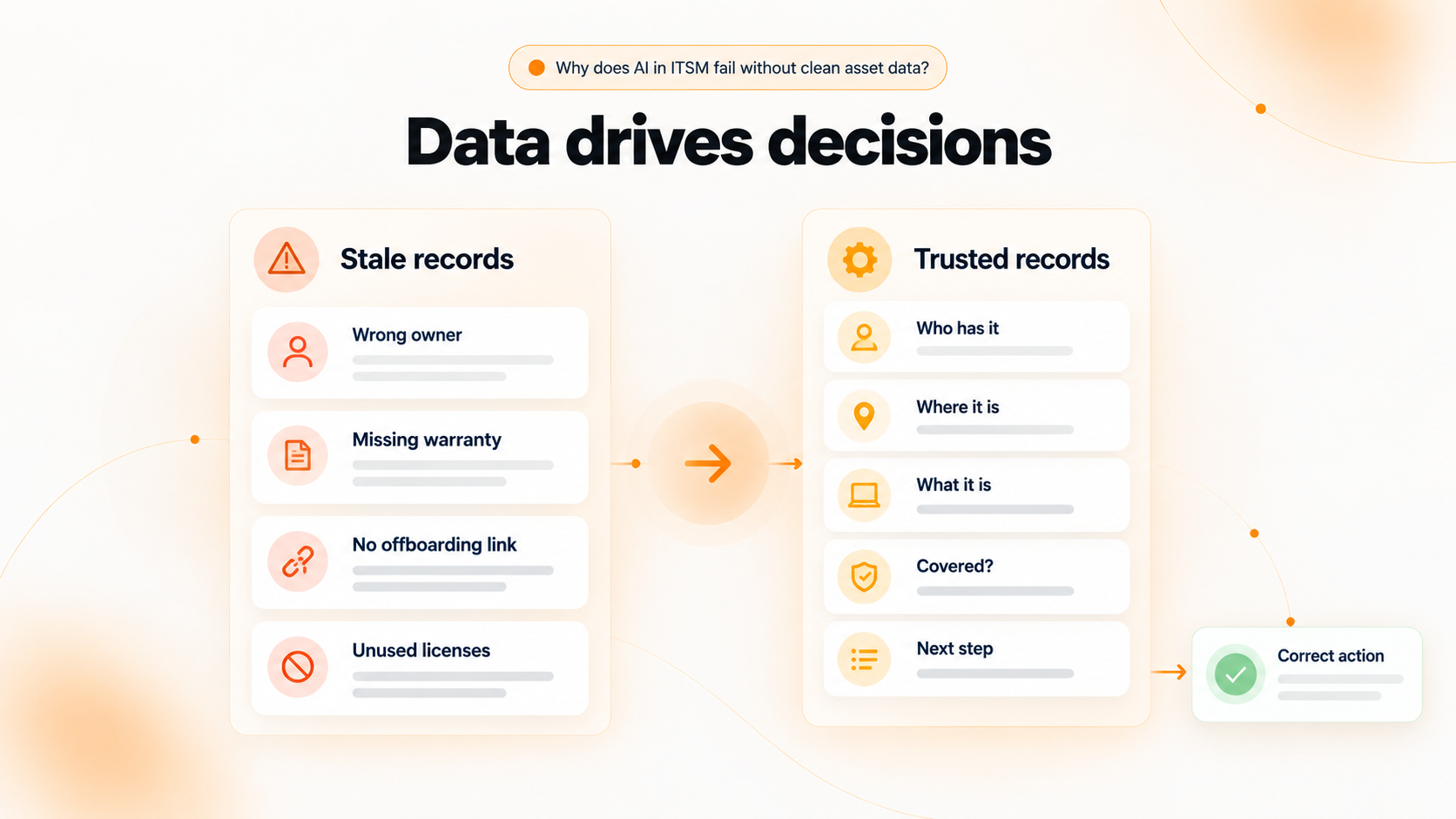
AI in ITSM is only as accurate as the asset and configuration data it reads. It does not fix stale records. It acts on them faster.
Gartner makes the same point in its 2026 Hype Cycle for AI in ITSM: valuable outcomes depend on governance and foundational ITSM data, not on the AI features alone.
Here is what stale asset data looks like once automation is involved:
- Wrong owner: the AI approves a replacement for a laptop that was reassigned two months ago.
- Missing warranty data: it opens a paid repair on a device still under coverage.
- No offboarding link to HR: a departed employee keeps a $1,800 laptop because nothing triggered a return.
- Unused licenses: seats stay assigned to people who no longer use the software.
Most ITSM platforms track tickets well. Fewer track where each device physically is, who has it, and what condition it is in across procurement, deployment, returns, and disposal.
Before expanding AI, check that your CMDB or asset records answer five questions for every device: who has it, where it is, what it is, whether it is covered, and what happens to it next. Our guide to CMDB vs. ITAM explains how the two records work together.
Is AI in ITSM safe? Risks to plan for
Most IT teams are keeping people in the loop. In the 2026 State of AI in IT survey from ITSM.tools and Atomicwork (a vendor-sponsored study), 36% of respondents said AI is in use but humans make the final decisions.
| Risk | What it looks like | Guardrail |
|---|---|---|
| Wrong answers | A virtual agent cites a retired VPN process | Review AI-drafted articles before publishing |
| Misrouting | Tickets bounce between groups | Track reassignment rate weekly and retrain on corrections |
| False positives | Predicted incidents that never happen | Tune alert thresholds before automating responses |
| Over-autonomous agents | Access granted or hardware shipped without approval | Approval gates and scoped permissions |
| Sensitive data exposure | Employee or device data sent to an outside model | Data-handling review, role-based access, audit trails, and a check against state privacy laws such as the CCPA |
How to measure the ROI of AI in ITSM
Capture a 90-day baseline before you turn anything on. Without one, every improvement is an estimate.
| KPI | What it tells you | Target direction |
|---|---|---|
| Mean time to resolution (MTTR) | How fast issues close | Down |
| Ticket deflection rate | Share of requests resolved without an agent | Up |
| First-contact resolution | Share solved on the first touch | Up |
| Reassignment rate | How often routing gets it wrong | Down |
| Cost per ticket | Monthly service desk cost divided by monthly ticket volume | Down |
| SLA attainment | Share of tickets resolved within target | Up |
Simple cost math: HDI shift-left research put a Level 1 ticket at about $16 and a self-help resolution at about $2. Those are 2019 benchmarks, so use your own cost per ticket where you have it.
At those rates, a desk handling 2,000 tickets a month that shifts 25% to AI self-service saves about $7,000 a month, or $84,000 a year. For more benchmarks, see how a help desk ticketing system tracks performance.
Smarter tickets start with knowing where every device is
Unduit connects service management to the physical side of IT: the laptops, monitors, and peripherals your tickets are about. Its AI-powered IT agent works with the tools you already run, including Jira, MDMs such as Jamf, Kandji (Iru), and Microsoft Intune, and your HRIS. It adds the lifecycle layer that keeps asset data current instead of replacing those systems.
Offboarding is where that matters most. When HR marks an employee as leaving, Unduit handles the equipment return end to end:
- Automated pickup scheduling: sends reminders and arranges pickups without manual follow-up.
- Real-time tracking dashboard: shows every laptop, monitor, and peripheral in transit.
- Smart inventory updates: logs returned devices, records condition, and syncs with your asset management system.
- Refurbish and redeploy recommendations: suggests repair, upgrade, or redeployment to keep asset value.
- Secure chain of custody: logs every step for audits and data security.
- Global support: manages domestic and international shipments.
- Employee-friendly communication: keeps departing employees updated by email, text, or call.
The result is AI that acts on records you can trust. Unduit is ISO/IEC 27001 certified and built for mid-market teams supporting distributed workforces.
Frequently asked questions
How do you use AI in ITSM?
Start with one high-volume, low-risk workflow, such as ticket routing or password resets. Measure a baseline, run it for 30 to 60 days, and expand only when the KPIs improve. Add agentic workflows last, with approval steps in place.
Will AI replace ITSM or service desk jobs?
AI removes repetitive work like triage, routing, and simple requests. People still own escalations, judgment calls, vendor management, and AI governance itself. Most teams use AI to absorb ticket growth rather than cut headcount.
How does AI reduce manual workloads in ITSM?
It classifies and routes tickets, answers common questions through virtual agents, drafts replies and knowledge articles, and triggers routine workflows like device returns. Each removes a step a technician used to do by hand.
How do you keep humans in control of AI in ITSM?
Use approval gates for actions involving access, money, or hardware. Limit what each AI agent can touch, log every action, and review reassignment and error rates weekly.
How long does it take to implement AI in ITSM?
A single use case like routing can go live in weeks if your ticket and asset data is clean. A broader rollout across self-service, knowledge, and lifecycle workflows typically runs over two or three quarters.