 Unduit ITSM · AI-native service desk
Every IT request, wherever it’s asked. Solved on time.
Requests from  Slack, Teams, the portal and email become tickets with an owner, an SLA and an AI summary.
Average rating 4.8 on 


Trusted by Global IT Teams
Requests arrive everywhere. Nobody owns them.
One IT ticketing system for every request. Each gets an owner, a deadline and a record. Employees keep asking where they already do.
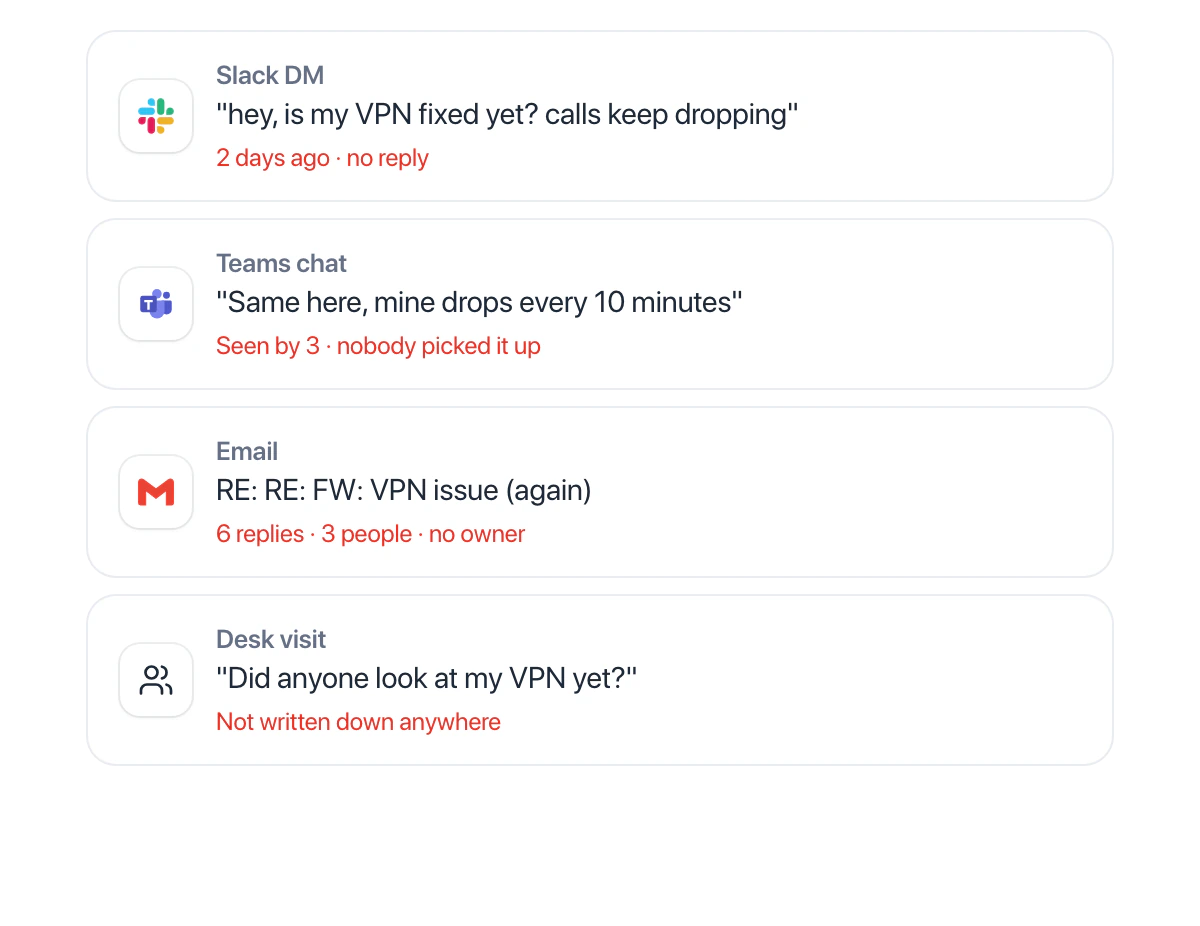
Without Unduit ITSM
One problem, four places, no owner.
With Unduit ITSM
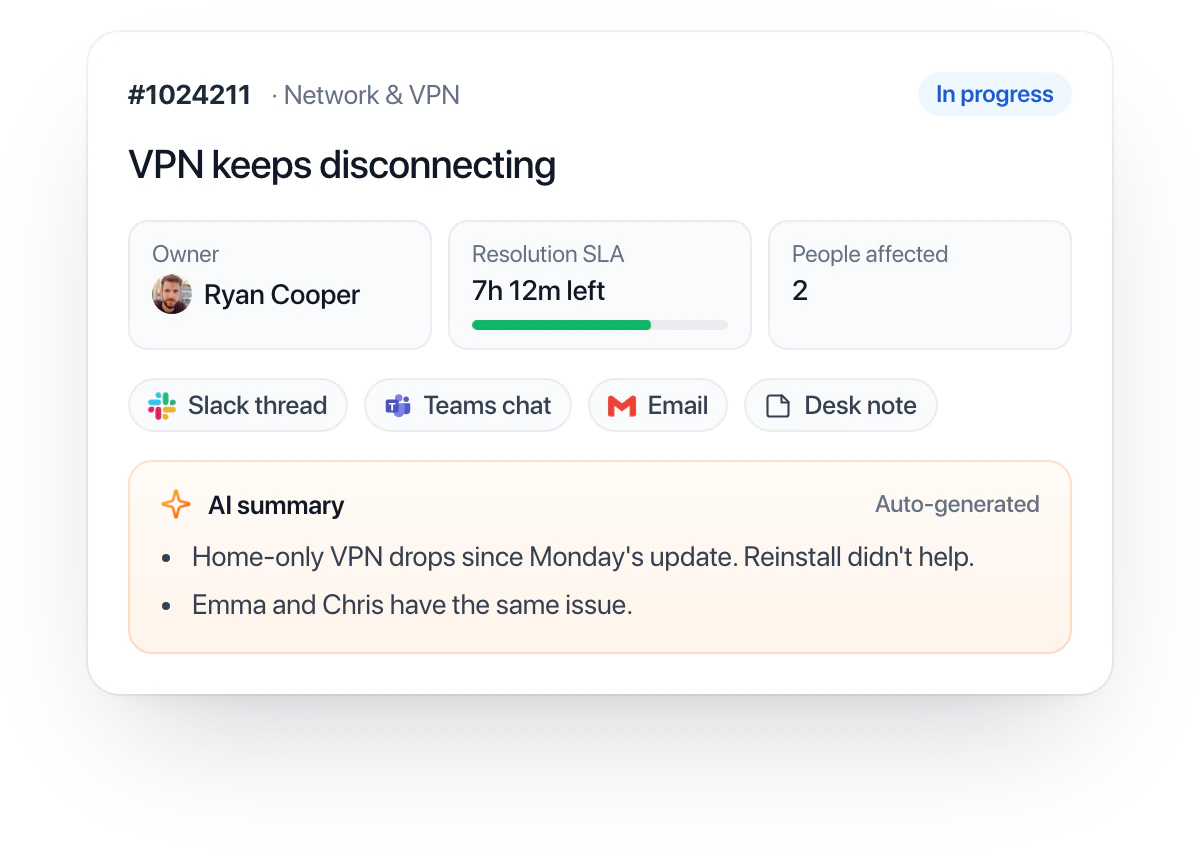
One ticket, one owner, every message in order.
Your whole IT service desk, at a glance.
Every ticket, SLA and trend on one live dashboard in Resolve IT.
One ITSM platform. Your IT support command center.
Context, automation and AI in one workspace. Every request moves from first message to solved.
An AI help desk coworker for every agent
Reads the whole thread and suggests the next step.
- Summaries on every ticket. Fourteen messages become three lines.
- Suggested next steps. Priority, team, asset and reply, applied in one click.
- Draft replies. A first answer your agent edits and sends.
- Home-only VPN drops since Monday’s update. The office is fine.
- Reinstall didn’t help. Chris has the same issue.
- Client 4.2.1 missed Monday’s profile update.
Service desk automation that does the routine for you
Route, approve and notify on a visual canvas.
- Triggers from every channel. A Slack or Teams message, an email or a catalog form.
- Routing and approvals. Assign the right team, start the SLA, ask the approver.
- Updates where people are. Requesters hear back in the same chat or inbox.
TriggerNew message in #it-help or Teams IT HelpOr an email, or the catalog form
Category is Software accessSet from the message, confirmed by the agent
A modern helpdesk ticketing system your team will enjoy
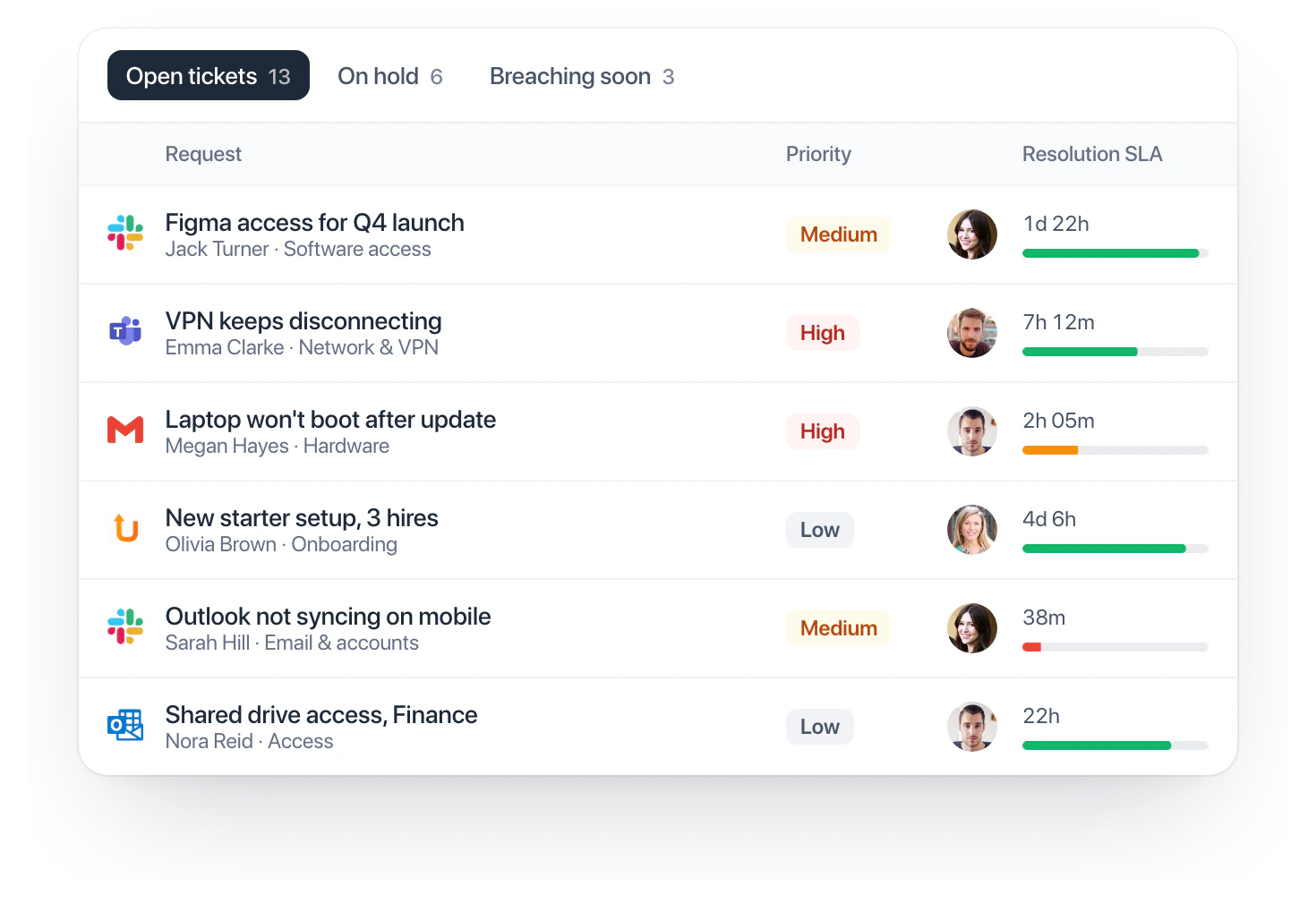
Every channel in one queue. Each ticket on a live SLA.
- One queue for every channel. Slack, Teams, portal, email and client portals.
- Live SLA timers. Response and resolution, with escalation when they slip.
- Teams and roles. Admin, Manager, Agent and Viewer, each with the right access.
See how your service desk is really doing
An IT service management tool with SLA, CSAT and volume built in. No report building.
- SLA performance. Met, at risk and breached, as it happens.
- CSAT on every ticket. Employees rate with one click when it closes.
- Where requests come from. Spot the categories worth automating.
Tickets this weekSample data
Top categories
Support as easy as sending a message
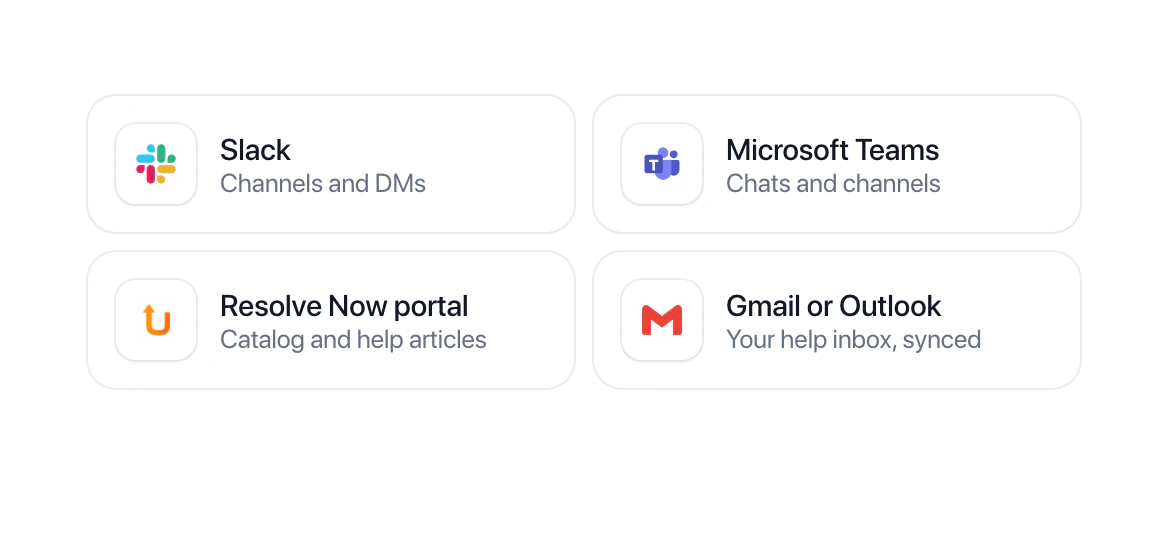
Employees ask in Slack or Teams. IT works the ticket in Resolve IT.
- Turn messages into tickets. A request in a channel or a DM becomes a ticket with an owner and an SLA.
- Updates in the same thread. Employees see who has it and when it’s done, without chasing.
- Approvals in chat. Managers and app owners approve requests from Slack or Teams.
- Rate it when it’s resolved. One-click CSAT, right in the conversation.
 # it-helpSlack

Can I get Figma access? Starting on the Q4 launch designs tomorrow 🙏
Got it, Jack. I opened #1024219 · Figma access and asked Sarah Mitchell, the app owner, to approve.

Approved for the launch team ✅
Resolved. Ryan added you to the Figma team. How did we do?
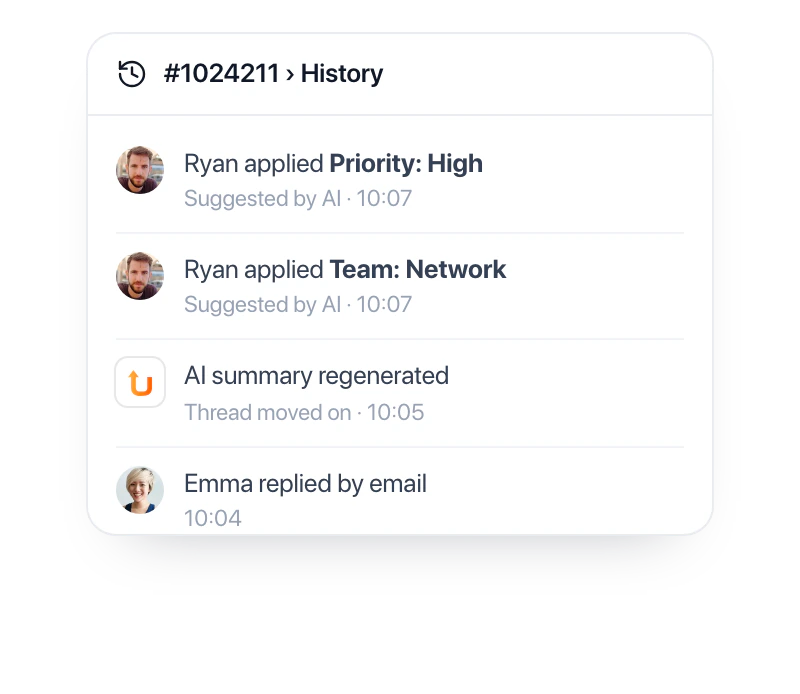
AI suggests. Your agents decide.
AI ITSM with a human in charge. Nothing changes until a person applies it.
Nothing changes until you click
Every suggestion can be undone.
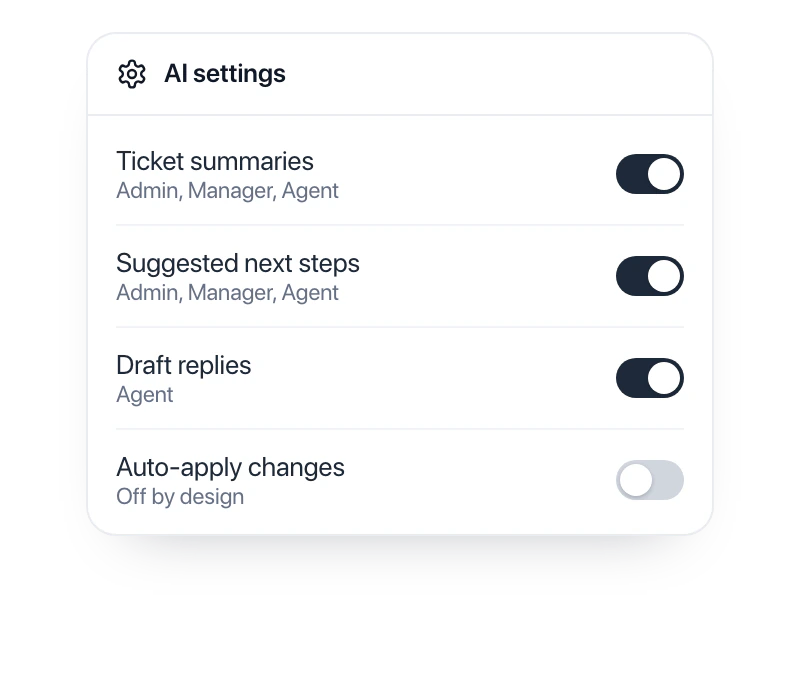
Admins decide what AI can do
Per feature, per role.
Ask the queue in plain English
Get the tickets behind every answer.
 Ask Unduit AI
Future of IT service management
- Try asking:
- Which tickets will breach their SLA in the next 3 hours?
- Summarize ticket #1024211 and suggest the next step
- Assign every new VPN ticket to the Network team
- What are employees asking about most this week?
- Show every ticket waiting on a manager’s approval
Automate the routine. Focus on what matters.
Help desk automation for everyday requests. From first message to closed ticket.
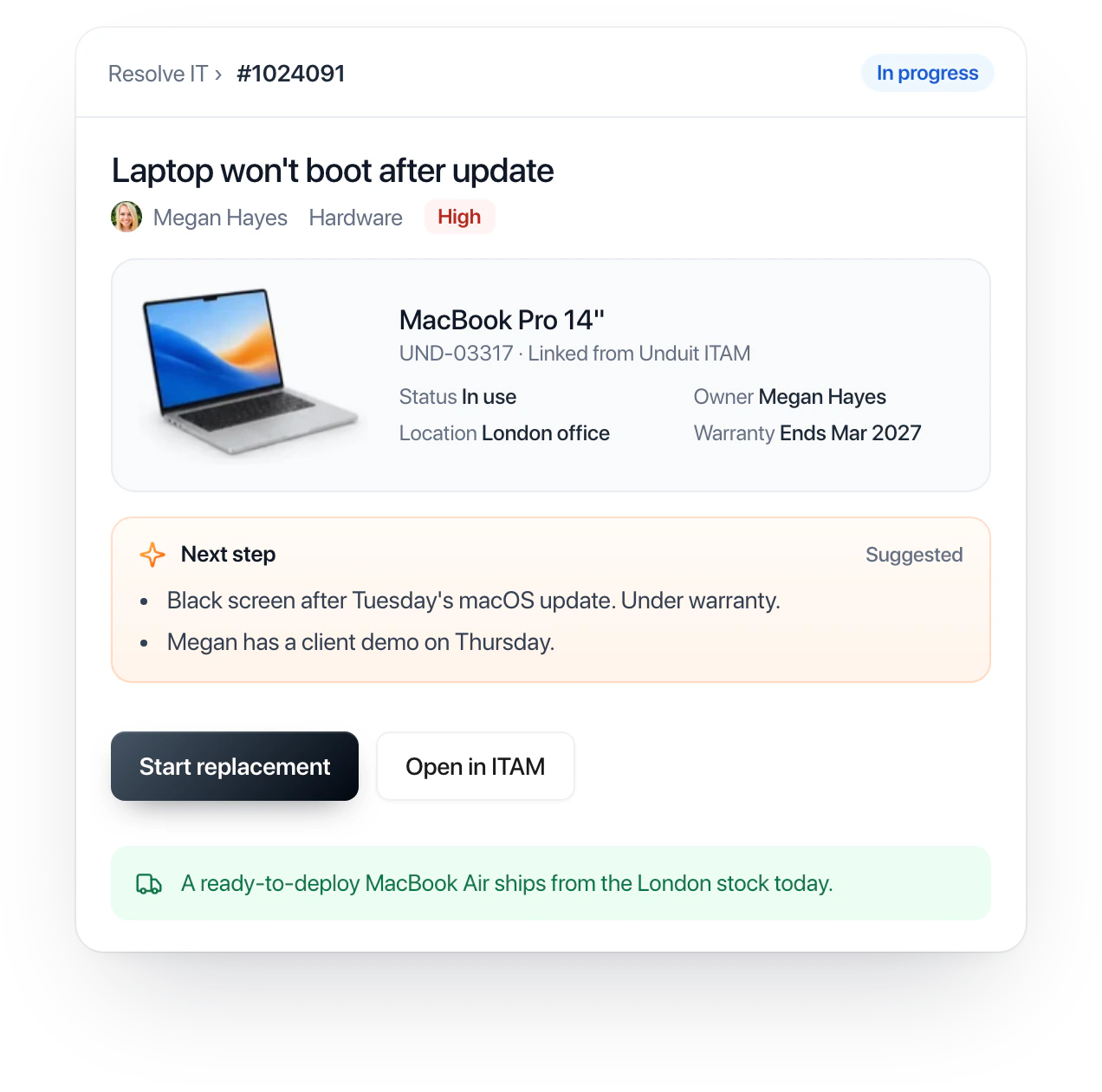
Every ticket knows the device
Device, owner and warranty from Unduit ITAM, right on the ticket.
- Model, status, warranty and owner on every ticket
- Start a replacement without leaving the ticket
- Backed by Unduit’s lifecycle services in 100+ countries
A complete platform for internal support
Set it up yourself, no code needed. SLAs, approvals, portals and reports from one admin.
Works with the tools you already use
Connect chat, email and device data in minutes.
SlackRequests, approvals and updates GmailHelp inbox to tickets
 OutlookShared mailbox to tickets
 Unduit ITAMDevice and owner on every ticket
Enterprise-grade security. Audit-ready by default.

- Role-based accessAdmin, Manager, Agent and Viewer, plus per-role AI.
- Full audit historyEvery change, who made it and when.
- AI that follows your permissionsReads only the ticket, under the same roles.
Audited against the standards your security team asks about.



See AI-driven ITSM in action
30 minutes. Your request types, channels and SLAs, set up for the call.
- Pick a time that works for you.
- See your request types, channels and SLAs set up for the call.
- Leave with a plan, whether or not you work with us.
- Talk to an ITSM specialist, not a script.
